
Understanding On Page SEO and Why It Matters for Your Website (Complete Guide)
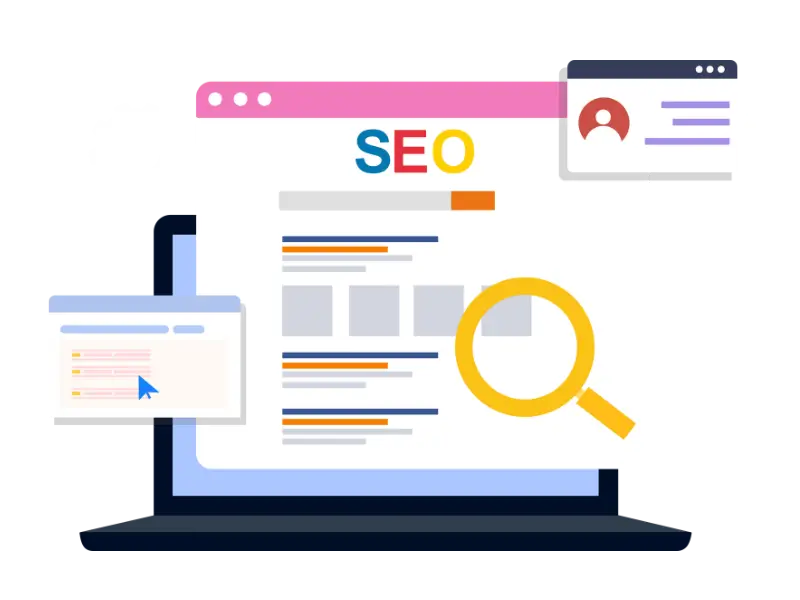
On Page SEO means improving your website pages so Google and your visitors can understand them easily. It includes simple things like using the right keywords, writing clear titles, using headings properly, and creating content that answers the user’s question. It also includes making your pages easy to use by keeping URLs clean, adding internal links, and optimizing images. When everything on the page is clear and organized, Google can match it with the right searches.
On Page SEO also helps people have a better experience when they visit your site. If a page loads fast, looks good on mobile, and is easy to read, visitors stay longer and trust your website more. This reduces confusion and helps users find what they need without effort. Over time, these improvements help your pages rank better and bring steady traffic.
- Understanding On Page SEO and Why It Matters for Your Website (Complete Guide)
- 1. How On Page SEO is different from Off Page SEO
- 2. Why On-Page SEO Is Important
- 3. How On-Page SEO Works
- 4. The Core On-Page SEO Signals Search Engines Notice
- 5. Keywords Are the Foundation
- 6. Optimizing Page Titles
- 7. Writing Effective Meta Descriptions
- 8. Using Headings Properly
- 9. Writing Quality Content
- 10. Optimizing URLs
- 11. Internal Linking
- 12. Optimizing Images
- 13. Improving Page Speed
- 14. Mobile-Friendly Design
- 15. Using Structured Data
- 16. User Engagement Signals
- 17. Regular Updates and Maintenance
- 18. Conclusion
1. How On Page SEO is different from Off Page SEO
On Page SEO improves what is inside your website pages, while Off Page SEO improves your reputation outside your site. In On Page SEO, you work on content, structure, and page experience so Google can understand your page and users can read it comfortably. These changes happen directly on your website, so you can improve them faster. On Page SEO builds the base, because even strong backlinks cannot help a page that is confusing or weak.
1.1 On Page SEO is in your control
On Page SEO is something you can change anytime because it happens inside your website. You can rewrite content, improve headings, update titles, fix internal links, and optimize images whenever needed. This makes it easier to test improvements and see what works. Even small updates can make a page stronger over time. Because you control it, On Page SEO is usually the best place to start.
1.2 On Page SEO focuses on page quality
On Page SEO is mainly about making the page useful and easy to understand for the searcher. It helps you match the right keywords, organize content into clear sections, and explain ideas in simple words. When a visitor lands on your page, they should feel the page answers their question without wasting time. Google tries to rank pages that satisfy users, so page quality matters a lot. Strong pages usually keep visitors longer and build trust.
1.3 Off Page SEO supports after pages are strong
Off Page SEO adds outside trust through backlinks, mentions, and reviews, but it works best when your page is already good. If your On Page SEO is weak, outside traffic may leave quickly, and results will not last. When your pages are strong, Off Page SEO becomes easier because people link to content they truly find helpful. This is why On Page SEO is the base and Off Page SEO is the support. Together, they create stable rankings.
1.4 A quick example of the difference
Imagine your page is like a shop. On Page SEO is how clean and organized the shop is and how easy it is to find what you need. Off Page SEO is what people say about the shop outside, like reviews and recommendations. If the shop is messy, even good reviews will not help for long because people will not stay. If the shop is well organized, reviews can bring more customers and keep them coming back.
2. Why On-Page SEO Is Important
On-Page SEO is important because it directly decides how clearly your pages match what people search for and how positively users react when they arrive. Without good On-Page SEO, even a strong topic or a good idea can remain buried on page two or three of Google. With good On-Page SEO, a clear, useful page can rise above more confusing competitors. It turns content from “just another article” into a page that Google can confidently show to users.
On-Page SEO also affects what happens after the click, not just before it. A well-optimized page loads quickly, presents information in a logical order, and helps users find next steps, such as related articles or contact forms. This leads to longer visits, more page views, and more conversions. Those behaviors send positive signals back to Google, which supports your long-term rankings and traffic growth.
2.1 Helps search engines understand your page
Search engines cannot “see” a page like a human, they rely on signals such as titles, headings, content, and internal links. If those signals are clear, Google can correctly identify what your page is about and which searches it should appear for. If those signals are weak or missing, your page may never show up for the right queries. On-Page SEO organizes these signals so that the meaning of your page is obvious, not hidden.
2.2 Improves user experience and keeps visitors longer
When a page is easy to scan, easy to read, and easy to use, visitors feel more comfortable staying on it. Clear headings let them jump to the section they need, short paragraphs prevent them from feeling overwhelmed, and internal links guide them to helpful related content. A smooth experience reduces frustration, especially on mobile devices where attention is limited. The longer users stay and interact, the stronger your page looks in the eyes of search engines.
2.3 Increases clicks from Google results
On-Page SEO improves how your page appears in search results through better titles, meta descriptions, and clean structure. Even if you rank, you still need users to choose your result, and a clear message increases clicks. When users click and immediately feel your page matches their search, they stay longer and trust your site more. Over time, this makes your page stronger because it brings the right visitors, not random visitors. Higher quality clicks usually lead to better traffic and better conversions.
2.4 Makes your content stronger than competitors
In most niches, many websites publish similar topics, so quality and clarity become the deciding factors. On-Page SEO helps you organize your content, explain it better, and cover the topic more completely than others. It also helps you remove confusion, improve readability, and guide users to the next step. When your page feels easier and more helpful than competing pages, it wins more attention. That advantage builds over time and makes ranking more stable.
3. How On-Page SEO Works
On-Page SEO works by sending clear signals to Google about what your page covers and by making the page satisfying for users. Google first reads your titles, headings, and content to understand the topic and intent. Then it checks whether the page looks useful, trustworthy, and easy to use on mobile and desktop. When users click and stay engaged, it supports the idea that your page is a good match. This combination of clear topic signals and good page experience is what makes On-Page SEO powerful.
On-Page SEO also works because it helps your page match search intent better than others. If the user wants a guide, your page should feel like a guide with steps and examples. If the user wants a service, your page should clearly explain the service, process, and trust points. When the content format matches what users expect, the page performs better naturally. Google prefers pages that satisfy users without wasting their time.
3.1 Google reads structure to understand the topic
Google uses your H1, H2, and H3 headings to understand what sections your page contains and how the information is organized. When headings are clear, Google can quickly identify the main theme and the supporting subtopics. This also helps your page appear for more related searches because Google sees broader coverage in a structured way. A clean structure reduces confusion and improves relevance. It also makes the page easier for users to scan, which supports engagement.
3.2 Google checks content quality and usefulness
Google evaluates whether your content actually answers the question and provides enough helpful detail. Pages that are thin, unclear, or repetitive often struggle because they do not fully satisfy search intent. Strong pages explain the topic clearly, cover common questions, and give practical guidance that users can apply. Google also notices signals of quality like clarity, completeness, and consistency across sections. When your content feels genuinely useful, it becomes easier to rank and keep rankings.
3.3 Google notices page experience signals
Google pays attention to how smoothly your page works, especially speed and mobile usability. If a page loads slowly, users leave quickly, and that is a negative experience signal. If the page loads fast, looks clean, and is easy to navigate, users stay longer and explore more. These behaviors support your SEO because they show your page is satisfying. On-Page SEO improves experience so your content can perform without friction.
3.4 On-Page SEO supports crawling and indexing
Google needs to crawl your page properly before it can rank it well. Clean internal links help Google discover pages, while clear structure helps Google understand what each page is about. When your URLs, headings, and content are organized, Google can index your page more accurately. This reduces the chance of ranking for the wrong queries or missing important keywords. Good On-Page SEO makes your website easier for search engines to process.
4. The Core On-Page SEO Signals Search Engines Notice
Search engines look for specific signals on your page to judge topic relevance, quality, and usability. These signals include what your page says, how it is structured, and how well it performs on devices. On-Page SEO strengthens these signals so Google can confidently match your page to the right searches. The goal is not to “game” signals, but to make them clear and consistent. When signals align, your page becomes easier to rank and easier to trust.
A strong On-Page SEO page usually feels simple and complete to users. It answers the main question quickly, then expands with helpful details, examples, and next steps. It also avoids frustration by loading fast and looking clean on mobile. These are the same qualities Google tries to reward. So these signals are not random, they are closely connected to user satisfaction.
4.1 Title tag relevance and clarity
The title tag tells Google and users what the page is about before they even click. A strong title is specific, matches the content, and includes the main topic naturally. If the title is vague or misleading, users may skip it or leave quickly after clicking. A clear title improves click quality because it attracts people who truly want that topic. Over time, strong titles support better traffic and better engagement.
4.2 Meta description and click appeal
The meta description influences whether users choose your result over others. It should explain what the page offers and why it is useful in simple language. If the description matches the page content, users feel satisfied after clicking and stay longer. If it is too generic or too salesy, users may ignore it or bounce quickly. While it is not a direct ranking factor, it strongly affects SEO through click behavior.
4.3 Heading structure and section coverage
Headings show Google the outline of your page and the subtopics you cover. Clear H2 and H3 sections help Google understand depth, which can help you rank for related long tail searches. Headings also help users scan and find exact answers fast, which improves satisfaction. A messy structure makes the page feel confusing, even if the information is good. Clean headings make the page look complete and professional.
4.4 Content depth and completeness
Google prefers pages that cover a topic fully and answer related questions users often have. Depth does not mean writing random extra lines, it means giving meaningful detail that supports the main topic. A complete page usually includes definitions, steps, examples, and practical tips. When users feel they got a full answer, they are less likely to return to Google for another page. That satisfaction supports stronger rankings over time.
4.5 Keyword use that looks natural
Google expects keywords to appear naturally because they help confirm the topic of the page. But unnatural repetition can reduce trust and readability. A well optimized page uses the main keyword in key places and supports it with related terms and natural language. This makes the page clear without sounding forced. Natural keyword use improves both relevance and user experience at the same time.
4.6 Internal links and topical connections
Internal links help Google understand how your pages connect and which pages are most important. They also guide users to related content, which increases page views and time on site. When internal links are placed naturally, they improve navigation and help both SEO and user experience. They also spread authority across your website, helping more pages rank. A good internal linking system makes your site feel organized and trustworthy.
4.7 URL structure and readability
A clean URL helps Google and users understand the topic quickly. Short, clear URLs are easier to share and easier to trust than long confusing URLs with random numbers. URLs also act as a small relevance signal because they often include the page topic. When URLs are consistent across the site, the website feels more professional. A messy URL structure can create confusion for both users and search engines.
4.8 Page speed and mobile friendliness
Speed and mobile usability strongly affect how users experience your page. If a page is slow or hard to use on mobile, people leave faster, and that hurts performance. Google also prioritizes mobile-first indexing, which means mobile experience matters a lot. Fast pages create a smoother experience and reduce bounce rate. This supports better engagement and helps your content compete.
5. Keywords Are the Foundation
Keywords are the base of On-Page SEO because they decide what your page should talk about and who it should attract. If your keyword choice is wrong, your page can still be well written but it may reach the wrong people or not reach anyone at all. Keywords also guide your content structure, because they tell you what the user wants, such as learning, comparing, or buying. When your page matches the keyword intent properly, it becomes more useful and easier to rank.
Good keyword work is not about repeating one phrase many times. It is about understanding the language your audience uses and building a page that naturally includes those phrases while staying clear. Most strong pages have one main keyword and several related keywords that support the same topic. This makes the page feel complete and helps Google understand the topic depth. When the foundation is correct, the rest of On-Page SEO becomes much easier.
5.1 What are keywords
Keywords are the words and phrases people type in Google when they are looking for something. They can be simple like “on-page SEO” or very specific like “how to write SEO titles for blog posts.” Keywords are basically user needs written in search form, so they show what people want to learn or solve. When you target the right keyword, you are writing for a real demand, not guessing. This is why keyword research is the starting point for every good page.
5.2 Why choosing the right keywords matters
Choosing the right keyword matters because it affects your traffic quality and your ranking difficulty. Some keywords are very competitive, meaning big websites already dominate them, so new sites may struggle. Other keywords are more specific and easier to rank, and they often bring visitors with clearer intent. The best keywords are relevant to your topic, match what your audience wants, and are realistic for your website strength. When keyword choice is correct, your content attracts the right visitors and performs better long-term.
5.3 Search intent and keyword intent
Search intent means the reason behind the search, and it decides what type of content should rank. If someone searches “what is on-page SEO,” they want an explanation, not a sales page. If they search “on-page SEO checklist,” they want steps, not a long story. When your page matches intent, users stay longer because they feel the page fits their needs. Google notices that satisfaction and often rewards the page that matches intent best.
5.4 How to place keywords naturally
Keywords should appear in important places like the title, main heading, and early part of the content so Google understands the topic quickly. After that, use keywords naturally where they fit without forcing them into every line. A good practice is to write normally first and then check if the page includes the topic words in a natural way. If a keyword sounds awkward in a sentence, change the sentence instead of stuffing the keyword. Natural writing builds trust and still gives Google clear topic signals.
5.5 Keyword stuffing and why it hurts
Keyword stuffing means repeating the same keyword too many times just to rank faster. This makes content uncomfortable to read and can reduce credibility because it feels robotic. Search engines are also good at detecting unnatural repetition and may reduce the value of that page. A better approach is to explain the topic clearly and use related words that fit naturally. When the page reads smoothly and stays helpful, it usually performs better.
5.6 Related keywords and topical coverage
Related keywords are terms connected to your main keyword, such as synonyms, subtopics, and common questions. Using them helps because it makes your content more complete and aligns with how people search in different ways. For example, a page about on-page SEO may naturally include terms like title tags, meta descriptions, internal linking, and page speed. This improves topical depth without stuffing the same phrase repeatedly. When your page covers the full topic, it becomes more useful and more competitive.
6. Optimizing Page Titles
Page titles are one of the most powerful On-Page SEO elements because they affect both rankings and clicks. Google uses the title to understand your topic, and users use the title to decide whether to click your page. Even small title improvements can change results because titles control first impressions in search. A good title makes your page look clear, trustworthy, and directly relevant to the search.
A title should act like a promise that your page can deliver. If your title is too vague, people skip it because they cannot tell what they will get. If it is too clickbait, people click and leave, which hurts long-term performance. The best titles are specific, simple, and connected to what the page actually contains. When you get titles right, your traffic becomes more targeted and more valuable.
6.1 What makes a strong SEO title
A strong SEO title clearly explains what the page is about and what value the user will receive. It often includes the main keyword naturally, but it also needs to sound human and easy to read. The title should match the content so the visitor feels satisfied after clicking. When the title and content align, users stay longer and trust the page more. This combination supports better performance over time.
6.2 Where to place your main keyword in the title
Placing the main keyword near the beginning can improve clarity and help Google and users understand the topic quickly. This is useful especially when people scan many results fast. However, the title should still sound natural and not feel forced. If the keyword placement makes the title awkward, adjust the sentence so it reads smoothly. Readability always comes before keyword placement.
6.3 Title length and why it matters
If a title is too long, it may get cut off in search results and the important message may disappear. If it is too short, it may not explain enough value and users may ignore it. The best title length is long enough to be clear but short enough to display well. A focused title improves scanning and click confidence. When the message is visible, users make faster and better decisions.
6.4 Using numbers, brackets, and clarity words
Numbers and clarity words can improve clicks when they fit the topic naturally. For example, “10 On-Page SEO Tips” tells users what to expect and feels organized. Words like “guide,” “checklist,” “step-by-step,” or “complete” help users understand the format quickly. These words should not be used as decoration, they should match what the page provides. When the title matches the format, visitors feel the page is trustworthy.
6.5 Common title mistakes to avoid
A common mistake is using generic titles that do not explain the topic clearly, such as “Blog” or “Services.” Another mistake is stuffing too many keywords, which makes the title look spammy and reduces trust. Some people also use misleading titles that promise more than the page delivers, which causes quick exits. A strong title should be honest, clear, and user-focused. When users trust the title, they trust the page.
7. Writing Effective Meta Descriptions
Meta descriptions are the short preview text that appears under your title in search results in many cases. They do not directly raise rankings like titles, but they strongly influence whether users click your result. A good meta description makes your page look more helpful than others because it explains the benefit in simple words. It also helps set expectations so users do not feel disappointed after clicking.
Meta descriptions should support the title, not repeat it. The goal is to explain what the user will gain and why your page is a good choice. When your description matches the search intent, it attracts more qualified visitors who are more likely to stay. Higher quality clicks usually improve engagement and conversions. So meta descriptions are small, but they are very important for performance.
7.1 What makes a good meta description
A good meta description is clear, specific, and focused on user benefit. It tells the user what the page includes, such as steps, tips, or a guide, without sounding like an advertisement. It should match the page content honestly so the visitor feels the page delivers what was promised. If it fits naturally, include the main keyword because it helps users recognize relevance. When the description feels helpful and real, clicks improve.
7.2 How to write meta descriptions that get clicks
Write your description like you are answering the search in a quick preview. Mention the topic, explain the value, and keep the wording simple and direct. If your page has a clear format like a checklist or step-by-step guide, mention it so users know what to expect. Avoid filler words that do not add value because space is limited. When your description feels focused, it stands out among other results.
7.3 Ideal length and why it matters
If a meta description is too long, Google may cut it, and you may lose the most important part of your message. If it is too short, it may not explain enough value and users may ignore it. The best approach is a compact description that communicates one strong benefit clearly. Make sure the first sentence is meaningful because it is the part users notice fastest. When the message is visible and clear, more users click.
7.4 Common meta description mistakes
One mistake is leaving meta descriptions empty, which forces Google to pull random text from the page. Another mistake is writing something generic that could fit any page, which makes your result look weak. Some people also overuse keywords, making the description feel spammy and unnatural. A strong description should be unique to that page and written for humans. When it reads well, it performs better.
8. Using Headings Properly
Headings improve On-Page SEO because they organize your content into clear parts and make it easier to read. Users often scan before reading, and headings help them find the exact section they need. Google also reads headings to understand topic coverage and how the content is structured. A page with clean headings looks more complete, more professional, and easier to trust.
Headings also help you avoid messy writing because they force you to explain ideas in a logical order. This improves clarity and reduces repetition, which helps both readers and search engines. A well-structured page can perform better even if competitors cover the same topic, because user experience becomes better. When users stay longer and read more, that supports long-term ranking stability.
8.1 H1, H2, and H3 structure explained
H1 is usually the main title of your page and should clearly describe the main topic. H2 headings divide the page into major sections, while H3 headings break those sections into smaller, more detailed points. This structure helps readers follow your content step by step without getting lost. It also helps Google understand what your page covers and how deep it goes. When the structure is clean, the page becomes easier to interpret.
8.2 How headings help search engines understand context
Google uses headings like signboards that explain the meaning of each section. If headings match the section content, Google can identify your main topics and your supporting topics clearly. This can help your page show for more related searches because the content is organized around subtopics. Headings also improve the chance of appearing in featured snippets when they clearly match user questions. Clear headings make SEO stronger without extra tricks.
8.3 How headings improve readability for users
Headings make the page easier to scan, which is important because many users read quickly. They allow visitors to jump directly to the part they need, instead of leaving the page. This improves satisfaction and keeps users engaged longer, especially on mobile. When the page is easy to navigate, users trust it more and explore further. Better readability often leads to better performance.
8.4 Using keywords in headings without stuffing
It is fine to include your main keyword in the H1 if it fits naturally and describes the page clearly. In H2 and H3, use related phrases and natural wording that fits the topic and sounds normal. Do not force the same keyword in every heading because it can look unnatural and repetitive. The best approach is clarity first and keyword second. When headings are natural, users and search engines both understand them.
8.5 Common heading mistakes
A common mistake is using headings only for design, not for structure, which makes the content feel disorganized. Another mistake is skipping heading levels, like jumping from H2 to H4 without a clear reason. Some pages also use multiple H1 headings, which can confuse structure and reduce clarity. Headings should be consistent, simple, and connected to what the section explains. When headings are clean, the entire page feels stronger.
9. Writing Quality Content
Quality content is the center of On-Page SEO because it is the part users came for. Titles and headings can attract clicks, but content decides whether the visitor stays and trusts your website. Google aims to rank pages that answer questions clearly and completely, so strong content is the biggest competitive advantage. When your content solves the problem better than others, rankings become easier and more stable.
Quality content is not about adding more words for no reason. It is about covering the topic properly, explaining it simply, and giving practical guidance. A good page answers the main question, covers common sub-questions, and removes confusion. When users feel they got everything they needed, they spend more time on your site and return again. That user satisfaction supports SEO growth.
9.1 What “quality content” means for SEO
Quality content means content that is clear, useful, and matches what the user is searching for. It explains the topic in a simple way and provides enough detail so readers do not need to search again immediately. It also feels trustworthy because it is organized, consistent, and not misleading. If your page helps users achieve their goal, it usually performs better over time. Quality content is the biggest ranking support you can build.
9.2 Depth without fluff
Depth means covering the topic fully, not writing extra lines that do not add value. You create depth by explaining key points, adding examples, including steps, and answering common questions. Fluff is when you repeat the same thing in different words without helping the reader. Google and users both prefer content that is useful and direct. A strong page feels detailed but still easy to read.
9.3 Readability and simple explanation
Readability is about how easy it is for users to understand your content without effort. Simple words, short sentences, and consistent paragraph size make the page comfortable to read. Clear transitions between sections help users follow your flow without confusion. When readability improves, users stay longer and trust your message. This improves engagement and supports long-term SEO.
9.4 Adding examples and practical steps
Examples make content easier because they show how a concept works in real life. Practical steps help users take action instead of only reading theory. When you include examples, your page feels more useful and less confusing. This increases trust because users feel you understand real problems, not just definitions. Pages with strong examples often perform better because users find them more helpful.
9.5 Content uniqueness and why it matters
Uniqueness does not always mean new research, it can also mean your own structure, your own explanations, and your own helpful additions. If your content looks like it repeats what every other page says, it becomes harder to stand out. When you add better clarity, more steps, and updated information, your content becomes more valuable. This can also help you earn backlinks naturally, because people link to the best resource. Strong uniqueness improves both SEO and brand trust.
10. Optimizing URLs
A URL is the address of your page, and it gives small but important signals to both users and search engines. A clean URL helps people understand what the page is about even before opening it. It also looks more professional when shared on social media, WhatsApp, or email. Search engines use URLs as one of many topic clues, so a clear URL supports better relevance.
Good URLs are simple, readable, and consistent across your website. They should not be full of random numbers, symbols, or extra words that confuse the topic. A strong URL structure also helps you manage your website long-term because it stays organized as you publish more pages. When users trust the URL and Google understands it, the page becomes easier to perform well.
10.1 Why URLs matter for On-Page SEO
URLs help search engines and users quickly understand the topic of a page. A clear URL increases confidence because users feel the page is related to their search. Search engines also use URL words as a supporting relevance signal, especially when they match the page topic. If your URL is messy, it can reduce clarity and look less trustworthy. Clean URLs support better usability and better SEO structure.
10.2 What an SEO friendly URL looks like
An SEO friendly URL is short, clear, and includes the main topic in simple words. It avoids random IDs, unnecessary folders, and long strings that do not explain anything. It also uses hyphens between words so it is easy to read. A URL like “/on-page-seo-checklist” is clear, while “/page?id=12345” tells nothing. When the URL looks clean, it improves trust and sharing.
10.3 URL best practices you should follow
Use lowercase letters, use hyphens, and keep the URL focused on the main keyword or topic. Remove extra filler words like “and,” “the,” or “best-of” unless they improve meaning. Avoid changing URLs often because changes can break links and harm rankings if not handled correctly. Keep your URL structure consistent across your site so it looks organized. These small habits make your site easier to manage and easier to understand.
10.4 Common URL mistakes to avoid
Avoid very long URLs that include many words because they look messy and reduce clarity. Avoid using dates in URLs if the topic is evergreen, because the page may look outdated later. Avoid using special characters and unnecessary parameters unless required for technical reasons. Also avoid changing a URL after it ranks without proper redirects. Clean and stable URLs support long-term SEO stability.
11. Internal Linking
Internal linking means linking from one page on your website to another page on your website. It helps visitors discover more helpful content and helps search engines crawl and understand your website structure. Internal links also spread authority across your site because strong pages can support newer pages through links. When done correctly, internal linking improves both user experience and SEO growth.
Internal linking is one of the easiest On-Page SEO wins because you do not need external websites to do it. You can control where links go and which pages you want to support. The key is to link naturally where it helps the reader, not to force links everywhere. When internal links are useful, users click more and stay longer on your site.
11.1 Why internal linking matters for SEO
Internal links help Google discover your pages and understand how they are connected. If a page has no internal links pointing to it, it may be harder for Google to find and rank it. Internal links also show which pages are important because frequently linked pages often look more valuable. For users, internal links create a smoother journey by guiding them to related information. This improves engagement and makes your site feel more complete.
11.2 How internal links help users
Users do not always land on your homepage, they often land on one article or one service page. Internal links help them move to the next useful page without searching again. This keeps them engaged and reduces the chance that they leave after reading one page. When users explore more pages, trust increases because your site feels like a full resource. Better navigation often leads to better conversions too.
11.3 Anchor text in internal links
Anchor text is the clickable text used for a link, and it should describe what the linked page is about. Good anchor text helps users understand what they will get after clicking. It also helps Google understand the topic of the linked page, which improves relevance. Avoid using only “click here” because it provides no meaning. Clear anchor text improves both clarity and SEO structure.
11.4 Where to add internal links naturally
Internal links work best when they appear where a reader would naturally want more detail. For example, if you mention “meta descriptions,” linking to a meta description guide makes sense. You can also link from older pages to new pages so the new content gets discovered faster. A good habit is to add internal links during content updates, not only while publishing. Natural placement keeps links helpful and reduces clutter.
11.5 Common internal linking mistakes
A common mistake is linking too much, which makes the page feel messy and distracts readers. Another mistake is linking to irrelevant pages only for SEO, which reduces trust and user satisfaction. Some websites also forget to link to important pages, leaving them isolated. Internal links should be purposeful, relevant, and helpful to the reader. When links support the user journey, SEO benefits naturally.
12. Optimizing Images
Images make your content more engaging, but they can also slow your site if they are not optimized. Google cares about page speed and user experience, and heavy images can harm both. Image optimization means making images load fast while still looking good, and helping search engines understand what the image is about. When done correctly, images improve readability without damaging performance.
Image optimization is also important for accessibility. Alt text helps visually impaired users understand images through screen readers. It also helps Google understand image meaning, which can support SEO and even image search traffic. A good image strategy improves both design and performance at the same time.
12.1 Why image optimization matters
Large images can slow your page, and slow pages frustrate users quickly. When users leave because the page loads slowly, it sends negative signals and reduces conversions. Optimized images improve speed and make the page feel smoother. They also make your content easier to consume because visuals break up long text. Better user experience supports better SEO performance.
12.2 Image file size and compression
Compression reduces image size without making the image look bad. Smaller files load faster and improve Core Web Vitals, which supports SEO. You should also use modern formats when possible, because they often give better quality at smaller sizes. The goal is to keep images sharp but lightweight. When you balance quality and size, your page stays fast and professional.
12.3 File names that help SEO
Image file names should describe what the image is about instead of using random names like “IMG_1234.” A clear file name helps organization and can support search engines understanding the image. Use simple words and hyphens between them, and avoid long names with many extra words. File names are a small signal, but small signals add up when your site grows. Clear naming also helps your workflow when managing many images.
12.4 Alt text and how to write it
Alt text should describe the image in simple words so users and search engines understand it. If the image is important to the topic, you can include a related keyword naturally, but do not force it. The main goal is accessibility and clarity, not keyword stuffing. Good alt text is short, accurate, and connected to the page topic. Strong alt text improves user experience and supports image SEO.
12.5 Common image mistakes
A common mistake is uploading large images directly from a camera without resizing or compressing. Another mistake is skipping alt text completely, which hurts accessibility and clarity. Some people also use too many images that do not add value, which increases load time without helping users. Images should support the content, not distract from it. When images are purposeful and optimized, they improve the page instead of slowing it.
13. Improving Page Speed
Page speed is one of the most important On-Page SEO and user experience factors because people expect websites to load quickly. If a page is slow, users leave, especially on mobile data connections. Google also values fast websites because they provide a better experience. Improving page speed helps rankings, improves engagement, and increases conversions at the same time.
Speed is not only about one thing, it is usually a combination of image size, hosting quality, code efficiency, and how your site loads resources. You do not need to be a developer to improve speed, because many improvements are simple and tool supported. Even small speed improvements can reduce bounce rate significantly. A faster page makes your content more powerful because users actually stay to read it.
13.1 Why page speed matters for SEO
Google wants to show pages that give a smooth experience, and speed is a big part of that. Slow pages create frustration, which leads to quick exits, and that reduces overall performance. Speed also affects crawling because very slow sites can make it harder for Google to crawl many pages efficiently. A faster site creates better engagement and better stability. That is why page speed is a strong SEO priority.
13.2 Simple ways to improve page speed
Compressing images, reducing heavy plugins, and using caching can improve speed quickly. Choosing reliable hosting also matters because slow servers create slow sites even with good optimization. You can also reduce unnecessary scripts and remove features you do not use. Testing your site with a speed tool shows the biggest problems clearly. Fixing the biggest issues first usually gives the best improvement.
13.3 Understanding Core Web Vitals in simple words
Core Web Vitals are Google’s way of measuring how users experience a page, especially loading, interaction, and layout stability. If your page loads quickly, responds quickly, and does not shift elements while loading, users feel comfortable. Poor scores often happen because of heavy images, too much code, or unstable design. You do not need to memorize the terms, you just need to improve the experience. Better experience usually means better performance and better trust.
13.4 Tools to test page speed
Speed testing tools show how fast your page loads and what is slowing it down. They also provide suggestions such as compress images, reduce unused code, or improve server response. Testing helps you avoid guessing and focus on real problems. You should test both mobile and desktop because mobile issues are often bigger. Regular testing helps you maintain speed as you add new content.
13.5 Common speed mistakes
A common mistake is using too many large images and videos without optimization. Another mistake is installing many plugins that load extra scripts on every page. Some websites also use cheap hosting that cannot handle traffic properly, which makes everything slow. Speed problems often grow over time if you do not monitor them. Regular checks and simple cleanup help keep your site fast.
14. Mobile-Friendly Design
Mobile-friendly design is critical because a large part of internet traffic comes from phones. Google also uses mobile-first indexing, meaning it looks at the mobile version of your page as the main version. If your mobile experience is poor, rankings and conversions can suffer even if desktop looks fine. A mobile-friendly site is easier to use, easier to read, and more likely to keep visitors engaged.
Mobile design is not only about making the site fit the screen. It is also about making buttons easy to tap, text easy to read, and pages fast to load on mobile networks. Many users decide in seconds whether to stay or leave, so mobile experience must feel smooth. When mobile usability improves, engagement improves and that supports SEO stability.
14.1 Why mobile friendliness matters for SEO
Google wants to rank pages that work well on the devices people actually use. If your content is hard to read on mobile or the layout breaks, users leave quickly. Google notices these negative experiences and may rank other pages instead. A mobile-friendly page improves satisfaction because users can consume content easily. Better satisfaction supports better long-term rankings.
14.2 Responsive design explained simply
Responsive design means your website automatically adjusts to different screen sizes. Text, images, and layout elements resize and reorganize so the page stays usable on phones, tablets, and desktops. This prevents issues like sideways scrolling or tiny unreadable text. Responsive design is the modern standard because it reduces the need for separate mobile pages. When your design adapts smoothly, the website feels professional.
14.3 Mobile usability checklist
Mobile usability means the page is readable without zooming and buttons are easy to tap without mistakes. Menus should be simple, and important content should appear clearly without forcing users to search. Images should scale properly, and popups should not block the main content. Forms should be simple to fill on a phone, especially contact forms and checkout forms. When these basics are correct, mobile experience improves strongly.
14.4 Common mobile design mistakes
A common mistake is using very small font sizes that require zooming. Another mistake is placing buttons too close together, causing wrong clicks and frustration. Some pages also use popups that cover the screen and make it hard to read. Heavy layouts can also load slowly on mobile networks, reducing engagement. Fixing these issues improves both user trust and SEO.
15. Using Structured Data
Structured data is a way to help Google understand your page content more clearly by giving it extra labels. These labels can help your page appear with rich results like star ratings, FAQ dropdowns, recipe details, or event information. Structured data does not guarantee rich results, but it improves your chances when it is implemented correctly. It also improves clarity, which is always good for SEO.
Structured data is especially useful for pages that follow common formats, such as products, services, reviews, recipes, articles, and FAQs. It helps search engines interpret your information without guessing. When your search result looks richer, it often gets more clicks because it stands out visually. So structured data supports visibility and click performance.
15.1 Why structured data matters
Structured data helps Google understand what your page is about at a deeper level. It also helps Google present your result in a more detailed and attractive way. Rich results can increase click-through rate because users notice them faster. Structured data also reduces misunderstanding, especially for pages with complex information. When meaning is clearer, performance becomes more stable.
15.2 Common types of structured data
Common structured data types include FAQ schema, article schema, product schema, review schema, and local business schema. The best type depends on the page format and what content you actually have. You should only use structured data that matches real visible content on the page. If you mark up content that does not exist, it can create problems. When schema matches content, it supports trust and eligibility for rich results.
15.3 How to implement structured data
Structured data can be added through plugins, website builders, or manual code depending on your platform. Many SEO plugins make it easy by letting you choose a page type and fill in key fields. If you use manual setup, you must follow the correct format and test it before publishing. After implementation, you can validate it with testing tools to check errors. A correct setup improves clarity and avoids issues.
15.4 Common structured data mistakes
A common mistake is adding schema that does not match what users can see on the page. Another mistake is using the wrong type of schema for the page, which creates confusion and errors. Some websites also forget to test their markup, so errors remain unnoticed. Structured data should be clean and accurate, not forced. When implemented correctly, it helps your search appearance without risk.
16. User Engagement Signals
User engagement signals are the behaviors people show when they interact with your page. Examples include how long they stay, whether they scroll, whether they click internal links, and whether they return to search quickly. These behaviors show whether the page actually helped the visitor. On-Page SEO improves engagement by making the page easier to read, easier to navigate, and more satisfying.
Engagement matters because Google wants to rank pages that users like and trust. If your page attracts clicks but users leave instantly, it may signal mismatch or poor experience. If users stay and explore, it signals satisfaction and usefulness. So engagement is not a trick, it is a result of good page quality. Improving engagement often improves SEO results naturally.
16.1 Why engagement matters for rankings
When users stay longer and interact more, it suggests the content answered their question well. Google aims to show results that satisfy users, so engagement patterns can support a page’s performance. Low engagement often happens when content is unclear, slow, or does not match intent. Improving structure and clarity usually improves engagement quickly. Better engagement supports better long-term stability.
16.2 How to improve time on page
Time on page improves when the content is easy to read and gives useful detail without confusion. Clear headings, simple paragraphs, and strong examples keep users interested. Adding internal links to related sections also encourages continued reading. Visuals like images and simple diagrams can also help users stay engaged. When the page feels valuable, users naturally spend more time.
16.3 Reducing bounce rate the right way
Bounce rate reduces when users immediately find what they want and then feel interested to explore more. Strong introductions, clear headings, and internal links to related content support that behavior. Removing slow load issues and reducing distracting popups also helps. The goal is not to force people to click, it is to provide a natural next step. A useful next step keeps users on the site longer.
16.4 Clear calls to action and next steps
A call to action guides the user on what to do next, such as reading another guide, contacting you, downloading a checklist, or viewing a service page. If you do not guide users, they may leave even if they liked the content. Calls to action should be clear and relevant to the page topic. They should feel helpful, not pushy or salesy. Good CTAs increase engagement and conversions together.
17. Regular Updates and Maintenance
On-Page SEO is not a one-time job because websites change and user expectations change. Google prefers pages that stay accurate and helpful, especially in topics that evolve. Over time, content can become outdated, links can break, and examples can stop being relevant. Regular updates keep your pages useful and keep your rankings more stable. Maintenance is like keeping your store clean, organized, and updated for new customers.
Regular updates also help you improve performance based on real data. You can see which pages get traffic, which keywords bring visitors, and where users drop off. Then you can improve those weak parts and make the page stronger. Even small updates like better headings or clearer examples can lift rankings. A maintained site usually performs better than a neglected site.
17.1 Why updating content helps SEO
Updated content stays accurate, which improves user trust and reduces confusion. Google also prefers pages that reflect current information, especially when search trends change. Updating can also improve rankings by adding missing subtopics or improving clarity. When you update, you make the page more competitive compared to newer content from competitors. This helps you protect and grow traffic over time.
17.2 What to update on old pages
You can update facts, examples, screenshots, tools, and steps that may have changed. You can also add missing questions users commonly ask, which increases completeness. Fixing broken links and improving internal links can also strengthen the page structure. If the page is ranking but not getting clicks, updating the title and meta description can help. Focus updates on real improvements that users will notice.
17.3 How often you should review your content
Review frequency depends on your niche and how fast information changes. Evergreen topics can be reviewed every few months, while fast-changing topics may need more frequent updates. A simple approach is to review your top traffic pages regularly because they impact results the most. You can also review pages that dropped in rankings or clicks. A consistent review habit keeps your SEO stable.
17.4 Common maintenance mistakes
A common mistake is never updating old content, which slowly reduces trust and rankings. Another mistake is changing URLs or removing pages without proper redirects, which can break SEO value. Some websites also add new content but forget to improve internal linking, leaving pages isolated. Maintenance should be careful and planned, not random. When you maintain consistently, you protect long-term growth.
18. Conclusion
On-Page SEO is about making your pages clear, useful, and easy to use so Google and users both trust them. It starts with choosing the right keywords and matching search intent, then building strong titles, headings, and content. It also includes technical improvements like speed, mobile friendliness, and clean URLs, which directly affect user experience. When all these parts work together, your website becomes easier to rank and easier to grow.
The best part of On-Page SEO is that you control it completely. You do not need to wait for backlinks or external mentions to start seeing improvements. If you optimize your pages step by step and keep updating them, results become more stable over time. Start with your most important pages first, then apply the same process across your site. Consistent improvements build consistent rankings.





