
Understanding How to Create Hyperlocal Landing Pages That Convert Patients
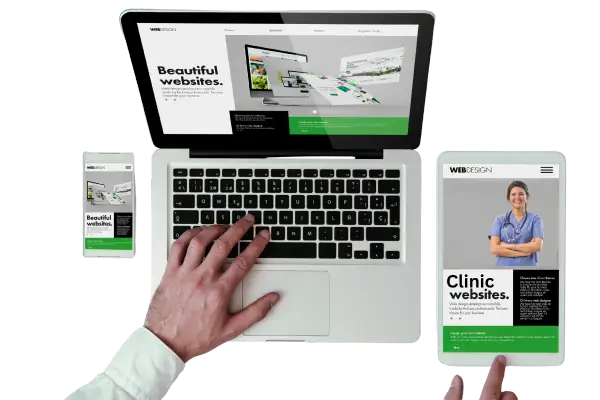
Creating hyperlocal landing pages can be a game-changer for medical practices. When patients search for healthcare services near them, you want your page to appear at the top of their results and encourage them to take action. Hyperlocal landing pages focus on attracting people from a very specific geographic area. This type of page is not just about listing your address. It’s about connecting with your local audience in a way that makes them feel understood and comfortable. With the right strategy, tools, and content, you can turn casual visitors into booked appointments. In this blog, we will explain in simple terms how to design these pages, what to include, and what tools and examples can help you succeed.
1. Understanding Hyperlocal Landing Pages
Before creating your pages, it’s important to understand what hyperlocal landing pages are and why they work. These pages target a very specific area, such as a city neighborhood or zip code. Unlike general service pages, hyperlocal pages speak directly to the local audience. Google and other search engines value content that is highly relevant to a specific area, so these pages often rank higher in local searches. For example, a dentist in Brooklyn could create a page specifically for the Williamsburg neighborhood, using neighborhood references, landmarks, and local reviews. Tools like Ahrefs, SEMrush, and Moz can help you find local keywords that potential patients are searching for. Even free tools like Google Keyword Planner and Google Trends can give you insights into what people are looking for in your area. A healthcare SEO company can also guide you on how to structure your pages for better visibility and conversion.
1.1 Choosing the Right Local Keywords
Picking the right keywords is the first step. You want keywords that people are actually typing when looking for your services. Include location-specific words, like the neighborhood, city, or landmarks, alongside your service. For instance, instead of just “pediatrician,” use “pediatrician in Midtown Atlanta.” Keyword tools like SEMrush or Ahrefs show search volumes and difficulty. Google Keyword Planner is free and can help you find long-tail local searches. Use these keywords naturally in your headings, content, and meta descriptions. Avoid stuffing them. Remember, the goal is to make the page readable for humans while optimized for search engines.
1.2 Writing Localized Content
Content should talk directly to the local audience. Mention local events, hospitals, schools, or other points of reference that make your page feel connected to the area. For example, a physiotherapy clinic could mention the local park where patients often jog. Explain the services clearly and simply. Each paragraph should answer a potential patient’s question, like what treatments you offer or why your clinic is trustworthy. Tools like Grammarly or Hemingway Editor can help make your writing clear and easy to understand. You can also look at top-ranking local pages for ideas but make sure your content is unique. This approach builds trust and signals to Google that your page is relevant for local searches.
1.3 Including Reviews and Testimonials
Reviews are essential for local trust. People often check what others say before booking an appointment. Embed Google Reviews or Yelp testimonials on your hyperlocal pages. You can also use platforms like Podium or Birdeye to collect and display reviews. Mention the reviewer’s neighborhood if possible. This makes the page more relatable for visitors. For example, “Jane from Greenpoint said…” helps readers feel like neighbors are recommending you. Including authentic reviews improves your credibility and conversion rate.
1.4 Adding Clear Calls-to-Action
Your page should tell visitors what to do next. Whether it’s booking an appointment, calling the clinic, or filling out a form, make the next step clear. Use simple language like “Book Your Appointment Today” or “Call Us Now.” Tools like HubSpot, Calendly, or SimplyBook.me can manage bookings directly on your page. Having multiple points for call-to-action ensures that even if someone scrolls fast, they see options to act immediately. A clear call-to-action increases the chances of converting visitors into patients.
1.5 Using Local Images and Videos
Visual content helps patients connect with your clinic. Photos of your office, staff, or the neighborhood create familiarity. Videos introducing the staff or explaining procedures make patients feel comfortable. Tools like Canva, Animoto, or Adobe Express can help you create professional visuals even if you’re not a designer. Google loves multimedia content, and it improves engagement, keeping visitors on your page longer. This combination of local relevance and visual content strengthens your hyperlocal page strategy.
1.6 Optimizing for Mobile
Most local searches happen on mobile devices. Your page should load quickly, look good on phones, and have easy-to-click buttons. Google’s PageSpeed Insights or GTMetrix can help you check performance. Use responsive design tools like Elementor, Wix, or Webflow to ensure your page works on all screen sizes. A slow or poorly designed mobile page can make potential patients leave before booking. Mobile optimization is crucial for converting local traffic into actual appointments.
2. Advanced Strategies to Boost Conversions
Once your hyperlocal page is live, you want to make sure it brings results. Conversion strategies go beyond content. They focus on building trust, tracking visitors, and creating engagement. A healthcare SEO company often advises using analytics and testing methods to see what works best.
2.1 Using Local Schema Markup
Schema markup is a type of code that helps search engines understand your page better. LocalBusiness schema can include your address, phone number, and business hours. Tools like Google’s Structured Data Markup Helper make it easy to implement. Adding schema helps your page appear in local packs, maps, and rich results, which increases visibility. Rich snippets often attract more clicks because users see complete information right in the search results.
2.2 Integrating Maps and Directions
Adding a Google Map with your clinic’s location helps patients find you quickly. You can also link to Apple Maps or Waze. Tools like Embed Google Maps allow you to place interactive maps directly on the page. Highlight nearby landmarks for easier navigation. Providing directions reduces friction and builds trust, as patients feel confident they can reach your clinic without difficulty.
2.3 Running Local Paid Campaigns
Local landing pages work well with targeted ads. Google Ads or Meta Ads can be set to show only in your neighborhood or city. Use location targeting to drive local traffic to your page. Ads can highlight special offers or appointments. Platforms like WordStream or AdEspresso help you manage campaigns and track performance. Combining organic local SEO with paid campaigns maximizes patient acquisition.
2.4 Leveraging Social Proof
Showcase any partnerships, certifications, or awards. Mention local collaborations, such as working with nearby gyms, schools, or hospitals. Social proof reassures patients that your practice is credible and respected. Tools like Trustpilot or Reviews.io can help display badges and ratings. Highlighting social proof gives visitors confidence to take the next step.
2.5 Testing and Optimizing Pages
Use A/B testing tools like Google Optimize, Unbounce, or Optimizely to test headlines, images, or call-to-action buttons. Small changes can significantly impact conversion rates. Testing allows you to understand what resonates with your local audience. Regularly reviewing analytics ensures your page stays effective and continues to attract new patients.
2.6 Collecting Emails for Follow-Up
Capture emails to build a local patient list. Tools like Mailchimp, Constant Contact, or HubSpot can help you send newsletters or reminders. Providing value, like health tips or appointment reminders, keeps your audience engaged. This strategy ensures that even visitors who don’t book immediately may convert later. Email follow-ups complement hyperlocal landing pages by nurturing trust and engagement over time.
2.7 Tracking Local Performance
Analytics is key to understanding if your page works. Google Analytics, Google Search Console, and Hotjar can track visits, clicks, and conversions. Monitoring performance allows you to identify which pages bring the most patients. Tracking local traffic helps refine your strategy, ensuring you focus on neighborhoods or areas that provide the best results.
3. Conclusion
Creating hyperlocal landing pages is not just about showing up in local search results; it’s about connecting with your audience in a way that feels personal and trustworthy. By carefully choosing local keywords, writing relatable content, including visuals, reviews, and calls-to-action, and optimizing for mobile and search engines, you can significantly increase patient conversion. Using advanced strategies like schema markup, maps, local ads, and social proof ensures that your pages stand out. Regular testing, analytics, and email follow-ups help refine your approach over time. Hyperlocal pages are a powerful tool for any medical practice that wants to attract more patients and grow sustainably in their local area.









