
Understanding How to Implement Location-Based Schema for Individual Clinic Pages
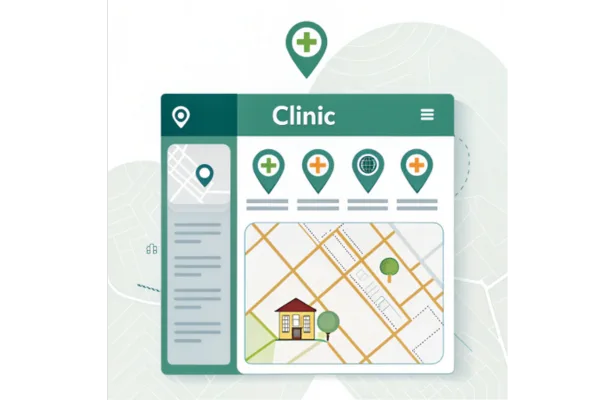
Location-based schema is a special type of structured data that helps search engines understand exactly where your clinic is located and what services you offer in that area. If your clinic has multiple locations, each location should have its own individual page with schema that reflects its exact address, phone number, working hours, and other local information. Implementing this correctly improves your chances of appearing in local search results, maps, and voice searches, making it easier for patients to find you. In this guide, we will go step by step on how to do it effectively, showing tools, apps, examples, and tips along the way.
1. Understanding Location-Based Schema and Why It Matters
Before implementing any schema, you need to understand what location-based schema is and why it is important for your clinic. Location-based schema is part of structured data markup using JSON-LD format, which search engines like Google read to better understand your business details. If a clinic has multiple branches, each branch should have its unique schema showing its specific location, contact number, and services. This is essential because Google wants accurate, local information to show your clinic in local searches. For instance, if a patient searches for “dentist near me,” Google will prefer results with proper location schema. Tools like Google’s Structured Data Testing Tool or Schema Markup Validator can help check if your schema is implemented correctly. Some websites like Schema.org have templates for medical businesses, and apps like Yoast SEO plugin for WordPress can automatically generate JSON-LD schema for each page. Even if you hire a healthcare SEO company, understanding how this works helps you monitor and update your pages effectively.
1.1 What is Location-Based Schema?
Location-based schema is a type of structured data that provides search engines detailed information about your clinic’s physical location. It is usually coded in JSON-LD format and added to the HTML of your clinic page. This data includes your clinic’s name, address, phone number, website, opening hours, and sometimes services. By providing this information, Google and other search engines can show rich results, such as your clinic appearing on Google Maps, knowledge panels, and local packs. For example, if you run a chain of physiotherapy clinics, each clinic’s page should contain its own schema with its specific city, street, and phone number. Tools like RankMath, SEMrush, or Google Tag Manager can help you create and test this schema. Websites like Schema.org give you examples of how to structure your data properly so that you do not miss any critical elements.
1.2 How Schema Helps Local SEO
Implementing location-based schema correctly directly improves your clinic’s visibility in local search results. Search engines use schema to confirm that your business is genuine and that your location details are consistent across the web. For instance, if your clinic appears in Google Maps, schema ensures that the address, phone number, and business hours match exactly what you have listed on other sites. Inconsistent information can hurt your rankings. Moreover, when patients use voice assistants like Siri or Google Assistant to find healthcare services nearby, schema helps the assistant fetch accurate information about your clinic. Tools like Moz Local and BrightLocal can monitor local listings and ensure consistency. Even simple online platforms like Google Business Profile allow you to add structured data automatically, which complements your on-page schema efforts. Some clinics also integrate apps like LocalViking to manage multiple location pages efficiently.
1.3 Choosing the Right Schema Type
For clinics, the most suitable schema types are MedicalBusiness or LocalBusiness. MedicalBusiness is a subtype specifically for healthcare services like dental offices, physiotherapy centers, or clinics. You should include relevant properties such as medicalSpecialty, name, address, telephone, and openingHours. For example, a physiotherapy clinic in Chicago would have its own schema with addressLocality set as Chicago and streetAddress specific to that branch. Tools like Google’s Rich Results Test can verify if you are using the correct schema type. Websites like JSON-LD Generator also provide templates where you can fill in your clinic details, and it will generate ready-to-use schema code for your page.
1.4 Tools and Apps for Implementing Schema
There are several tools and apps to make the implementation process easier. Yoast SEO and RankMath plugins for WordPress can automatically create schema for individual pages. Google Tag Manager allows adding schema code without changing website files. For advanced users, Schema App is an online platform where you can create, deploy, and monitor structured data across multiple pages. Even free tools like Google’s Structured Data Testing Tool help validate your code to avoid errors. Some small clinics use website builders like Wix or Squarespace, which also provide options to add schema through simple interfaces. Apps like SEMrush can audit your site to see if schema is missing or incorrectly applied.
1.5 Common Mistakes to Avoid
Even though adding schema seems straightforward, there are common mistakes that clinics make. One mistake is using the same schema on all location pages instead of customizing it for each clinic. Another is missing critical details such as opening hours or contact numbers, which can confuse search engines. Overloading schema with unnecessary information can also cause errors. Using tools like Schema Markup Validator, you can spot these mistakes before they affect your SEO. Additionally, double-checking your Google Business Profile listings ensures that all data matches your schema, which is critical for local search credibility. Keeping schema up-to-date whenever business hours or addresses change is essential for maintaining visibility.
1.6 Example of a Proper Schema Implementation
Let’s say you run three dental clinics in different cities. Each clinic page should have its own JSON-LD script like this example for one clinic:
{
“@context”: “https://schema.org”,
“@type”: “MedicalBusiness”,
“name”: “Smile Dental Clinic – Chicago”,
“address”: {
“@type”: “PostalAddress”,
“streetAddress”: “123 Main Street”,
“addressLocality”: “Chicago”,
“postalCode”: “60601”,
“addressCountry”: “US”
},
“telephone”: “+1-312-555-1234”,
“openingHours”: “Mo-Fr 09:00-17:00”
}
This ensures each page is unique and correctly mapped to its location. You can create similar scripts for other branches and use tools like Schema App to manage them efficiently.
2. Steps to Add Location-Based Schema on Clinic Pages
Adding location-based schema involves careful planning and accurate input of information. The first step is to gather all necessary details for each clinic: address, phone number, working hours, and specialties. Then, you need to choose the correct schema type like MedicalBusiness. After that, create a JSON-LD script and add it to the HTML header or via a plugin. Testing is critical to make sure Google can read the schema properly. Each page must be treated separately, and you should update schema whenever there is a change in business details. Following this process helps your clinic appear accurately in local search results, maps, and voice searches.
2.1 Preparing Data for Each Location
Before coding anything, collect accurate information for each clinic. Include street address, city, state, postal code, country, phone number, opening hours, and services offered. Make sure these details match exactly what is listed on Google Business Profile, Yelp, or health directories. Inaccurate data can confuse search engines and affect rankings. Tools like BrightLocal and Moz Local can help monitor consistency across multiple listings. Even apps like Google Maps allow you to check if your addresses and contact numbers are displayed correctly. Having complete and accurate data is the foundation of proper schema implementation.
2.2 Creating JSON-LD Schema
Once you have all the details, you can start creating JSON-LD schema. JSON-LD is preferred by Google because it is easy to read and does not interfere with the visible page. You can write code manually or use tools like JSON-LD Generator or Schema App to create it automatically. Include all necessary properties like @type, name, address, telephone, openingHours, and medicalSpecialty. For example, a pediatric clinic in Los Angeles would need its own unique script with addressLocality set as Los Angeles and specific opening hours. This helps Google differentiate one location from another.
2.3 Adding Schema to Website Pages
After creating the JSON-LD script, you need to add it to the individual clinic page. If your website runs on WordPress, you can use Yoast SEO or RankMath plugins to insert it easily in the header section. For custom-built websites, paste the script in the <head> section of your HTML. Google Tag Manager is another option for adding schema without editing website code. Make sure each page has its unique schema to avoid duplicate content issues. Apps like Wix and Squarespace also offer simple fields to insert structured data for each page.
2.4 Testing Schema Implementation
Testing is critical to ensure that schema is working correctly. Google’s Rich Results Test and Schema Markup Validator are reliable tools to verify if the JSON-LD code is error-free. Testing also shows whether search engines can read all necessary properties like name, address, phone, and opening hours. You can run tests after adding schema to every clinic page. If errors appear, you can fix them before Google crawls the page. Some tools like SEMrush Site Audit also check schema across all pages automatically.
2.5 Integrating Schema with Google Business Profile
Adding schema alone is not enough. Make sure the same details are reflected in your Google Business Profile. This consistency helps Google trust your location data. For example, if your schema lists a clinic in Miami with certain opening hours, your Google Business Profile should match exactly. Tools like LocalViking help manage multiple Google Business listings at once. Accurate integration increases your chances of appearing in local packs and on Google Maps. Even a healthcare seo company will emphasize this step because it is crucial for local SEO success.
2.6 Maintaining and Updating Schema
Once schema is implemented, you need to maintain it regularly. If your clinic moves, changes phone numbers, or modifies working hours, update the JSON-LD on the page immediately. This ensures that Google always has correct information. Tools like Schema App, RankMath, or Yoast SEO plugins make updates easier. Periodic testing with Google’s Rich Results Test is recommended. Regular maintenance prevents errors and ensures that patients find accurate information about your clinic every time they search online.
2.7 Example of Adding Schema Step by Step
Imagine a physiotherapy chain with branches in New York, Chicago, and Los Angeles. First, collect all data for each branch. Second, use JSON-LD Generator to create unique scripts. Third, insert each script on its corresponding page using a WordPress plugin. Fourth, test using Rich Results Test to ensure no errors. Fifth, verify that Google Business Profile matches the schema. Sixth, maintain updates whenever hours or contact info change. Following these steps guarantees that each clinic page is optimized for local SEO.
3. Conclusion
Implementing location-based schema for individual clinic pages is a crucial part of local SEO and patient visibility. By understanding the importance of schema, preparing accurate data, creating JSON-LD scripts, testing them, and maintaining updates, your clinic pages will perform better in local search results. Tools like Yoast SEO, RankMath, Schema App, Google Rich Results Test, and Moz Local simplify the process and reduce errors. This structured approach ensures that your clinic’s location information is clear, accurate, and visible to patients, ultimately improving foot traffic and online presence. Even if you hire a healthcare seo company, knowing these steps ensures you can monitor and manage each clinic page effectively.









