
Understand What Facial Recognition Search Is
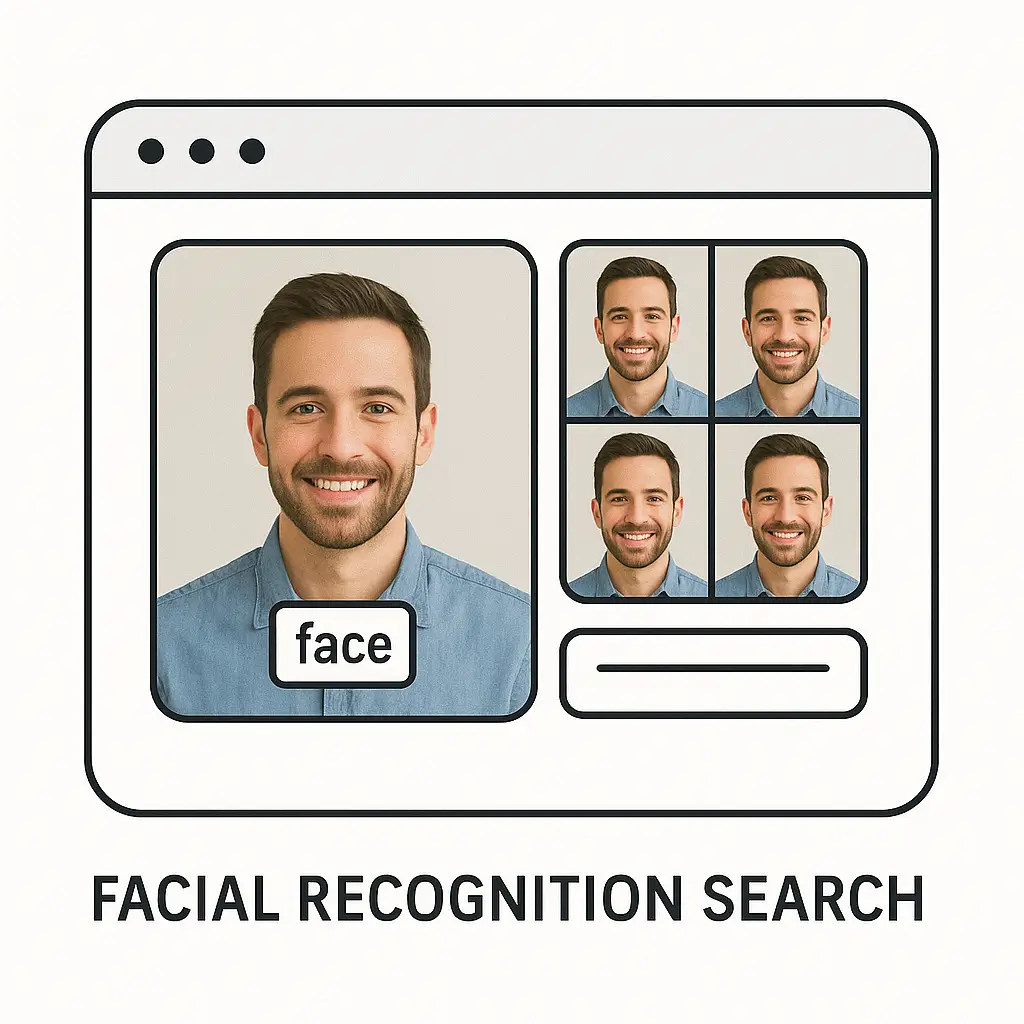
Facial recognition search is a method that helps a system find or match faces by studying the special features on a person’s face and comparing them with stored images. It works by taking a picture, noticing the shapes and patterns, and checking if another photo shares those details. Facial recognition belongs to the group of image search techniques that rely on visual clues to guide results instead of long text. This kind of search appears in tools that sort photos, help locate older images, or confirm who someone is in a quick and steady way. The idea stays simple because the system focuses only on clear face points. Even common tools like Google Images or face matching platforms follow this basic method behind the scenes.
1. How Facial Recognition Search Works
Facial recognition search works through a set of steps that turn a face into information that the computer can study and compare with other faces. The system looks for shapes like eyes, nose, and mouth, then forms a pattern from those features, and finally checks if another image has a similar pattern stored in its memory. This process helps match a face even if the lighting, angle, or background changes slightly, because the system looks at deeper face details rather than just surface features. People use tools like PimEyes or simple apps that help match photos by scanning these face patterns in a smooth and clear manner. The more images a system has, the easier it becomes for it to match what the user is searching for, even when the images come from different sources. Facial recognition search is not magic; it is a steady step-by-step method of studying shapes and comparing them with known samples.
1.1 Face Detection
Face detection is the first step where the system finds the presence of a face inside a picture so that it knows exactly what part of the image it needs to study. The computer scans the picture and marks the region that appears to look like a face, which helps it focus only on the important area. Once the face area is marked, the system prepares it for the next steps, such as looking at the shapes of the eyes, nose, and other parts of the face. This step must work well because if the face is not detected correctly, the rest of the process can fail or cause confusion. Simple tools that help find faces in photo libraries follow the same basic method, which is why even everyday photo apps are able to detect faces so smoothly. This makes organizing and sorting pictures easier because the system recognizes which images contain people and groups them neatly. Face detection is the base layer that holds the whole process up.
1.2 Feature Extraction
Feature extraction happens when the system looks at the unique details of the face and makes a pattern that represents those details clearly. It might focus on the distance between the eyes, the curve of the chin, or how the nose sits in the middle of the face. These features stay the same even when lighting or angles change, which helps the system understand the face in a stable way. Once the features are collected, the system turns them into a small file of information that can be matched later during a search. Many search tools use this step to make face comparison quick without storing full images, which also helps save space. The strength of feature extraction comes from its ability to recognize faces even when taken at different times. This step forms the true identity of the face that the system remembers.
1.3 Encoding the Face Data
Encoding is the stage where the feature details are turned into numbers that the computer can easily understand and compare. Each face becomes a unique code that acts like a fingerprint in number form. This code makes matching much faster because the system only needs to compare numbers instead of looking at full pictures. Encoding also lets the system store millions of faces in smaller spaces, which makes large databases easier to manage. Tools that work with many images rely on strong encoding so the search stays smooth even with heavy loads of data. When the numbers of two encoded faces look close enough, the system sees them as a match. Encoding is like giving each face its own quiet signature that the system remembers.
1.4 Matching Faces
Face matching happens when the system compares the encoded numbers of the search image with the encoded numbers stored in its database. It checks how close the numbers are and decides when two faces are likely the same person. The closer the numbers match, the stronger the chance that the faces belong to the same individual. This step is important because it decides the final result of the search that the user sees. If the system works well, it can match even older photos or pictures taken from different places. Sometimes tools like search platforms or tracking software use face matching to organize images from different times. The matching step brings everything together and gives the final connection between two faces.
1.5 Result Display
Once the system finds the closest matches, it displays them to the user in a clear and simple way so they can see which images look most alike. The results often show a list of pictures along with a score that explains how close the match might be. Users can look through the list to decide if the result is helpful or if they need to try another picture. This step makes the process feel easy to use because the system does all the hard work behind the scenes. Tools that use this system try to keep the result page simple and friendly so anyone can understand it. Result display turns all the steps into something the user can see and use. It is the final piece that makes the whole search process meaningful.
2. Common Uses of Facial Recognition Search
Facial recognition search is used in many simple and practical ways, helping people sort photos, identify faces, and find missing or old images. It helps in security, personal photo management, and even in tools that search the internet for matching images. Many people use it without realizing that the system is quietly checking face patterns in the background. These uses make everyday tasks easier because they save time and reduce manual searching. Even common features in phones or apps use face-based search to help people find photos quickly. The uses continue to grow as more people rely on photos to keep memories safe and easy to reach. With the help of simple tools that scan and sort faces, users can manage large collections without stress.
2.1 Photo Organization
Photo organization becomes simpler when apps can detect and sort images based on faces that appear in them. Many phone galleries use facial recognition to group all pictures of the same person together so users can find old photos with ease. This feature is helpful for people who take many pictures and want everything neatly arranged without spending long hours scrolling. The face grouping happens automatically, once the system understands which faces belong together. Some apps also let users label the faces so the system learns names over time. Tools like Google Photos use similar methods to help people collect memories in one place. Photo organization is one of the most friendly uses of facial recognition search in daily life.
2.2 Security and Access
Security systems often use facial recognition search to verify identity when someone tries to enter a building or unlock a device. The system checks if the face in front of the camera matches a stored face that belongs to the user. This makes access quick and removes the need for passwords in many cases. It also helps keep spaces secure because the system only allows known faces to enter. Many offices and homes use simple face unlock tools to make daily tasks easier. Even phones use this method so people can open their devices without typing. This use of facial recognition offers a steady balance between comfort and safety.
2.3 Finding Images Online
Facial recognition search can help people find images of someone across the internet by matching a face from one photo with faces found online. Tools like PimEyes allow users to upload a picture and look for similar faces on public websites. This is helpful for finding old photos, confirming if images were reposted, or checking if someone’s picture is being used without permission. The search works the same way as normal face matching but looks across a wider range of sources. These tools help people stay aware of where their images appear. When used wisely, they can offer a sense of understanding and control over online presence.
2.4 Law Enforcement Support
Some agencies use facial recognition search to help identify unknown people in certain cases where normal records are not enough. The system checks faces from cameras or images and matches them with known records stored by the agency. This can help solve cases faster when used under proper rules. The system does not make final decisions but gives leads that can be checked by people. This use has to follow laws and safety steps to make sure it is fair and careful. When handled with care, it helps workers sort through many images in a shorter time. It acts as a supportive tool rather than replacing human judgment.
2.5 Social Media Tagging
Social media platforms sometimes use facial recognition search to suggest tags when users upload new photos. The system checks who appears in the picture and matches it with known faces from earlier posts. This helps users tag friends easily without looking through long lists of names. It also helps people find old pictures faster because tagged photos appear in simple collections. Some platforms allow users to turn this feature off if they prefer. When active, it works quietly in the background and makes sharing photos smooth. The tagging feature shows how facial recognition supports everyday social use.
3. The Difference Between Search and Recognition
Facial recognition search and simple facial recognition are related but work in slightly different ways. Recognition usually checks if a face matches a specific known face, while search looks for matches across many possible faces. Recognition answers who the person is, while search answers where a similar face can be found. This makes search more flexible because it does not need to know the person beforehand. Many tools that scan the internet work through search rather than recognition because the user may not know where the picture appears. Search must compare one face with many others, which makes the process broader. Recognition focuses on confirming identity, while search focuses on finding similar images.
3.1 One-to-One vs One-to-Many Matching
Recognition systems mostly use one-to-one matching where the system checks one face against one known face to confirm identity. Search systems use one-to-many matching where one face is compared with a large number of faces to find the closest matches. One-to-one matching is common in phones and secure access, where the system already knows the user. One-to-many matching is useful for finding photos or searching large databases. This difference changes how the system works and how fast it needs to match results. Tools made for wide image searches use one-to-many matching so users can find where a face appears. The difference helps people understand which method fits their needs.
3.2 Purpose and Use Cases
Recognition has the purpose of checking identity while search aims to find image locations or similar photos. This makes recognition useful in security and access control, while search helps in organizing photos or locating images online. The way the system is set up depends on what users need from the tool. If someone wants to unlock a phone, recognition helps; if someone wants to find old photos, search is more useful. The purpose also changes which features the system focuses on. Both methods rely on face features but use them in different ways. Understanding the purpose helps explain why the two methods feel different in everyday use.
3.3 Data Requirements
Recognition systems often need fewer stored images because they only compare a face with a single known face. Search systems need large collections of stored images to find possible matches. This means search systems must manage more data and store many encoded faces. Many online search tools collect public images to make the search wide and helpful. Recognition systems usually stay local on devices, which makes them simpler and safer for personal use. The amount of data changes how the system is built and maintained. These needs help decide where each system works best.
3.4 Speed Differences
Recognition is usually faster because it only needs to match one stored face, while search takes longer because it compares with many faces. However, strong encoding methods help speed up both processes. Search tools need more computing power because the system repeats comparisons many times. Recognition works smoothly even on small devices because it needs fewer steps. Speed matters because users expect quick results in both cases. Tools balance speed and accuracy so the process stays helpful without taking too long. Speed differences show how size and purpose affect performance.
3.5 Accuracy and Matching Limits
Both recognition and search systems have accuracy limits, especially when the image is unclear or taken from a difficult angle. Recognition can fail if the face is blocked, and search may bring results that look similar but are not the same person. The system tries its best but cannot guarantee a perfect match every time. Clear pictures help improve accuracy, but the system also uses patterns that stay stable even when conditions change. Tools improve over time as new methods help the system see details better. Accuracy remains important but must be understood naturally.
4. The Benefits of Facial Recognition Search
Facial recognition search offers many steady and simple advantages in daily use because it helps people find and manage images in a clear and time saving way. It does not force users to sort through large sets of pictures on their own, which can feel tiring, especially when collections grow over time. The system quietly studies patterns and brings results that connect one picture with another, making it easier to track old memories or understand how pictures are linked across different places. Even simple tools like Google Images reverse search help people match faces naturally when they need quick support. These benefits show how the process fits smoothly into everyday tasks without needing special knowledge or complex steps. It becomes a helper that sits in the background and brings order whenever a person needs to find something fast and with less effort.
4.1 Time Saving Support
One of the biggest benefits of facial recognition search is the amount of time it saves because the system does all the slow and detailed checking behind the scenes. Users can upload a picture and receive organized results without scrolling through long folders or searching by memory. This support becomes helpful when managing years of photos that would take hours to sort manually. The system works with simple steps and gives quick results, which allows people to focus on what they want to do next instead of spending time guessing where images might be stored. Tools that offer automatic face grouping follow the same idea and make finding a specific picture feel much easier. The time saved adds up, especially for people who rely on many images for work or personal tasks. Over time the system becomes a quiet helper that reduces effort.
4.2 Better Photo Management
Photo management becomes smoother when facial recognition search groups and sorts images in a gentle and steady way. When many pictures collect over the years, it becomes hard to remember where certain moments were saved, especially if different devices were used. The system gently brings order by recognizing the same face across many photos and creating neat collections without requiring any extra steps from the user. People can open a face group and see pictures from different times placed together in a simple and organized flow. Even basic photo tools on phones use this feature to help users find old memories with little effort. This benefit grows as the number of photos increases, making the feature feel more helpful each year. Photo management becomes less stressful and more natural for everyone.
4.3 Helpful in Large Collections
When an image library becomes too large for manual sorting, facial recognition search acts as a stable tool that handles the heavy work in the background. It becomes difficult to look through thousands of photos one by one, especially when searching for a specific moment or person. The system compares patterns automatically and brings up related images, making the process smooth even when the number of files feels overwhelming. This works well in schools, community groups, or families that share pictures from many events. Some people also use simple search tools that scan folders to bring together pictures that match certain faces. These tools become especially helpful when the collection spans many years and devices. With this support, large libraries remain easy to use.
4.4 Natural Integration With Devices
Another benefit is how facial recognition search fits naturally into devices and apps that people already use. It blends into photo galleries, cloud storage, and simple search tools, making the experience feel familiar. People do not need to learn new steps or understand complex settings because the process stays simple and friendly. Many phones now offer built in face features that work without drawing attention, such as sorting faces in albums. The smooth integration helps people use the tool more often because it feels like a natural part of the device rather than something separate. This allows the search method to support daily routines, whether the user takes a photo, uploads a picture, or looks for older memories. The simple experience helps maintain steady use over time.
4.5 Easier Tracking of Old Images
When people want to find old images they saved long ago, facial recognition search becomes a helpful companion. It can locate pictures that users forgot to label or moved into different folders. The system searches for the same face across many locations, even if the user does not remember when or where the picture was stored. This gives a sense of relief because long lost photos feel easier to recover without digging through every file. Some tools that scan image folders use face matching to bring out hidden pictures that the user may not have seen in years. Over time this feature helps build a clean and organized memory path. It lets people enjoy old photos without the stress of manual searching.
5. Simple Challenges and Limitations
Although facial recognition search offers many helpful features, it also has simple and natural limitations that people should understand. These limitations do not make the tool bad but remind users that the system cannot always deliver perfect results in every situation. Sometimes the quality of the picture affects the match, and sometimes the system may show results that look close but are not exact. These things happen because the system compares shapes and patterns, not full human understanding. Lighting, angles, and expressions can also make the match a little harder. Even helpful tools like reverse image search show that results depend strongly on the picture you upload. Understanding these limitations helps people use the tool with steady expectations and appreciate the moments when it works well. It remains a useful assistant, even if it has small boundaries.
5.1 Effects of Poor Image Quality
Poor image quality can make facial recognition search less accurate because the system needs clear and visible face details to compare shapes. If the picture is blurry, too dark, or taken from far away, the system may struggle to understand the features correctly. As a result the matches may look uncertain or show faces that resemble the search image but do not fully match. This limitation is natural because the system relies on patterns, and patterns become weak when the picture lacks clarity. Users often notice better results when using clear and steady images. Even tools that perform large scale searches show stronger results when the input image is sharp. Image quality remains a simple yet important part of the process.
5.2 Angle and Lighting Challenges
Faces look different from different angles, and lighting can change how shadows fall on the face, which affects the patterns the system studies. When a picture is taken from the side, the system sees fewer visible details and may miss important features. Bright light, low light, or uneven light can also hide or shape parts of the face in ways that confuse the system. This limitation is common but not unusual, as even human eyes sometimes struggle to recognize someone in certain lighting. Facial recognition search does its best to work with what it sees, but results may shift based on how the picture was taken. Users learn naturally that straight and well lit images bring better matches. Angle and light play a simple but steady role in accuracy.
5.3 Similar Looking Faces
Some people naturally share similar features, which can cause the system to treat their faces as close matches. This does not mean the system is wrong but shows that it follows patterns rather than personal identity. When two faces share similar shapes or proportions, the system may group them together because it sees the same visual cues. Many tools handle this by showing match scores so users can understand how close the comparison is. This limitation is gentle but worth knowing, especially in large collections where many faces appear. Similar looking faces shift the results but still offer helpful guidance. The user can review the matches and pick the most accurate ones with ease.
5.4 Limited Knowledge of Context
The system does not understand the full story behind an image and cannot use context to guide results. It only studies shapes and patterns on the face without knowing the age, place, or meaning of the photo. This means it may show matches that look similar even if they come from unrelated sources. Human eyes use life experience to recognize people, but the system relies only on visible details. This limitation shows how facial recognition search is a tool, not a replacement for human understanding. It does not think or guess but simply compares the patterns it sees. This keeps the process predictable but also limited in scope.
5.5 Dependence on Stored Data
Facial recognition search only works with the images it has access to, which means it cannot match faces if the database does not contain related pictures. When the stored data is small, the results become narrow and may not show helpful matches. Large tools that scan public images have more chances of finding a match because they search across many sources. Smaller tools depend on personal photo libraries, which limits search results to familiar pictures. This limitation is natural and reminds users that the system cannot find what is not present. The tool does its best with what it has. It stays steady within the boundaries of its stored information.
6. Simple Safety and Responsible Use
Facial recognition search must be used with steady care so that people remain comfortable and feel safe when handling images. Responsible use is important because photos contain personal details, and people deserve respect and understanding when their faces appear in any system. Safe use starts with knowing where images are stored, how they are used, and whether the user has control over them. Many tools let users turn features on or off so they feel more at ease. It also helps to make sure images are used only for clear and honest reasons. With thoughtful habits, facial recognition search stays a helpful tool that supports people rather than causing worry. Safety becomes part of the natural flow of using technology.
6.1 Keeping Personal Photos Private
Keeping personal photos private is an important part of using facial recognition search in a comfortable and respectful way. People often store pictures of family, friends, and special moments, so they want to be sure these images stay safe. Many devices keep facial recognition features inside the phone instead of sending images online, which helps maintain privacy. Users can also choose where to store their photos so they feel confident about who can see them. Some tools explain clearly how images are handled, giving users a sense of calm and control. When privacy stays protected, the system feels more trustworthy and simple to use. This helps people continue using photo tools without worry.
6.2 Using Online Tools Carefully
Using online facial search tools requires gentle awareness because the images uploaded may be checked across public sources. Users should understand how the tool works and what kind of results it brings back. Tools like reverse search platforms often explain that they scan public websites to find matches, which helps people see how the process stays within open information. Even then, users should upload images they feel comfortable sharing. This careful approach keeps the experience helpful and clear. Online tools can be very supportive when used with steady judgment. They offer a simple way to find photos while giving users room to choose how they interact with the system.
6.3 Respecting Others in Shared Photos
When using facial recognition search in shared albums or group pictures, it is important to remember that other people’s faces appear in the photos too. Respecting their comfort helps maintain healthy and simple relationships around image use. Some people may not want their pictures tagged or sorted, and tools often allow users to manage these settings. When people handle shared photos gently, the whole experience stays kind and calm. This also builds trust when families or groups store pictures together. Respect becomes a natural part of using face based sorting tools. It adds steady care to the process.
6.4 Understanding How Data Is Stored
Knowing how data is stored helps users feel more confident when using facial recognition search. Some systems store encoded numbers instead of full images, which means the face is remembered as a pattern rather than a picture. This makes the process safer and gives users more comfort. Device based systems keep information inside the device, reducing outside access. Online systems explain how long images are kept and whether users can delete them. Understanding these simple details helps people use the system wisely. It creates a sense of balance between useful features and thoughtful care.
6.5 Choosing When to Use the Tool
People can choose when facial recognition search makes sense and when it is better to rely on simple manual searching. The tool works best in situations where images are many and hard to manage alone. At other times people may prefer looking through a small set of pictures themselves. Having the freedom to choose keeps the user in control. Tools support this by offering clear settings that can be turned off or on easily. Making choices based on comfort helps the system fit naturally into everyday life. It remains a helpful option rather than a requirement.








