
SEO for HR and Recruitment SaaS: Complete Guide to Growing Qualified Traffic
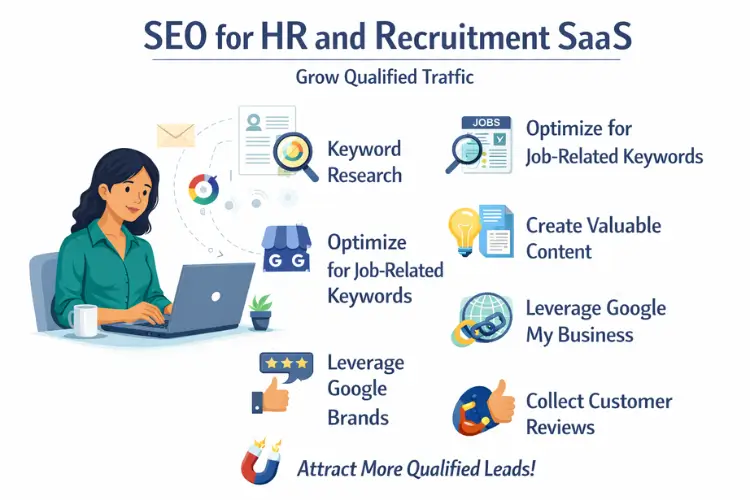
SEO for HR and recruitment SaaS works best when it reflects how hiring teams actually search for solutions. Recruiters, HR leaders, and operations teams look for ways to manage candidates, reduce time to hire, improve onboarding, and keep processes compliant as organizations grow. When your site shows up for these searches with clear, practical answers, organic traffic becomes a reliable source of qualified demand.
1. Set clear SEO goals that match HR and recruiting revenue
SEO feels simple when the goals are tied to real outcomes like demo requests, trial starts, and pipeline quality. A recruitment SaaS can grow traffic quickly and still miss the right audience if the focus is only on pageviews. Start with a small set of KPIs that your marketing and sales teams both trust. Then map each KPI to the pages and keywords that can influence it in a measurable way.
1.1 Choose metrics that reflect product demand
Pick one primary metric for demand, like demo form submissions or trial signups, and one supporting metric like organic sessions to high intent pages. Track the number of qualified leads from organic, not just total leads, so you see whether HR managers and talent leaders are actually finding you.
Add a simple quality check, such as “booked meeting rate” or “sales accepted lead rate.” This keeps SEO decisions grounded, because the content that wins is the content that brings the right job titles and company sizes.
1.2 Define your ideal customer profile for organic traffic
Write down the roles you want, such as Head of Talent, HRBP, recruiter, or HR ops manager, and the company types they work in. Note a few traits like hiring volume, global locations, compliance needs, or high turnover. These traits shape keyword choices because they influence what people search.
Also note the buying triggers, like scaling headcount, switching from spreadsheets, or improving time to hire. When your pages speak to those triggers, the traffic fits your pipeline better.
1.3 Build a simple funnel map from search to demo
List the page types that support each stage: problem pages for early stage, comparisons for mid stage, and integrations and pricing for late stage. Connect each page type to one action, such as a template download, a webinar registration, or a demo request.
Keep the funnel map short so it stays usable. If you have ten page types and twenty CTAs, it becomes hard to maintain, and SEO work turns into scattered publishing.
1.4 Align with sales on definitions and handoffs
Ask sales what makes a lead worth working, such as company size, region, or hiring volume. Use those rules when you evaluate SEO pages and topics. If sales cares about enterprise hiring workflows, then the content should include enterprise-friendly language and examples.
Decide how organic leads are tagged in your CRM and where feedback is shared. Even a monthly spreadsheet review can prevent months of content going after the wrong audience.
1.5 Set a baseline and realistic targets
Record your current rankings, organic conversions, and top landing pages. This baseline is your reference point when you make changes to site structure or content. It also helps you avoid guessing when performance shifts because of seasonality in hiring.
Set targets in ranges, like a 20 to 30 percent lift in organic demos from key pages over a quarter. The range keeps your planning honest while still giving the team something concrete to aim for.
2. Keyword research for HR and recruitment SaaS buyers
Keyword research for this category works best when it starts with real HR workflows. People rarely search for “recruitment software” only, they search for outcomes like “reduce time to hire” or solutions like “ATS for startups.” You want a mix of broad discovery terms and very specific terms that reflect buying intent. The goal is to build a keyword set that mirrors how teams evaluate and implement HR tools.
2.1 Collect keywords from real product use cases
Start with your product features and convert them into use cases, like “automate interview scheduling” or “candidate pipeline reporting.” Then turn each use case into a few search phrases a buyer might use, including questions and comparisons. This method keeps your list relevant to your product.
Add keywords from support tickets and sales calls, because the language there often matches search language. If customers say “offer letter template” or “hiring workflow,” those phrases usually belong in your research list.
2.2 Separate keywords by intent, not just volume
Label each keyword as informational, commercial, or transactional. Informational keywords support early stage content, while commercial keywords support comparisons, alternatives, and “best” lists. Transactional keywords often include terms like pricing, demo, integration, implementation, or vendor.
This intent labeling helps you plan pages that match what the searcher wants. It also prevents sending early stage visitors straight to a sales page that feels out of place.
2.3 Use competitor gaps to find quick opportunities
List a few close competitors and review the topics they rank for that you do not. You can do this with Google Search Console for your site and a crawl of competitor blogs, or with a third-party tool, but keep it simple. The point is to spot patterns, not to copy.
Look for topics where you have a strong product angle, like a unique workflow or a niche industry. Those gaps often become your fastest ranking wins because you can write something more specific and useful.
2.4 Build clusters around hiring and HR workflows
Create clusters for themes like ATS setup, sourcing, interview process, onboarding, HR compliance, and analytics. Each cluster should have one main page and several supporting pages that link back to it. This improves internal linking and makes the site easier for search engines to understand.
Clusters also reduce the chance of writing five similar posts that compete with each other. With a clear cluster, each page has a job, and the set works together.
2.5 Add long-tail keywords for implementation and ops teams
Long-tail keywords are often used by the people who will actually configure the tool, like HR ops and recruiting operations. These searches include details like “scorecard template,” “ATS workflow stages,” or “recruiting dashboard metrics.” They may have lower volume, but they often drive high quality leads.
These pages can also help retention because current customers find them and use them. When your site becomes the place people return to for templates and process help, it supports both acquisition and customer success.
3. Content strategy for HR and recruitment SaaS that attracts demos
Strong SEO content for recruitment SaaS is simple, practical, and focused on real hiring decisions. It explains the workflow, shows what good looks like, and gives the reader a next step that feels natural. Your content mix should include education, evaluation, and proof, because HR buyers often need internal alignment before they can buy. A steady rhythm of useful pages is more effective than occasional big pushes.
3.1 Create pages for each stage of the buyer journey
Early stage content answers process questions like “how to structure an interview panel” or “what is time to fill.” Mid stage content helps evaluation with comparisons and checklists like “ATS requirements” or “recruitment software features.” Late stage content supports purchase decisions with integration pages, security pages, and pricing explainers.
When you plan content this way, you stop guessing what to publish next. You can see gaps in the journey and fill them with pages that support conversion.
3.2 Write comparison pages that feel fair and specific
Comparison pages work when they focus on real criteria: workflow fit, reporting depth, automation, integrations, support, and pricing structure. Keep the tone factual and avoid vague claims. Show a simple matrix of who each option fits best, such as startups, high volume hiring, or multi-location teams.
Include real scenarios, like how a recruiter schedules interviews or how HR ops sets up approvals. Those details help readers trust the page and understand the difference in day-to-day use.
3.3 Publish templates and checklists people actually use
Templates can drive steady links and repeat visits when they are ready to copy and apply. Examples include interview scorecards, onboarding checklists, requisition forms, and hiring manager intake questions. Explain when to use the template and how to adjust it for different roles.
Keep templates in formats people like, such as a copyable section and a clean PDF download. It helps to mention that tools like Google Docs or Sheets are fine for first drafts, because readers want a low-friction way to use the material.
3.4 Build product-led content without making it salesy
Product-led SEO pages can explain a workflow and then show how software supports it, without turning into a pitch. For example, a post on “structured interviews” can include a section on scorecards, calibration, and reporting, and then mention that an ATS can keep the process consistent across teams.
Use screenshots sparingly and focus on the outcome, not the UI. When the reader feels helped first, they are more open to exploring your product as a natural next step.
3.5 Update and consolidate older content to keep rankings stable
Recruiting and HR topics change with trends like remote hiring, skills-based hiring, and compliance updates. Review older pages every quarter and refresh examples, screenshots, and data points. If you have multiple posts on similar topics, combine them so you have one strong page instead of several weak ones.
Use Google Search Console to find pages with high impressions but low clicks, because they often need better titles, clearer intros, or stronger alignment with the query. Small updates can lift clicks without writing brand new posts.
4. On-page SEO that improves rankings and readability
On-page SEO is the part you control completely, so it is often the fastest way to improve performance. For HR and recruitment SaaS, on-page work should make it easy for a busy HR leader to scan and understand the page. It should also make it easy for search engines to interpret what the page is about and when it should rank. The best pages balance clarity, structure, and intent matching.
4.1 Write titles that match intent and include a clear promise
A good title tells the reader what they will get, like “ATS Implementation Checklist for HR Teams” or “Recruiting Metrics Dashboard: What to Track.” Keep it specific and avoid extra fluff. If the query is “ATS pricing,” a clever title rarely beats a direct one.
Try to include the primary keyword once, but focus on readability. If you can add a qualifier like “for startups” or “for enterprise,” do it when it reflects the page content.
4.2 Use clean headings that make scanning easy
Headings should guide the reader through the workflow. For example, a page on onboarding can include headings for documents, tasks, owners, and timelines. Keep the wording plain, and make sure each heading covers a distinct idea.
Use the word it in headings when it feels natural, such as “Make it easier to standardize interview feedback.” Small phrasing choices like this keep the tone human and reduce the feel of keyword stuffing.
4.3 Improve internal linking to support key pages
Internal links help readers discover related content and help search engines understand your site structure. Link from high traffic templates and educational pages to your best comparison pages, integration pages, and core product pages. Use descriptive anchor text like “interview scorecard template” instead of generic text.
Build a habit of adding three to five internal links during publishing, and refresh older posts with links to newer pages. Over time, this creates a strong network that lifts the whole site.
4.4 Optimize for featured snippets and quick answers
Many HR searches are question-based, like “what is candidate experience” or “how to calculate cost per hire.” Add a short, direct answer near the top of the page, then expand with details and examples. Lists, tables, and step-by-step sections often perform well for snippets.
Keep the answer accurate and practical, and avoid filler. When the reader gets a clear definition fast, they are more likely to keep reading and explore other pages.
4.5 Use simple on-page checks with one reliable tool
A basic on-page QA process catches issues like missing titles, duplicate headings, or broken links. Screaming Frog is a helpful tool for crawling your site and spotting these issues in bulk, especially as your blog grows. Use it occasionally, not constantly, so it stays a support tool rather than a distraction.
Pair that with Google Search Console for performance feedback, like which queries trigger your pages and where clicks drop. Together, these two tools cover most of what a recruitment SaaS team needs for on-page and content decisions.
5. Technical SEO for HR and recruitment SaaS sites
Technical SEO makes sure search engines can crawl, understand, and trust your site, and it also makes the experience smoother for HR teams who are often browsing between meetings. A clean technical base reduces ranking drops when you ship product pages, add integrations, or publish more content. It also helps your best pages get indexed faster and perform better on mobile. The goal is not perfection, the goal is removing the few issues that block growth.
5.1 Improve page speed for demo driven pages
Start with the pages that matter most for revenue, like pricing, demo, comparison pages, and high intent blog posts. Speed work here often has the clearest business impact. Common fixes include compressing images, avoiding heavy scripts, and limiting large third-party widgets.
If you have a chat widget, tracking scripts, and a scheduling embed on the same page, it can slow the page down more than you expect. Keep the essentials and move the rest to pages where they are truly needed.
5.2 Make your JavaScript content crawl friendly
Many SaaS sites rely on JavaScript frameworks, and that can be fine, but you need to confirm that key content appears in the HTML that search engines can read. Important text like headings, feature descriptions, and pricing explanations should not depend entirely on client-side rendering.
If your product pages are mostly rendered after load, consider server-side rendering or pre-rendering for those sections. It helps the pages get indexed reliably and reduces the chance of missing content in search results.
5.3 Fix it when indexing is inconsistent
Indexing issues often show up when you publish a lot of similar pages, like integration pages or location pages. If some pages are not being indexed, check for thin content, duplicated templates, or internal links that are too weak. A page that is only a logo and two lines of text often gets ignored.
Use your sitemap and internal links to signal priority. When a page is important, link to it from a relevant hub page and make sure it has enough unique information to stand on its own.
5.4 Use schema markup for software and content clarity
Schema can help search engines understand what your pages represent, like a software application, an FAQ, or an article. For HR and recruitment SaaS, it can also support richer results when you have strong FAQs on pricing, implementation, or features.
Keep schema accurate and match it to what the page actually contains. If you add an FAQ section, make sure the questions and answers are visible on the page and not hidden behind tabs that never load.
5.5 Manage duplicate content across product and blog pages
Duplicate content can happen when you reuse the same blocks across multiple industry pages, use similar templates for integrations, or publish overlapping blog posts. The risk is not a penalty, the risk is that search engines struggle to choose the right page and rankings become unstable.
Use canonical tags where needed, but also rewrite core sections so each page has a distinct focus. For example, an ATS page and a recruiting CRM page should explain different workflows, not the same story with different labels.
5.6 Keep your crawl paths clean and intentional
Recruitment SaaS sites often grow fast, and older URLs can pile up from campaigns, experiments, and old feature pages. Over time, crawl budget and internal link equity can get diluted. Clean navigation and consistent linking make it easier for search engines to focus on your best pages.
Retire or redirect outdated pages that no longer serve users. If a page has backlinks or steady traffic, update it instead of deleting it, so you keep the value while improving relevance.
6. Site architecture that supports it from first click to conversion
A strong structure makes your site easy to explore for both search engines and people. For HR and recruitment SaaS, the structure usually includes product pages, solutions pages, integrations, resources, and customer proof. When these areas are connected logically, your most valuable pages get stronger over time. It also reduces confusion, because visitors can move from learning to evaluation without feeling lost.
6.1 Build hub pages for key themes in recruiting and HR
Create hub pages for major themes like applicant tracking, interview process, onboarding, and recruiting analytics. Each hub should briefly explain the theme, then link to deeper pages like templates, guides, and related product features. This gives search engines a clear signal about topical authority.
For readers, hubs reduce friction because they can find everything related in one place. A hiring manager searching for interview questions may also need a scorecard template and a structured interview guide, and a hub makes that path easy.
6.2 Make it easy to navigate between education and product
Many SaaS sites separate the blog from product pages so much that users hit a dead end. Add natural paths from helpful content to relevant product areas. If someone reads about onboarding checklists, they should see a clear link to onboarding workflows, integrations, or implementation support.
Keep the linking contextual, not forced. A short section like “When teams scale, it helps to standardize approvals and tasks” followed by a link to your workflow page can feel like a useful next step.
6.3 Create integration pages that rank and convert
Integration pages work best when they explain what the integration solves, what data syncs, and how setup works. Add common questions like permissions, sync direction, and typical setup time. This is the information buyers want when they are checking fit.
Avoid making every integration page identical. Even if the layout is the same, the details should change based on the tool, such as how interview scheduling differs from background checks or how HRIS syncing differs from messaging tools.
6.4 Use internal linking rules to prevent orphan pages
Orphan pages are pages with no internal links pointing to them, and they often struggle to rank even if the content is good. Set a simple rule: every new page must be linked from at least one hub page and two relevant supporting pages. This is easy to maintain and improves discovery.
Also check older content for missed linking opportunities. When you publish a new comparison page, go back to older posts that mention those tools and add a link where it fits naturally.
6.5 Control URL structure so it stays scalable
A clean URL structure supports growth as you add more solutions and resources. For example, keep resources under one path and integrations under another, so reporting and crawling stay clear. Avoid changing URLs frequently, because it creates redirect chains and can cause ranking turbulence.
Use short, readable URLs that describe the topic. A URL that mirrors the page purpose helps users trust it when they see it in search results and when they share it internally.
6.6 Design navigation around how HR teams think
HR and recruiting teams usually think in workflows, not in marketing categories. Navigation labels like “Sourcing,” “Interviewing,” “Offer,” and “Onboarding” often map better than generic labels like “Platform.” This improves engagement and reduces bounce rates, which supports SEO indirectly.
You can still keep a platform overview page, but let workflow based navigation lead the structure. When the labels match user language, pages are easier to find and easier to link together.
7. Earn links and authority in HR and recruitment without spam
Links are still one of the strongest signals for ranking, but link building works best when it is tied to useful assets and real relationships. HR and recruitment is a trust-heavy category, so authority grows when your content is referenced by communities, publications, and partners. Focus on earning links from places your buyers already read. The outcome is stronger rankings for competitive pages like comparisons, pricing related queries, and category terms.
7.1 Create linkable assets that hiring teams share
Templates, calculators, and benchmarks tend to attract natural links because they provide ongoing value. An interview scorecard template or onboarding checklist can be referenced by HR blogs, training programs, and recruiting communities. The asset should be simple to use and easy to cite.
Add a short explanation of why the asset matters and when to use it. That context makes it easier for other writers to link to your page as a helpful reference, not just a download.
7.2 Use original insights from your product data carefully
If you have aggregated product data, you can publish insights like average time to hire by industry or common interview stage counts. Keep it privacy-safe and avoid anything that could identify a company or person. Even small data points can be useful if they are clearly explained.
Write the post like a practical note, not like a press release. People link more when the insight helps them make a decision, like setting a baseline for their own recruiting funnel.
7.3 Partner pages and co-marketing that earns real citations
Many HR and recruitment SaaS products integrate with other tools like HRIS, scheduling, assessments, and background checks. Co-marketing can produce legitimate links through partner directories, joint webinars, and shared implementation guides. These links tend to be relevant and stable.
Make sure the shared content is genuinely useful, like a setup guide or a process checklist that benefits both audiences. When it solves a joint problem, it gets referenced longer.
7.4 Turn customer stories into pages others can cite
Case studies can earn links when they include specific outcomes, process changes, and lessons. A story about reducing time to hire or improving candidate experience becomes more linkable when it includes concrete steps and not only product praise. It also supports rankings for industry terms when the story is focused.
Create case studies for a few industries you care about, like retail, healthcare, or tech. People in those industries are more likely to cite examples that match their own context.
7.5 Digital PR with practical hiring angles
PR is more consistent when it is tied to topics writers already cover, like hiring trends, compliance changes, salary transparency, or interview practices. Offer clear commentary, a short statistic, or a useful template that supports the story. This gives journalists a reason to reference your site.
Keep your angles grounded and specific. For example, a simple note about how teams can structure interview feedback during rapid hiring is more useful than broad statements about recruiting being important.
7.6 Avoid risky link tactics that hurt long-term growth
Buying links, using private networks, or swapping links at scale can create short-term movement but long-term risk. HR and recruitment SaaS often competes in crowded search results, and instability is costly when your pipeline depends on steady demand.
If you are offered a link placement that feels unrelated, skip it. A smaller set of relevant links from HR focused sites, partner ecosystems, and trusted communities usually beats a large set of low-quality placements.
8. Local and global SEO for recruitment and HR SaaS expansion
Even if your product is not tied to a physical location, your buyers may search with location signals, language preferences, and region-specific compliance needs. Expansion also creates complexity in content, URLs, and messaging. Good SEO handles this by making the right version of a page appear for the right audience, without duplicating content across regions. The aim is to earn traffic in new markets while keeping your core site strong.
8.1 Decide when country pages are actually needed
If you sell in multiple countries, you may need country-specific pages when pricing, compliance, language, or hosting differs. A simple “Global” page is not enough if buyers in one region need clear answers about data residency or local regulations. Country pages also help when sales teams need links for outreach.
Keep these pages meaningful. Include region-specific hiring problems, common integrations used there, and support details like hours and implementation approach.
8.2 Use hreflang correctly for language targeting
If you publish the same content in different languages, hreflang helps search engines show the correct version to users. It reduces the chance that the wrong language page ranks in a region. It also supports better engagement because users land on the page they can read comfortably.
Make sure language pages are truly translated and not just swapped headings. Partial translations can frustrate users and reduce trust, especially in HR where accuracy matters.
8.3 Handle regional compliance and HR terminology differences
HR terms vary by region. For example, “holiday” vs “vacation,” “CV” vs “resume,” and differences in how teams describe employment documents. These differences affect keywords, headings, and examples. A page can rank better in a region when it uses the exact language people use internally.
Compliance topics also vary, and buyers search for them directly. When you can support it with accurate legal references and a careful tone, compliance content can attract high intent traffic.
8.4 Build pages for region-specific integrations and marketplaces
In some regions, certain HRIS, payroll, and job boards dominate. Integration pages for those tools can become strong organic entry points. They also help sales because integration fit is often a deal breaker in HR stacks.
Treat these pages as real resources. Explain what syncs, typical setup steps, permissions, and common troubleshooting points, so the page serves both buyers and implementers.
8.5 Avoid thin “city pages” unless you have real relevance
Many software sites try to create pages like “recruitment software in Mumbai” without any real local substance. Those pages often underperform because they add no value. If you do not have local offices, events, or region-specific offers, focus on country or language pages instead.
If you genuinely have local relevance, like local support teams or customer communities, then add details and proof. That makes the page useful and helps it rank more naturally.
8.6 Coordinate SEO with sales expansion plans
SEO expansion works best when it matches where your company is actively selling. If sales is targeting the UK and Singapore, prioritize those pages and keywords first. This keeps content grounded in real product readiness, support ability, and legal positioning.
Share a simple expansion calendar with your growth team. That way, SEO, paid, and outbound messaging stay consistent and reinforce each other.
9. Conversion focused SEO for HR and recruitment SaaS
Traffic is only helpful if it turns into trials, demos, and qualified conversations. Conversion focused SEO means the page answers the query well and then gives a next step that feels appropriate for the reader’s stage. For HR SaaS, buyers often need internal buy-in, so your pages should help them take a small step forward even before they are ready to talk to sales. The best converting pages feel calm, clear, and easy to act on.
9.1 Match the CTA to the reader’s intent
If the query is early stage, use a low-friction CTA like a template download, newsletter, or webinar. If the query is commercial, a CTA like “see pricing” or “compare plans” can work well. If the query is transactional, a demo CTA fits because the visitor is already close to evaluation.
Avoid putting the same CTA everywhere. When every page pushes a demo, it can reduce trust and lower conversions across the site.
9.2 Use it to reduce friction in forms and scheduling
Your demo flow should be simple. Ask only for information you truly need, like work email, company size, and hiring volume. If the form feels long, many HR leaders will abandon it because they are already short on time.
If you use a scheduling tool, make sure it loads fast and does not block mobile users. It also helps to offer two options, like “book a call” and “request details,” so different buyers can choose their comfort level.
9.3 Strengthen trust with proof in the right places
Add proof near decision points, like demo CTAs, pricing sections, and comparisons. Proof can include customer logos, short quotes, security badges, and brief case study links. For HR tools, security and compliance trust signals can matter as much as feature lists.
Keep proof specific, not dramatic. A short sentence about implementation time or adoption success often feels more believable than big generic claims.
9.4 Improve key pages with small UX changes
Sometimes conversion lifts come from basic clarity. Add a clear summary at the top of long pages, break up dense sections, and add internal navigation for scannability. This is especially helpful for HR teams who may be evaluating between meetings.
Check the page on mobile and make sure buttons are easy to tap, text is readable, and key information is not hidden behind heavy animations. A calm experience often converts better than a flashy one.
9.5 Use internal search data and support questions to refine pages
If your site has internal search, those queries can reveal what visitors cannot find. If many people search “pricing,” “SSO,” or “integration,” it is a sign those answers should be easier to reach. Support and sales questions also point to missing content that can increase conversions.
Turn repeated questions into short FAQ blocks on the relevant pages. When the page answers objections early, it improves both rankings and conversion performance.
9.6 Test messaging and layout without changing the whole site
You do not need a big redesign to improve conversions. Test a single section, like the hero message, the CTA placement, or the proof block. Keep each test focused so you can learn what caused the change.
Use Google Search Console and your analytics to check if engagement improves, like higher time on page and better conversion rates. When it works, roll the winning pattern across similar pages.
10. SEO for product pages, pricing pages, and feature pages
Product pages are often where the highest intent visitors land, especially when they search for specific workflows, integrations, or pricing. These pages need to rank, but they also need to explain the product clearly. Many SaaS sites keep product pages too short, which makes them hard to rank and less persuasive. A good approach adds helpful context without turning the page into a blog post.
10.1 Write feature pages around outcomes and workflows
A feature page should describe what the feature does and why it matters in a real process. For example, instead of only describing “automation,” describe how it reduces manual follow-ups and keeps candidates moving. Use short workflow examples so the reader can picture it.
It also helps to include who uses it, such as recruiters, hiring managers, or HR ops. That detail improves relevance for search and makes the page feel tailored.
10.2 Create “use case” pages that reflect real hiring needs
Use case pages can target searches like “high volume hiring software” or “ATS for distributed teams.” These pages work when they address the specific challenges, like managing many openings, coordinating multiple interviewers, or maintaining consistent evaluation. They should also explain what success looks like.
Add a small section on implementation and change management. HR buyers often care about adoption, training, and consistency across teams, so this content improves both ranking potential and conversion.
10.3 Make pricing pages helpful, not mysterious
Pricing pages rank for high intent queries, and they influence trust even when people do not convert immediately. Explain what drives pricing, like seats, hiring volume, modules, or support level. Include a clear plan comparison and answer common pricing questions.
If you cannot list exact prices, provide ranges or typical packages and explain the variables. It is better to be clear about what affects cost than to hide everything behind a form.
10.4 Build integration pages that answer setup and value questions
Integration pages should explain why the integration matters, what data moves, and what setup looks like. HR buyers often need to confirm stack fit before they book a demo. If the page helps them check that quickly, it supports conversions.
Mention common tools naturally where relevant, such as Slack for notifications or Google Calendar for interview scheduling, but keep it informational. People want clarity more than marketing language.
10.5 Add FAQs that target real objections and search queries
FAQs can capture long-tail searches like “does it support SSO” or “how long does implementation take.” Use simple questions and direct answers. Keep answers short but complete, and avoid hiding important information.
FAQs also help sales enablement. When the website already answers common objections, sales calls can focus on deeper fit instead of basic clarification.
10.6 Use internal linking from blog to product pages thoughtfully
Your blog can support product page rankings through internal links, but the links should match context. A post about recruiting metrics can link to your analytics feature page. A post about onboarding can link to onboarding workflows or integrations.
Avoid forcing links into unrelated posts. It is better to have fewer, stronger links that make sense than many weak links that confuse readers.
11. Tracking, reporting, and iteration that keeps traffic growing
SEO grows when you measure what matters, learn from the data, and keep improving pages that already have traction. HR and recruitment SaaS often has long sales cycles, so you need reporting that shows leading indicators, not just closed deals. Good tracking also helps you avoid wasting months on topics that bring traffic but not buyers. The goal is a system you can run every month without burnout.
11.1 Set up clean tracking for organic conversions
Make sure your analytics and CRM can identify organic leads and connect them to outcomes like demo booked, meeting held, and opportunity created. If that connection is missing, you will end up judging SEO by traffic only. A simple campaign tagging system and consistent source tracking can solve this.
Track micro-conversions too, like template downloads and newsletter signups, because they show whether content is building trust. These actions often lead to demos later.
11.2 Use Google Search Console as a weekly feedback loop
Google Search Console shows queries, impressions, clicks, and average position. Use it weekly to spot pages that are close to ranking higher, like positions 8 to 15. Those pages often need small improvements, such as stronger headings, clearer intros, or better internal links.
It also helps you see when rankings shift after updates. If a page drops, check if intent has changed or if competitors improved their content.
11.3 Create a simple SEO dashboard your team will read
Keep the dashboard short and focused. Include organic demos, organic traffic to high intent pages, and top landing pages by conversions. Add a small section for content wins, like new keywords entering the top 10.
If the dashboard becomes a long report, teams stop reading it. The best dashboard is one that makes it obvious what to do next.
11.4 Build a monthly refresh list and stick to it
Each month, choose a small set of pages to refresh, such as three to five. Prioritize pages with strong impressions, pages that used to rank well, and pages tied to your product’s main value. Refreshing is often faster than writing new content, and it can create quick gains.
When you refresh, update examples, add missing sections, improve internal links, and ensure the content matches current HR practices. Keep the page structure stable so you do not disrupt what already works.
11.5 Monitor rankings for a few core commercial topics
Track a small set of important keywords, like “ATS software,” “recruiting software,” “interview scheduling software,” or “onboarding software,” depending on your positioning. Use the list to see long-term movement and competitor changes. Do not obsess over daily shifts, focus on trends.
If a competitor overtakes you, look at what changed. Often they improved structure, added proof, or built stronger supporting content around the topic.
11.6 Create an iteration habit that connects content to pipeline
Every month, review which pages drove the most qualified leads. Look for patterns in topics, formats, and CTAs. Then adjust your content plan based on what actually converts, not only what ranks.
Share the findings with sales and product marketing. When everyone sees what searchers care about, messaging improves across the company, not only on the blog.