
Understanding How to Structure Medical Procedures for Virtual Assistant Responses
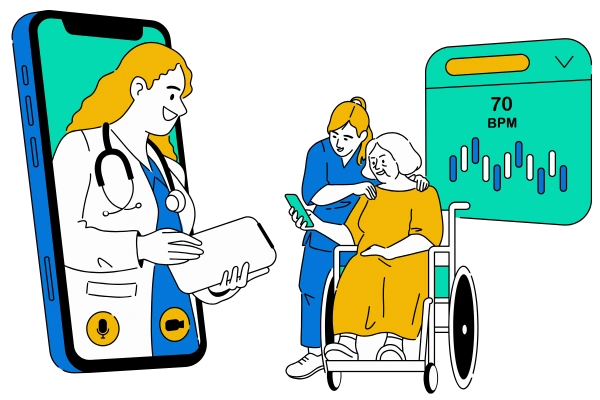
Virtual assistants are becoming an essential part of healthcare services. They help patients find information quickly, remind them about appointments, and even guide them through certain medical procedures. However, to be truly useful, a virtual assistant needs to respond in a way that is clear, safe, and structured. Medical procedures can be complicated, and a poorly structured response could confuse users or even lead to mistakes. Structuring the responses properly means thinking about the order of steps, clarity of instructions, and including reliable references or tools that users can use alongside the virtual assistant. This guide will explain, step by step, how to create effective responses for medical procedures so that patients feel supported and informed.
1. Understanding the Medical Procedure
Before a virtual assistant can provide information, it is important to fully understand the medical procedure it will explain. Each procedure has unique steps, risks, and preparations. Knowing these details helps the assistant communicate clearly and accurately. For instance, if a patient asks about blood sugar testing, the virtual assistant needs to know the equipment required, such as a glucometer, and the correct order of actions, like washing hands, preparing the device, and recording the results. Medical websites like Mayo Clinic and WebMD can be used as reference points to ensure the information is accurate and trustworthy. Virtual assistants can also pull guidance from apps like Medscape or Epocrates, which provide up-to-date clinical information for healthcare professionals. Understanding procedures in detail also helps anticipate follow-up questions patients might have.
1.1 Breaking Down Steps Clearly
Breaking down a procedure into simple, clear steps is essential. Each step should be explained as if the patient has no prior knowledge. For example, a virtual assistant explaining how to use an inhaler should describe holding the device, shaking it, exhaling, inhaling correctly, and counting the doses. Tools like flowchart software or procedure templates from websites like Lucidchart can help structure these steps logically. By presenting information in small, manageable chunks, the virtual assistant reduces confusion and makes the procedure feel less intimidating. Including examples like “place the finger under warm water for one minute” or “measure 2 ml of medicine” makes instructions practical and relatable.
1.2 Using Safe and Reliable Sources
It is crucial that a virtual assistant only references reliable medical sources. Websites like the CDC, WHO, and professional medical associations provide information that is widely trusted. Some apps like UpToDate are also useful for medical professionals and can be adapted to provide simplified instructions for patients. Using verified sources ensures that patients are following procedures safely. Even details like the correct order of steps for a COVID-19 self-test kit matter. Virtual assistants should cite sources naturally in their responses, for example, “According to the CDC, wash your hands before handling the test kit.”
1.3 Including Tools and Equipment
Every medical procedure usually involves tools or equipment. A virtual assistant should describe the tools in simple language, explain how to use them, and mention alternatives if available. For example, a blood pressure check involves a cuff, a stethoscope, or a digital monitor. Explaining each tool’s function helps patients feel confident in using them. Apps like Medly or MyChart may also integrate with devices, allowing virtual assistants to guide users step by step. Including tool instructions also reduces the chances of errors and ensures the procedure is completed safely.
1.4 Explaining Common Errors
Patients may make mistakes during medical procedures, and a virtual assistant can prevent this by highlighting common errors. For instance, when drawing insulin, forgetting to clean the skin can cause infection. Including examples of mistakes and how to avoid them helps patients perform procedures correctly. Using simple phrasing such as “Do not skip this step” or “Make sure the area is dry” makes it easier for patients to follow instructions. Some apps, like Diabetes:M, provide reminders or error-check tips that can be referenced to make virtual assistant responses more practical.
1.5 Including Follow-Up Instructions
Medical procedures rarely end with a single step. A virtual assistant should guide patients on what to do after completing a procedure. For instance, after a blood test, patients might need to keep the puncture site clean or watch for side effects. Including these steps shows that the assistant is thorough and caring. References from patient care websites and mobile apps like MyChart can be used to reinforce these instructions. This approach also builds trust, as patients feel supported beyond the procedure itself.
1.6 Using Real-Life Examples
Providing examples of how procedures are used in real life helps patients relate to the instructions. For example, explaining how a patient in a clinic uses a thermometer to check temperature can make virtual guidance feel practical. Virtual assistants can even include analogies like “Using a blood pressure cuff is like tying a watch on your arm, but snug enough to feel the pulse.” Real-world examples make instructions easier to remember. Tools like virtual demonstration videos or apps with tutorial features can enhance this experience, showing patients exactly what to do.
1.7 Keeping Language Simple
The language used by virtual assistants must be simple, conversational, and easy to understand. Avoid medical jargon, long sentences, or complex terminology. Websites like Healthline and apps like MedlinePlus are good sources for patient-friendly explanations. Using words like “measure,” “apply,” and “wait” instead of medical jargon ensures instructions are clear. Even for complex procedures, breaking sentences down into small, easy-to-read pieces helps patients follow along safely.
2. Structuring Responses for the Virtual Assistant
Once the procedure is understood, the next step is to structure responses in a way that guides patients clearly and efficiently. The virtual assistant should have a predictable flow, starting with preparation, moving to execution, and ending with follow-up. This structure ensures that users are not overwhelmed and can complete tasks safely. Tools like conversation design platforms or AI training dashboards help organize responses in a logical way. Virtual assistants can also link to apps or videos when needed, providing patients multiple ways to understand instructions. Structuring responses is not only about safety but also about improving patient confidence in performing procedures themselves.
2.1 Starting with Context
Providing context helps patients understand why a procedure is important. For example, before explaining how to check blood sugar, the assistant can briefly explain why monitoring glucose is important for health. Including context helps the user feel informed and engaged. Sources like the American Diabetes Association or health apps can provide trusted context that virtual assistants can share naturally. Context also helps prevent panic or confusion, making patients more receptive to instructions.
2.2 Using Step-by-Step Instructions
Step-by-step instructions are the backbone of virtual assistant responses. Each step should be explained carefully, with approximate timing, necessary tools, and expected outcomes. Apps like Medscape or virtual platforms like WebMD can provide examples of step-by-step guides that can be adapted. Structuring responses this way makes complex procedures manageable and reduces user errors. Including examples like “Press the button for three seconds” or “Wait five minutes before the next step” makes instructions clear and actionable.
2.3 Providing Safety Warnings
Safety warnings are essential in medical procedure guidance. The assistant should highlight what could go wrong and how to avoid mistakes. For instance, when using a home nebulizer, the assistant can warn about not using expired medication or avoiding electric plugs near water. Tools like visual icons or alert pop-ups in apps can reinforce these warnings. Integrating safety information naturally in responses ensures patients take precautions without feeling overwhelmed or scared.
2.4 Adding Helpful Resources
Linking to helpful resources adds value to virtual assistant responses. This can include websites, apps, or video tutorials. For instance, demonstrating how to perform CPR can be complemented by a YouTube video from the Red Cross. Even healthcare SEO company blogs can provide structured content for patient education. Resources make instructions more reliable and comprehensive, allowing patients to double-check their actions if needed.
2.5 Anticipating Follow-Up Questions
Virtual assistants should be prepared for follow-up questions. Patients often want clarification on steps or need troubleshooting advice. Including potential questions in the script, like “What if I forget a step?” or “Can I repeat this procedure tomorrow?” ensures users feel supported. Apps like Babylon Health or Ada can provide examples of interactive question handling, which helps structure the assistant’s responses efficiently.
2.6 Integrating Technology Tools
Technology tools can enhance responses. Virtual assistants can integrate reminders, timers, or even AI-powered checklists to guide patients. For example, apps like Medisafe can help patients manage medications while following instructions provided by the assistant. Using technology ensures that instructions are interactive, trackable, and easy to follow. Tools also allow for dynamic updates, so the assistant can provide the latest guidance as procedures or guidelines change.
2.7 Testing and Refining Responses
Finally, testing and refining responses is crucial. Virtual assistants need real-world feedback to identify unclear instructions or confusing steps. Platforms that simulate patient interactions or usability testing tools can help refine guidance. By continuously improving responses, virtual assistants become more reliable and helpful for patients. Examples like iterative testing of AI assistants in clinics show how refinement improves patient satisfaction and safety.
3. Conclusion
Structuring medical procedures for virtual assistant responses requires careful planning, attention to detail, and a focus on patient safety. By understanding procedures thoroughly, breaking steps into clear instructions, using reliable sources, and integrating technology tools, virtual assistants can provide accurate and helpful guidance. Including context, safety warnings, and practical examples ensures that patients feel confident performing procedures. Well-structured responses are not only safer but also improve patient engagement and trust. Following these strategies allows healthcare organizations to offer virtual assistance that is clear, reliable, and user-friendly.









