
SEO for Education SaaS: Drive Organic Signups by Reaching Educators Through Search
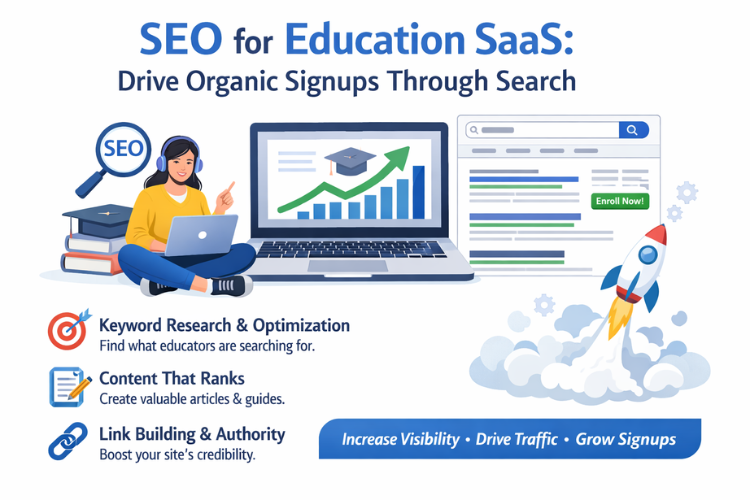
Education SaaS grows fastest when the right educators and teams can find you while they are already searching for a solution. SEO makes that possible by matching your product to real questions, real workflows, and real buying moments. When it is done with care, organic traffic is not just visits, it becomes trials, demos, and steady signups. The goal is simple: show up for the searches that fit your product, earn trust on the page, and make the next step feel easy.
- SEO for Education SaaS: Drive Organic Signups by Reaching Educators Through Search
- 1. Clarify the buyer, the job to be done, and the signup path
- 2. Keyword research that reflects education language and seasonality
- 3. Create a site structure that makes Google and users confident
- 4. It is important to get technical SEO right for fast, accessible learning pages
- 5. On-page SEO for product, solution, and integration pages that convert
- 6. Content strategy that attracts qualified educators and decision makers
- 7. It is important to optimize for organic signups without hurting rankings
- 8. Link earning for education SaaS through partnerships and useful resources
- 9. Build topical authority and trust signals that fit education buyers
- 10. Use content upgrades and lead flows that respect educators
- 11. Measure SEO like a growth channel, not a publishing checklist
- 12. Scale SEO with standards, templates, and a content quality bar
1. Clarify the buyer, the job to be done, and the signup path
A strong SEO plan starts by knowing who should sign up and what they want to accomplish. Education SaaS often serves multiple roles, like teachers, school admins, district leaders, tutors, parents, or training teams. Each role searches differently, and each role has a different idea of value. Your pages should reflect that so the right people land on the right message and can take action without friction.
1.1 Map your ideal users by role and context
Start with the few roles that drive most of your revenue or retention, then write down what success looks like for each one. A teacher may want faster lesson planning, while an admin may want reporting and control. Add context like grade level, subject, school type, region, or learning model. This helps you avoid writing pages that try to talk to everyone at once.
Once roles are clear, tie them to search intent. Teachers often search for practical templates and examples, while decision makers search for comparisons, pricing, and proof. When you match intent, your pages feel relevant quickly, which improves both rankings and conversions.
1.2 Turn features into outcomes people actually search
People rarely search for your feature name unless you are already a category leader. They search for outcomes, like “track student progress,” “create quizzes,” “manage attendance,” or “lms for small schools.” Translate every main feature into a plain language outcome and collect those phrases as topic seeds.
Then connect each outcome to a real workflow. If your tool supports rubric grading, the workflow might be “grading faster” or “consistent feedback.” Those workflows turn into pages that rank and also support signups because they explain value in familiar terms.
1.3 Define your primary conversion and your supporting conversions
Decide what “organic signup” means for you. For some education SaaS, it is a free account with email verification. For others, it is a demo request, a trial, or a request for a quote. Your SEO pages should guide people toward the right conversion for their role, not the same button everywhere.
Supporting conversions matter too. A newsletter, webinar registration, template download, or “get a sample report” can move people forward when they are not ready to sign up. These actions can also help you build remarketing and nurture later, while keeping the page helpful and focused.
1.4 Align pages to the full journey, not only top of funnel
Education buyers often take time, especially for school or district decisions. Some searches are early, like “what is mastery learning,” while others are close to signup, like “mastery gradebook software.” Build a simple journey map that includes learn, evaluate, and start, then assign page types to each stage.
Top pages teach and define, middle pages compare and show methods, bottom pages remove risk with pricing, security, and case studies. When the journey is covered, rankings become more stable because you are not relying on a single type of keyword.
1.5 Build a keyword to page plan before writing anything
A keyword list alone is not a plan. Create a mapping that assigns one main topic to one main page, with closely related terms supporting that page. This reduces internal competition where multiple pages fight for the same search, which can slow growth.
Use Google Search Console to see what you already rank for and where you get impressions but few clicks. Those terms are often the fastest wins because Google already trusts your site enough to show it, and you may only need better titles, clearer content, and stronger internal links.
2. Keyword research that reflects education language and seasonality
Education searches have patterns tied to school calendars, exam seasons, budget cycles, and training schedules. Keyword research should respect that rhythm and also reflect how educators talk in plain terms. A good list includes classroom language, admin language, parent language when relevant, and the names of frameworks or standards that shape decisions.
2.1 Start with “jobs” keywords, then expand into tools and comparisons
Begin with job-focused phrases like “create lesson plans,” “differentiate instruction,” “progress monitoring,” or “student engagement activities.” These searches often bring high volume and early interest. From there, expand into “tool” searches like “lesson plan software” or “progress monitoring app,” which are more product-aware.
Add comparison searches when you have a clear position. Phrases like “best LMS for small schools” or “Google Classroom alternative” can convert well when your page is honest and specific. These pages work best when you explain who your product fits and who it does not fit.
2.2 Use education-specific modifiers to find high intent keywords
Education keywords often include modifiers like grade, subject, curriculum, standards, region, or school type. Examples include “reading intervention program for grade 3,” “math quiz maker for middle school,” or “attendance tracking for private schools.” These are valuable because they bring visitors who know their context.
Collect these modifiers and apply them to your main topics. This also helps with content structure, because you can create sections that answer the most common variations without needing a separate page for every small change.
2.3 Include compliance and trust keywords that influence signups
Many education buyers search for safety, privacy, and compliance, especially if students are involved. Keywords like “FERPA compliant,” “COPPA compliant,” “student data privacy,” “SSO for schools,” or “SOC 2” can be important depending on your market. These searches are not always high volume, but they often signal serious evaluation.
Create pages that explain your approach in clear language, with specific details and simple proofs. Keep the tone steady and informative, and connect these pages to your product and pricing pages with internal links so visitors can move forward.
2.4 Capture long tail questions from real classroom and admin pain points
Long tail keywords can bring fewer visits per page, but they often bring the exact right visitor. Look for questions that match your onboarding, support tickets, demos, and training calls. For example, “how to grade faster with rubrics” or “how to track interventions for RTI” can be highly aligned.
Answer these questions with steps, examples, and templates. If your product supports the process, include a short section that shows how it helps, with a simple screenshot description or a sample workflow. The goal is to teach first and let the product feel like the natural tool.
2.5 Build a seasonal content calendar that matches school timelines
Education content can spike at predictable times. Planning peaks before semesters, assessment peaks during testing windows, and admin buying can peak around budget planning. Use this to publish content early enough to rank before demand rises, since SEO takes time to settle.
A practical approach is to publish major guides at least 8 to 12 weeks before the seasonal peak. Then update and refresh them each cycle. Updated pages often perform better than brand new pages because they carry history, links, and trust.
3. Create a site structure that makes Google and users confident
SEO is easier when your site is organized around clear topics and product use cases. Education SaaS sites often grow messy because they add blog posts, feature pages, and landing pages without a consistent map. A tidy structure helps Google understand what you do and helps visitors find the path to signup.
3.1 Build topic clusters around your main product value areas
Choose a small set of core themes that represent your product’s main value, such as assessment, content creation, classroom management, analytics, or tutoring operations. Each theme should have a strong hub page that explains the topic and links to deeper pages.
Those deeper pages can include how-to articles, templates, comparisons, and role-based pages. When the cluster is connected, Google can see topical depth and visitors can move naturally from learning to evaluating to signing up.
3.2 Separate “role pages” and “use case pages” with clear intent
Role pages speak to who the person is, like “For Teachers” or “For School Leaders.” Use case pages speak to what they want to do, like “Progress Monitoring” or “Standards-Based Grading.” Keep both, but do not mix them into one page, because the intent is different.
Role pages should highlight outcomes, proof, and quick paths to try or request a demo. Use case pages should explain the problem, show the process, and connect back to the role pages so visitors can self-select.
3.3 Design navigation and internal links to support evaluation
Navigation should not only list your product pages, it should support how people evaluate. Include clear links to pricing, security, case studies, and integrations. In education SaaS, integrations can be a deciding factor, so make them easy to find.
Within content, link to the next helpful page instead of random links. For example, a guide about quizzes can link to “question bank,” “grading reports,” and “how teachers share quizzes,” plus the relevant product page with a calm call to action.
3.4 Use a simple URL structure that scales as you grow
Keep URLs short and readable. A common structure is /solutions/ for use cases, /roles/ for audiences, /integrations/ for tools, and /resources/ for guides and templates. Consistency helps your team publish faster and helps Google understand relationships.
Avoid making URLs that lock you into a narrow name. For example, /resources/lesson-plans/ can hold guides, templates, and examples over time, while a very specific slug may become limiting if you expand the content.
3.5 Plan for programmatic pages only when quality stays high
Programmatic pages can work well for large sets like integrations, standards, or district pages, but they must be useful. Thin pages can create index bloat and reduce overall trust. If you create many pages at once, make sure each one has unique value, examples, and links to related resources.
A good test is whether you would feel comfortable sending that page to a real educator. If it reads like a placeholder, add more context, add a short how-to, and include a clear next step that fits the visitor’s likely intent.
4. It is important to get technical SEO right for fast, accessible learning pages
Technical SEO is not about chasing perfect scores, it is about removing obstacles that stop pages from being found and used. Education audiences often browse on school devices with filters, older browsers, or limited bandwidth. Fast, accessible pages support rankings, reduce bounce, and make signups feel smooth.
4.1 Improve page speed with practical fixes that affect real users
Focus first on the pages that matter for signups, like product pages, pricing, and high-traffic guides. Reduce heavy scripts, compress images, and avoid loading large videos by default. Many education SaaS sites add too many tracking scripts, which slows pages and makes them feel less trustworthy.
Use a tool like Google Search Console to monitor Core Web Vitals and identify templates that cause issues across many pages. Fixing one template can improve dozens of URLs at once, which is more efficient than chasing single-page tweaks.
4.2 Make mobile and low-bandwidth experiences reliable
Even if many educators use desktops at school, mobile still matters for discovery, quick reads, and sharing. Keep layouts simple, avoid popups that block content, and ensure buttons are easy to tap. A clean mobile experience also helps Google understand your content and reduces frustration.
Test on a slow connection and on smaller screens. If your pricing table is hard to read or your signup button disappears below large banners, visitors may leave before they ever see the value.
4.3 Strengthen indexation with clean sitemaps and crawl logic
Make sure important pages can be crawled and indexed. Submit an XML sitemap, keep it updated, and remove low-value URLs that do not need to appear in search. If you have lots of parameter URLs from filters, limit crawl waste with canonical tags and clear internal linking.
A crawling tool like Screaming Frog can help you find broken links, redirect chains, duplicate titles, and pages missing meta descriptions. You do not need to run it daily, but running it monthly or before major launches helps prevent quiet SEO issues.
4.4 Use structured data where it matches your content honestly
Structured data can improve how your results appear, especially for FAQs, software applications, and reviews when appropriate. Use it only when the content is truly present on the page and matches the markup. For education SaaS, FAQ schema on key use case pages can help capture more search space.
Keep the questions real and helpful, based on what users ask during demos or onboarding. Answer clearly in short language, and make sure the FAQ does not replace the main content, because the page still needs depth to rank.
4.5 Protect site trust with security, privacy, and clean tracking
Education buyers care about safety. Use HTTPS everywhere, keep forms secure, and be transparent about cookies and data collection. Too many aggressive tracking scripts can slow pages and can create a feeling of being watched, especially in student-related contexts.
Keep analytics focused on what helps you improve the experience. Track key actions like signup starts, form submissions, and demo requests. Then use that data to make pages clearer, not heavier.
5. On-page SEO for product, solution, and integration pages that convert
On-page SEO is where relevance becomes clear. Education SaaS pages need to explain what the product does in plain language, match the searches you want, and guide the visitor toward a signup step that feels appropriate. When titles, headings, and content are aligned, rankings improve and the page becomes easier to trust.
5.1 Write titles and meta descriptions that match the real query
A title should say what the page is about using the same words people search. Keep it specific, and include the main outcome when possible, like “Progress Monitoring Software for Schools” instead of a vague brand line. If you serve a niche, include it so the right people click and the wrong ones self-filter.
Meta descriptions do not directly control rankings, but they affect clicks. Use them to set expectations, mention the ideal audience, and describe the next step like starting a trial or requesting a demo. A clear promise and a clear action usually improves click-through.
5.2 Use headings that mirror how educators think about the problem
Your main heading should match the core topic of the page, and your subheadings should follow the logical questions people ask. For a grading page, that might be rubrics, feedback, reporting, and student visibility. When headings follow natural thinking, users stay longer and Google sees stronger engagement.
Avoid stuffing keywords into every heading. Use the keyword where it fits, and keep the rest of the headings focused on clarity. A page that reads smoothly tends to earn better links and better conversions over time.
5.3 Build a clear “what it is, who it is for, how it works” flow
Education SaaS pages work best when the first screen answers what the tool does and who it helps. Then explain how it works in steps that feel familiar. A short workflow like “Create, Assign, Review, Report” helps visitors picture themselves using it.
After that, add proof in the form of outcomes, examples, and short quotes from users if you have them. End sections with a calm call to action that fits the intent, like “Start free” for teachers or “Request a demo” for districts.
5.4 Add examples and screenshots in a way that supports SEO and trust
Examples make content more believable, especially in education where people want to see how a tool fits their classroom or process. Add a short example scenario, like a teacher creating a quiz for a specific unit or an admin pulling a monthly report. Keep it realistic and specific, not generic marketing.
If you use screenshots, keep them lightweight and add descriptive alt text that explains what is shown. Alt text should help a reader understand the image, and it can also help the page show up for image searches. This is a simple way to add relevance without bloating the page.
5.5 Improve internal linking so each page supports signups
Internal links help Google understand which pages matter and help visitors move through evaluation. Link from educational guides to your relevant solution pages, and link from solution pages to related guides and case studies. Use anchor text that describes the destination clearly.
A good pattern is to include “next steps” sections on guides, like “If you are building X, here is how our product supports it.” Keep it short, and place it where it feels helpful. These links often influence organic signups more than people expect.
5.6 Use FAQs to handle objections without making the page feel salesy
Education SaaS buyers often have the same concerns: setup time, device support, student data, reporting, and training. Add an FAQ section that answers these with simple language and real details. This reduces hesitation and can keep the visitor on the page longer.
Keep answers short and direct, and avoid hiding key information behind vague statements. If the answer depends on a plan or an integration, say that clearly. Trust builds when the page feels honest, and trust is what turns organic visitors into signups.
6. Content strategy that attracts qualified educators and decision makers
Content should not be created just to “get traffic.” The goal is to reach people with a real need and help them solve a problem in a way that naturally points toward your product. For education SaaS, the best content often teaches a process, provides templates, and supports planning, because those are daily realities in schools.
6.1 Choose a small set of content types that fit your audience
Education SaaS content usually performs well in a few formats: how-to guides, templates, checklists, comparisons, and short explainers of concepts. Pick the formats that match your product and your users. If your tool helps with reporting, guides and examples will land better than broad opinion posts.
Once formats are chosen, standardize them. Use the same sections across similar pages, like “What it is,” “Steps,” “Common mistakes,” and “How software helps.” This makes content faster to produce and easier for users to scan.
6.2 It is important to create topic depth before you chase more topics
Many teams publish one post on a topic and move on. That often leads to thin coverage and weak rankings. Instead, build depth around one core area at a time. For example, if you focus on assessment, create pages for quiz creation, question banks, grading workflows, feedback, and reporting.
Depth makes your site feel like a reliable resource. It also creates natural internal links, which helps both discovery and ranking. Over time, Google learns that your site is strong in that area, and new pages in the cluster tend to rank faster.
6.3 Write content that reflects real classroom language and constraints
Educators and admins notice when content sounds like it was written without experience of school realities. Use language that fits how people talk, and acknowledge constraints like time, device availability, and mixed skill levels. This makes the content feel useful and respectful.
A simple way to do this is to use examples that match the school day. Mention things like planning periods, parent communication, and grading loads. The goal is not to tell stories, but to show you understand the environment where the product is used.
6.4 Create templates and resources that lead to product use naturally
Templates can drive steady traffic and strong signups if they are aligned with your workflow. For example, if your product supports rubrics, a rubric template page can rank well and convert well. The key is to make the template useful on its own and then show the easiest way to use it inside your product.
Include a short “Use it in minutes” section with steps. Keep it calm and practical, like “Copy, edit, share, and track.” If the template is downloadable, ask for email only when it is truly valuable, and keep the form simple.
6.5 Build comparison pages carefully so they help and do not backfire
Comparison pages can bring high-intent visitors, but they need a balanced tone. If the page reads like an attack, it can reduce trust and it can also become hard to keep accurate. A better approach is to compare based on needs, like setup, reporting, collaboration, integrations, and support.
Be clear about who your product is best for. Include scenarios, like “best for small schools that need quick setup” or “best for teams that need deep analytics.” When readers can self-select, the signups you get tend to be more qualified and more likely to stay.
6.6 Refresh and expand pages that already show early traction
Not every SEO win comes from new content. Many come from improving pages that already get impressions. If a page ranks on page two, adding clearer sections, better examples, and stronger internal links can push it into the top results.
Use Search Console to find pages with high impressions and lower click-through, and improve titles and intros to match intent. Then update the content so it feels current for the school year. Small updates done consistently often beat large rewrites done rarely.
7. It is important to optimize for organic signups without hurting rankings
SEO brings visitors, but signup growth depends on what happens after the click. Education SaaS pages should feel helpful first, and conversion elements should feel like support, not pressure. When you improve the path to signup while keeping content clear, you get more trials and demos without sacrificing search performance.
7.1 Match the call to action to the visitor’s role and intent
A teacher searching for “free quiz maker” may be ready to create an account immediately. A district leader searching for “student data privacy policy” may want proof before they talk to sales. Use calls to action that fit the likely intent of the page.
You can also use two levels of actions on the same page. A primary action can be “Start free,” and a secondary action can be “See pricing” or “Talk to us.” This gives visitors control and keeps the experience respectful.
7.2 Keep forms short and reduce friction in the first step
Long forms lower conversions, especially for organic visitors who are still evaluating. Ask only for what you need to start the next step. For a trial, that might be email and password. For a demo, that might be work email and role, with optional fields later.
If you need more details, collect them after signup inside onboarding. This also gives you better data because the person has already committed. The page should focus on clarity and momentum, not paperwork.
7.3 Use page layout that supports scanning and confidence
Most visitors scan first and read later. Use short sections, clear headings, and bullet lists where they help. Place your strongest value points near the top, and add proof near the points where people hesitate, like pricing and data handling.
Keep the visual design clean. Avoid cluttered banners and too many popups. Education visitors often share links with colleagues, and a clean page is easier to recommend and trust.
7.4 Add proof in the right places, not everywhere
Proof can be case studies, short quotes, numbers, or examples of schools using the product. The goal is not to overload the page, but to answer the quiet question of “Will this work for me.” Place proof near key claims, like “save grading time” or “improve reporting.”
If you have case studies, link to them from solution pages, and summarize the outcome in one sentence. If you have logos, keep them modest and relevant. When proof is specific, it supports both SEO and conversion.
7.5 Build onboarding content that supports what the SEO page promised
Organic visitors come in with an expectation set by the page they clicked. If your page promised “create a quiz in 5 minutes,” the onboarding should help them do that quickly. This improves activation, retention, and later word-of-mouth, which indirectly supports SEO through more mentions and links.
Create a short “first success” path and connect it to the common use case. You can also add a help article or quick start guide that matches the SEO topic. When people succeed early, organic signups turn into active users.
7.6 Measure signups by landing page and intent, not only by traffic
Traffic alone can mislead you. A page may bring fewer visits but more qualified signups. Track which landing pages lead to trial starts, demo requests, and activated users. Then invest more in the pages that produce real outcomes.
Keep a simple dashboard that shows impressions, clicks, signups, and activation for your top SEO pages. Over time, you will see which topics bring the best-fit users. That feedback makes content planning much easier and more reliable.
8. Link earning for education SaaS through partnerships and useful resources
Links still matter because they signal trust and authority. Education links are often earned through real value, not aggressive outreach. The best approach is to create resources people naturally reference, build relationships in the education community, and make it easy for partners and users to mention your work.
8.1 Earn links by publishing resources schools actually share
Schools and educators share practical resources like templates, rubrics, checklists, and guides. If your site hosts resources that are genuinely useful, people will link to them from school pages, teacher blogs, and community sites. These links tend to be high quality and long lasting.
Make the resources easy to access and easy to cite. Use clear titles, stable URLs, and simple formatting. When a resource is easy to reference, it becomes a natural link target without heavy promotion.
8.2 Build integration and partner pages that are useful on their own
If your product integrates with common tools, create integration pages that explain what the connection enables and how to set it up. These pages often earn links from partners, user communities, and documentation pages. They can also rank for integration searches and convert well.
Include real setup steps and common troubleshooting tips. Avoid writing a page that only says “we integrate.” People link to pages that solve problems. A helpful integration page can become a steady source of organic signups.
8.3 Use guest content and webinars as relationship building, not link chasing
Guest posts and webinars can earn links, but they work best when the goal is sharing expertise. Choose education communities where your audience already spends time. Offer content that teaches a process, like building assessments, supporting intervention plans, or improving reporting.
After the session, publish a summary and resources on your site. Partners often link to the recap because it supports their audience. This approach keeps the links natural and also builds real trust with potential users.
8.4 Turn customer stories into linkable outcomes and examples
Customer stories are powerful because they combine proof and practical detail. In education, a story that explains a before and after can earn links from the school, local media, or education networks. Keep the story focused on outcomes and the process, not on hype.
Include a short description of the challenge, how they implemented the tool, and the results they saw. Add a few quotes and a simple timeline. When stories are easy to scan, they are easier to share and reference.
8.5 Participate in education directories and communities with care
There are directories, association pages, and community lists that can provide useful links and referral traffic. Choose places that are relevant and maintained, and avoid spammy lists that exist only for SEO. A few strong placements can be more valuable than many weak ones.
When you join a directory, complete the profile with clear positioning and links to the best matching pages. A generic homepage link is less useful than a link to a solution page that matches what that directory audience is seeking.
8.6 Create simple citation pages for research, stats, and benchmarks
If you publish original data, benchmarks, or research summaries, create a page that people can cite. Education writers and organizations often link to clear sources when they use a stat or a definition. Even small datasets like anonymized usage trends or survey results can become link magnets.
Keep the methodology clear and simple, and update the page when you have new data. A well-maintained source page earns trust over time. Trust is what turns links into rankings and rankings into steady organic signups.
9. Build topical authority and trust signals that fit education buyers
Education SaaS buyers look for clear expertise and steady reliability, especially when tools touch learning data and daily workflows. Trust signals are not only badges and logos, they are also the way you explain concepts, cite sources, and show real experience. When your site consistently answers education questions well, Google and users both treat it as a safer choice.
9.1 Use real educator language and real examples on core pages
Write like you are speaking to a teacher or an admin who has limited time and wants clarity. Use examples that match common routines such as planning a unit, grading a set of assignments, or preparing a progress update. Small details like “exit tickets” or “rubric criteria” make content feel grounded.
Keep examples short and practical so they support the page instead of taking it over. One example in the middle of a section often helps visitors understand faster than a long explanation. When the page feels familiar, readers are more likely to explore and move toward signup.
9.2 Add clear author, team, or company expertise without making it heavy
If you publish learning content, show who created it and why they are qualified. This can be a short author box, a team page, or a simple statement about your content review process. For education topics, it helps when readers can see that educators, curriculum specialists, or experienced trainers shaped the content.
Keep it simple and consistent across pages. Add a short sentence about relevant experience and link to a profile page if you have one. This supports credibility for users and can also help search systems understand your content better.
9.3 Support claims with simple proof that is easy to verify
If you claim time savings or outcomes, explain what that means in plain terms. A sentence like “teachers reduce grading steps by using auto scoring and rubric reuse” is easier to trust than a vague promise. If you have numbers, share them with context such as the group size or the use case.
When you reference research or standards, link to the original source. Keep citations light and focused, and avoid adding links that do not help the reader. Pages that feel careful and specific tend to earn more shares and links over time.
9.4 Create policy and trust pages that are readable and searchable
Pages like privacy, security, data handling, and accessibility often influence education decisions. Make sure these pages are easy to find from the footer and also linked from product and pricing pages. Use plain language and short sections so visitors can quickly understand key points.
Include details like data storage, admin controls, and how student data is protected. If you support SSO, rostering, or district-level permissions, describe them clearly. These pages can also rank for compliance searches and bring high-intent visitors.
9.5 Avoid thin content by merging similar pages and strengthening one source
Over time, it is common to publish several posts on similar topics like “student engagement tips” or “formative assessment ideas.” This can split rankings and make each page weaker. Audit your content and decide which page should be the main one, then merge or redirect the rest.
When you consolidate, keep the best parts and improve structure with clearer headings and internal links. Update the page date if you make meaningful changes and add new examples. A stronger single page often ranks better than several average pages.
9.6 Earn mentions from credible education sources through useful contributions
Mentions from education organizations, teacher communities, and school partners build real trust. Offer practical resources they can share, such as planning checklists, templates, or short training guides. The key is to make the resource valuable without requiring a signup.
When you run webinars or publish guides with partners, ask for a simple link back to the resource page. Keep outreach respectful and focused on shared value. Over time, these mentions support both authority and organic signups.
10. Use content upgrades and lead flows that respect educators
Education audiences respond best to simple help, not pressure. Content upgrades can increase signups when they genuinely save time, like a printable template, a rubric library, or a ready-to-use checklist. The flow should feel like a natural next step from the page, with minimal friction and clear expectations.
10.1 Choose upgrades that match the page intent and the user role
A teacher reading about quizzes may value a question bank template, while an admin reading about reporting may want a sample dashboard. Keep the upgrade closely aligned with the page topic so it feels like a continuation, not a detour. This alignment also improves conversion rates because the offer fits the moment.
Avoid using the same upgrade on every page. Create a small set of upgrades for your top clusters so each offer stays relevant. This also makes it easier to measure what works and improve it over time.
10.2 Keep the opt-in simple and explain what happens next
If you ask for an email, explain what the person will receive and when. A short line like “We will email the template link and a quick setup guide” sets clear expectations. Keep forms short and remove optional fields unless you truly need them.
After the opt-in, deliver the resource immediately. If possible, include a link to a related product page or a short “try this in the app” step. This keeps momentum without turning the experience into a hard sell.
10.3 Use in-product templates to connect content to real usage
If your product supports templates, show how the content upgrade works inside the app. For example, a rubric template can include a short walkthrough of importing it into your tool. This helps the visitor picture themselves succeeding quickly, which supports trial starts and activation.
Keep this section brief and place it near the end of the page. The page should still stand on its own for learning, and the product connection should feel like a helpful shortcut. This balance protects SEO while improving signups.
10.4 Set up email follow-up that continues the same topic naturally
If someone opts into a resource, a short sequence can help them use it and see value. Keep emails focused on the same job the person came for, like planning faster or reporting better. One email can explain a common mistake, another can show a quick example, and another can offer a trial step.
Avoid sending unrelated content just to increase opens. Education buyers often share resources with colleagues, and a focused sequence is more likely to be forwarded. That kind of sharing can also bring new organic visits and links.
10.5 Place conversion prompts where they support reading, not interrupt it
Popups can work, but they can also harm user experience if they block content or appear too early. A safer approach is to use inline prompts after a useful section or near a template example. This placement makes the offer feel earned because the visitor already received value.
If you test popups, keep them gentle and easy to dismiss. Measure not only opt-ins but also time on page and bounce rates. The goal is steady signups without damaging the page’s ability to rank and help.
10.6 Use heatmaps and session recordings to find friction points
Sometimes conversion problems are not about the offer, but about confusing layout or missing information. A tool like Hotjar can show where people stop scrolling or where they hesitate on forms. Use this data to simplify the page and make key steps clearer.
Focus on a few pages at a time, especially those that already get organic traffic. Small fixes like moving a CTA, rewriting a section, or reducing form fields can have a noticeable effect. Keep tests simple so you can learn quickly and apply improvements across similar pages.
11. Measure SEO like a growth channel, not a publishing checklist
SEO improves when you treat it like a system with inputs, outputs, and feedback. The most useful metrics connect rankings and traffic to signups, activation, and revenue. When you can see which topics produce real users, you can stop guessing and start scaling what works.
11.1 Set up reporting that connects keywords to landing pages and signups
Start by tracking the landing pages that bring organic visitors and how those visitors convert. In Google Analytics and Search Console, tie impressions and clicks to the pages that receive them. Then add signup events so you can see which pages actually produce trials or demos.
This lets you separate “interesting traffic” from “useful traffic.” A page that brings fewer visits can still be a top performer if it brings high-fit users. Over time, this helps you prioritize updates and new content with more confidence.
11.2 Track conversion quality by role, plan, and activation step
For education SaaS, the best signup is one that becomes an active user. Track what happens after the first signup, like creating the first class, importing a roster, building the first quiz, or generating the first report. These steps show whether the SEO page matched the right intent.
Segment results by role when you can, such as teacher versus admin. You may find that certain topics bring many signups but low activation, which signals a mismatch. When you see that pattern, update the page to clarify who it is for and link to a better-fitting path.
11.3 Build a repeatable SEO review process every month
Once a month, review a set list of items: top pages by impressions, pages losing clicks, new queries appearing, and pages with high traffic but low conversion. This keeps SEO steady and prevents slow declines from going unnoticed. Keep the review lightweight so it actually happens.
From the review, choose a small set of actions for the next month, like updating five pages, improving internal links for one cluster, or fixing one technical issue. Consistent small improvements often outperform occasional large projects. This rhythm also helps your team align SEO with product and marketing work.
11.4 Use content refresh rules so updates are easy to prioritize
Not every page needs a refresh at the same time. Create simple rules such as “refresh if impressions are rising but clicks are flat” or “refresh if ranking dropped for the main keyword.” Another rule can be “refresh before seasonal peaks” for school-year topics.
When refreshing, update examples, add a few missing subtopics, and improve internal links. Keep the core URL and intent the same so you preserve ranking history. A good refresh feels like a clearer, more current version of the same helpful page.
11.5 Watch for cannibalization and fix it before it spreads
Cannibalization happens when multiple pages target the same query and compete with each other. You may see rankings bounce between two URLs or see impressions split across similar posts. This often occurs when you publish multiple “best tools” or “how to” posts on the same topic.
Fix it by choosing one main page and supporting it with related pages that cover distinct angles. Merge content when needed, then redirect the weaker URL to the stronger one. This usually improves clarity for users and strengthens rankings over time.
11.6 Share SEO learnings with product and support teams
SEO insights often reveal what people struggle with and how they describe their problems. Share top queries and common questions with product, onboarding, and support teams. This can improve in-app copy, help docs, and even product decisions.
When support and product teams contribute questions and examples, content becomes more accurate and useful. This improves user trust and engagement, which supports rankings. It also creates a loop where SEO brings better-fit users and the product experience keeps them.
12. Scale SEO with standards, templates, and a content quality bar
SEO becomes easier to scale when your team follows shared standards for pages, links, and updates. This reduces rework and helps new pages launch with a consistent level of quality. For education SaaS, consistency matters because buyers compare tools carefully and expect stable information.
12.1 Create page templates for each content type you publish
Define simple templates for solution pages, integration pages, comparisons, guides, and templates. Each template should include required sections like who it is for, how it works, examples, FAQs, and a clear next step. This prevents missing key elements that affect rankings and conversions.
Templates also make writing faster and editing easier. Writers know what to include, and reviewers know what to check. Over time, this consistency helps your site feel reliable and easier to navigate.
12.2 Set a quality checklist that protects clarity and accuracy
A quality checklist can include items like “matches one main intent,” “uses plain education language,” “includes at least one example,” and “links to the next relevant page.” Add basic SEO checks like a clear title, one main heading, and descriptive internal anchor text. Keep the list short so it is used.
Accuracy matters in education topics because people rely on details. If you mention standards or frameworks, confirm they are correct and current. A careful review reduces corrections later and helps keep trust strong.
12.3 Build internal linking rules so clusters stay connected as you grow
Internal links tend to weaken as a site grows because new pages get published without being connected to older ones. Create simple linking rules like “every guide links to one solution page and two related resources” and “every solution page links to one case study and one integration.” These rules keep clusters healthy.
Do periodic link audits for your most important clusters. Add links where they are missing and update anchors so they match the destination topic. Strong internal linking helps Google crawl and helps visitors find the next step toward signup.
12.4 Coordinate SEO with product releases and roadmap themes
Product changes create opportunities for SEO when you update pages quickly and publish supporting content. If you release a new integration, publish the integration page, add setup guidance, and link it from relevant solution pages. If you release a new reporting feature, update reporting pages and add a guide that matches the top questions.
Keep a simple shared calendar between product and content teams. This ensures new features are reflected in the pages that rank and convert. It also reduces the risk of outdated screenshots or claims that weaken trust.
12.5 Use a lightweight tool stack to keep the process efficient
You do not need many tools, but a few can save time. Google Search Console is essential for query and page performance, and a crawler like Screaming Frog helps you find technical issues. If you need deeper keyword research, tools like Ahrefs or Semrush can help you expand topics and see competitor gaps.
Use tools to support decisions, not to replace them. The best insights still come from talking to users, reviewing support questions, and watching what converts. Keep your stack small so your team spends more time improving pages than managing software.
12.6 Keep a steady publishing and updating cadence that your team can maintain
SEO rewards consistency, but only if the content stays useful. Choose a cadence that your team can maintain across the school year, such as publishing a few strong pages each month and refreshing a set of older pages. This avoids spikes of activity followed by long pauses.
Treat updates as first-class work, not leftover work. Refreshing high-performing pages often brings faster wins than launching new ones. When you keep the quality bar steady, organic signups become more predictable and easier to grow.
Closing
Organic signups grow when your pages match real education needs, your site structure makes evaluation easy, and your content helps people do their work with less effort. Focus on the topics where your product truly fits, connect guides to solution paths, and remove friction from the first steps of signup and onboarding. Over time, consistent updates, clear internal linking, and honest trust pages turn SEO into a reliable source of qualified educators and decision makers.