SEO for Restaurant Operations SaaS: Complete Guide to Driving Product Demos
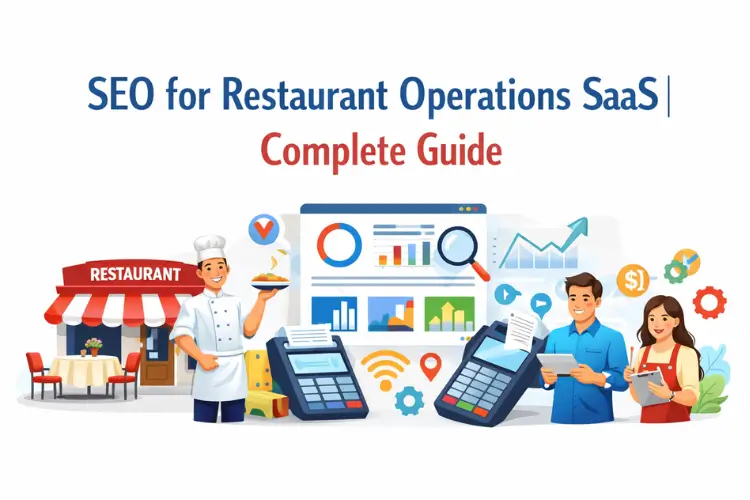
Restaurant operations software is often searched for at the exact moment a team wants a better way to run service, control costs, and keep staff on track. Good SEO helps your product show up when owners, GMs, and ops leaders are comparing options and trying to see what will fit their workflows. When the right pages answer real questions clearly, SEO can bring steady demo requests that feel like a natural next step, not a push. The goal is simple: match what they search, prove you understand operations, and make booking a demo easy.
- SEO for Restaurant Operations SaaS: Complete Guide to Driving Product Demos
- 1. Set the foundation for demo focused SEO
- 2. Do keyword research that attracts operators who book demos
- 3. Build site structure that supports rankings and demo conversion
- 4. Write on page SEO that sounds like restaurant operations
- 5. Fix technical SEO so operators can find you fast
- 6. Create content that earns traffic and leads to demos
- 7. Earn authority and links in the restaurant operations category
- 8. Turn SEO traffic into demos with conversion focused pages
- 9. Capture geo based searches without turning into local business SEO
- 10. Refresh and expand content so rankings stay stable
- 11. Measure SEO in a way that matches demos and revenue
- 12. Build a practical SEO plan that consistently drives demos
1. Set the foundation for demo focused SEO
Before writing content, decide what a strong SEO lead looks like for your product and what you want them to do next. Restaurant operations SaaS sits between daily workflows and business outcomes, so your pages should connect tasks to results in a way that feels practical. When the foundations are clear, each new page has a job: attract the right visitor, earn trust, and guide them to a demo.
1.1 Define your ideal restaurant customer and buyer roles
Start by writing down the types of restaurants you serve best, like multi unit QSR, fast casual, hotels, cloud kitchens, or full service groups. Include details like number of locations, average weekly covers, staffing model, and whether they centralize purchasing. This helps you avoid writing broad content that fits everyone but convinces no one.
Then list buyer roles and how they search. An owner might search for cost reduction and reporting, a GM might search for shift coverage and checklists, and an ops director might search for standardization across locations. When you know who is reading, your topics and examples sound more like their day to day reality.
1.2 Clarify the outcomes your product delivers
Restaurant teams buy outcomes, not features. Pick 4 to 6 outcomes that you can confidently stand behind, like lower food variance, fewer missed tasks, better labor control, stronger audit scores, faster onboarding, or cleaner reporting for leadership. These outcomes become your main SEO themes and your internal filter for what content to publish.
Next, tie each outcome to a measurable signal. For example, “reduce food waste” can connect to tighter inventory counts and recipe controls, while “labor control” can connect to scheduling, forecast accuracy, and overtime reduction. This makes your pages feel grounded and it gives readers a reason to book a demo to see how it works.
1.3 It is important to define the demo conversion path
Decide what actions count as progress toward a demo. Some visitors will be ready to book right away, while others need proof like an integration page, a pricing range, or a case study. Build a simple path that starts with a helpful page, then moves to a page that shows fit, and ends with a clear demo option.
Also decide what happens after someone clicks “Book a demo.” If the scheduling experience is slow or confusing, the SEO work will not convert. A clean calendar flow, a short form, and a clear confirmation message can raise demo completion without changing traffic at all.
1.4 Choose a small set of SEO goals and metrics
Pick a few metrics that match your demo goal, not vanity. Organic demo submissions, organic assisted demos, demo to close rate from organic, and rankings for high intent terms are usually more useful than raw sessions. If you track too many numbers, you will spend time reporting instead of improving pages.
Use Google Search Console to monitor which queries bring impressions and clicks, and to spot pages that rank but do not earn clicks. Pair that with your product analytics or CRM so you can see which pages show up in real demo journeys. This helps you double down on what leads to meetings, not just visits.
1.5 Align your language with restaurant operations terms
Restaurant people search in their own language. They type “opening checklist,” “line check,” “inventory count sheet,” “food cost variance,” “schedule template,” “tip pooling,” or “compliance logs.” Collect common terms from sales calls, onboarding sessions, and support tickets, and treat them like gold for SEO.
Then mirror that language on your pages without forcing it. Use the same words your buyers use, and explain them simply. When your pages sound like someone who has been on the floor, they earn trust faster and visitors stay longer, which helps both rankings and conversions.
2. Do keyword research that attracts operators who book demos
Keyword research for restaurant operations SaaS works best when you focus on tasks, tools, and decisions. Many restaurant searches are practical and urgent, so your content should meet that mindset with clear steps, examples, and options. The best keywords are not always the biggest volume ones, but the ones that signal real buying intent and real operational responsibility.
2.1 Build keyword buckets around core workflows
List the workflows your product touches, like scheduling, inventory, prep and production, checklists, audits, vendor ordering, food safety logs, and reporting. For each workflow, write down the “how to” searches and the “software” searches. A simple example is “restaurant inventory management software” plus “how to do weekly inventory in a restaurant.”
Then add variations by restaurant type and scale, like “multi unit checklist app” or “QSR labor scheduling.” These modifiers often bring visitors who are closer to a demo because they are looking for fit, not general advice.
2.2 Separate informational, comparison, and purchase intent
Informational keywords often include “how,” “template,” “checklist,” and “process.” These bring top of funnel visitors, but they can still lead to demos when you connect the content to real workflows and offer a helpful next step. Comparison keywords include “best,” “alternative,” “vs,” and “reviews,” and they are usually closer to a buying decision.
Purchase intent keywords often include “software,” “platform,” “app,” “system,” or an integration name like “Toast integration.” These are prime demo drivers if your page clearly explains what the product does, who it is for, and how it fits into an ops stack.
2.3 Use real questions from sales and support
Your best keyword list is already in your call notes and ticket tags. Pull repeated questions like “How do you track waste by station,” “How do we standardize checklists across stores,” or “Can managers edit schedules on mobile.” Each question can become a page or a section inside a larger page.
Write the question the way a restaurant leader would search it. You can keep the page title clean while still matching the query in headings and copy. This approach creates content that sounds human and also matches search intent closely.
2.4 It is important to separate operator and owner intent
Operators often search for execution, like “daily manager log template” or “closing checklist app.” Owners and finance leaders often search for outcomes, like “reduce food cost,” “labor cost control,” or “restaurant KPI dashboard.” If you blend these into one page, the message can feel unfocused.
Create pages that match each intent. An operator page can show how the workflow runs on shift, while an owner page can show reporting, standardization, and multi location visibility. Both can lead to demos, but they need different proof and different examples.
2.5 Use tools to expand and validate your list
A keyword tool can help you find variations you would not think of on your own. Ahrefs or Semrush can show related terms, ranking difficulty, and what pages currently rank for your targets. Use them to expand ideas, not to chase every keyword.
Then validate with Search Console once you publish. Search Console will show the real queries that trigger impressions for your pages, including long tail phrases that are often easier to win. Those long tail queries can become new sections or new pages that bring steady demo traffic.
3. Build site structure that supports rankings and demo conversion
A strong site structure makes it easy for search engines to understand your product and for buyers to find what they need. For restaurant operations SaaS, the structure should reflect how restaurants think: workflows, roles, and outcomes. When pages are organized well, internal linking becomes natural and visitors move from learning to booking without feeling pushed.
3.1 Create core pages for product, solutions, and integrations
Your product pages should explain what the platform does in plain language and show the core workflows it supports. Your solutions pages should map to common needs like “multi location operations,” “labor control,” or “inventory and food cost.” These pages usually convert well because they match mid to high intent searches.
Integration pages are often quiet demo drivers. Many buyers search by stack, like POS, payroll, scheduling, or accounting. If you support key integrations, build dedicated pages that explain what connects, what data flows, and what setup looks like, with a clear demo call to action.
3.2 Design content hubs around high value workflows
Pick 3 to 5 workflows where you want to become the obvious answer in search. Create a hub page for each workflow, like “Restaurant Inventory Management” or “Restaurant Opening and Closing Checklists,” and link to supporting articles such as templates, process guides, and common mistakes.
Make the hub page practical and product aware. Explain the workflow, show a simple framework, and add proof like screenshots, short use cases, or customer results. Then link to deeper articles that answer narrower questions. This structure helps rankings because it shows depth, and it helps demos because it keeps visitors moving.
3.3 Make internal linking feel like helpful navigation
Internal links should be placed where a reader naturally wants the next step. If someone is reading about reducing food cost variance, linking to inventory tracking, waste logging, and recipe controls makes sense. If someone is reading about scheduling, linking to forecasting and labor reporting makes sense.
Use descriptive anchor text that matches what the page is about, not generic text. This helps search engines understand relationships between pages, and it helps readers trust that the next click will actually help them.
3.4 Build demo landing pages that match search intent
If you target “restaurant checklist app,” make sure there is a page that clearly matches that intent and makes it easy to book a demo. The page should explain the workflow, what changes with software, and what a manager actually does during a shift. Then offer a demo as a way to see the workflow in action.
Keep forms short and friction low. If you need qualification details, collect them after the booking or in the first call. Many restaurant teams are busy, and extra form fields can quietly reduce your demo rate even when rankings improve.
3.5 Avoid thin pages by combining what belongs together
Thin pages happen when you create too many similar pages with small differences. Instead of separate pages for every tiny variation, combine related topics into one strong page and use sections to cover the variations. For example, one strong “restaurant checklist app” page can include opening, mid shift, and closing sections.
When you do need separate pages, make sure each one has a clear unique purpose. A “multi location checklist management” page can focus on standardization, permissions, and reporting, while a “daily shift checklist” page can focus on manager execution. Unique pages rank better and convert better.
4. Write on page SEO that sounds like restaurant operations
On page SEO is not about stuffing keywords. It is about making the page easy to understand, easy to skim, and clearly relevant to the search. Restaurant operations readers want practical clarity, so simple structure, real examples, and direct wording work best. When you combine that with clean titles and headings, you improve both rankings and demo conversion.
4.1 Use titles that match the search and the outcome
A good title tag should include the main phrase and a clear benefit. If the keyword is “restaurant inventory management software,” a strong title can add a benefit like “reduce variance” or “track counts faster.” Keep it readable and avoid hype, because restaurant teams can sense fluff quickly.
Your page headline should align with the title tag but can be more human. Make sure the first paragraph confirms what the visitor will get, like how the workflow works, what the tool helps with, and who it fits. This reduces bounce and helps your page perform.
4.2 Write meta descriptions that earn the click
Meta descriptions do not directly rank, but they often decide whether you get the click. Use them to set expectations and speak to the operational need. Mention a clear use case, like “track inventory, waste, and food cost across locations,” and add a soft demo option like “see it in a live walkthrough.”
Avoid vague lines like “all in one platform.” A restaurant leader wants to know what will change on Monday morning. If your description hints at that change, you earn more clicks, and higher clicks at the same ranking position usually brings more demos.
4.3 Use headings that map to how people think on shift
Good headings follow the reader’s mental steps. For example, an inventory page can use sections like “What to count,” “How often to count,” “Who owns the count,” “How to spot variance,” and “How software helps.” These headings make the page skimmable and help you naturally include related terms.
Keep headings simple and specific. Instead of “Optimize efficiency,” use “Reduce time spent on counts” or “Catch variance by category.” Specific headings help search engines understand the page and help readers feel like you understand their work.
4.4 Add examples that make the workflow real
Examples make your content believable. If you explain checklists, include a short sample like “AM opening: verify cooler temps, prep pars, log vendor delivery issues.” If you explain labor control, mention an example like “compare forecasted sales to scheduled hours and adjust before the rush.”
You can also include a simple sample template in a paragraph without turning the page into a download gate. Templates help readers, and they also attract long tail searches like “opening checklist template for restaurant.” Add a demo call to action that invites them to see how the template becomes a live workflow in software.
4.5 Improve trust with proof and clear next steps
Restaurant operations buyers look for proof that your product fits real conditions. Add short credibility elements like a brief case example, an integration mention, or a simple metric like “cut inventory time by X percent” if you can support it. Keep proof specific and easy to verify.
Then make the next step clear. A short line like “Book a demo to see how managers run this on mobile during a shift” can convert better than generic “Contact us.” The demo offer should feel like help, not pressure.
5. Fix technical SEO so operators can find you fast
Technical SEO keeps your pages easy to crawl, quick to load, and clean to understand. Restaurant teams often search on phones between tasks, so speed and clarity matter as much as keywords. When your technical setup is solid, your content has a better chance to rank, and visitors reach the demo step without friction.
5.1 Make sure search engines can crawl and index key pages
Start by checking that your most important pages are indexable, like product pages, workflow hubs, solutions pages, and integrations. If a page is blocked by robots rules, noindex tags, or broken canonical settings, it can sit invisible even if the writing is strong.
Keep the crawl path simple. Your key pages should be reachable in a few clicks from the main navigation and from internal links in related articles. If a page is buried behind many layers, it often gets less attention from both search engines and real users.
5.2 It is important to improve site speed on mobile
Many restaurant leaders search on mobile while walking the floor or between meetings. If the page loads slowly, they leave before they even see your message. Speed improvements can directly lift demo conversions because more people actually reach the form.
Focus on the basics first: compress images, reduce heavy scripts, and avoid loading large videos by default. If you use product screenshots, keep them crisp but optimized. A fast page feels more trustworthy, especially for a buyer judging whether your product will work smoothly in real operations.
5.3 Use clean URLs that match real workflows
A clean URL helps people understand the page before they click. For example, /restaurant-inventory-management is easier than a long string with random words. Keep URLs short, readable, and consistent across the site.
Match URL structure to your content structure. Workflow hubs can sit under a clear folder, and integrations can sit under /integrations/. This improves organization, makes internal linking easier, and helps your site feel like a well-run operations system.
5.4 Add schema that supports SaaS and trust signals
Schema markup helps search engines understand your pages and sometimes improves how results appear. For restaurant operations SaaS, common schema areas include software product details, FAQs, reviews if you have them, and organization info.
Use FAQs carefully and keep them real. A few focused questions like “How long does setup take?” or “Can managers use it on mobile?” can fit naturally on workflow and integration pages. When those questions match search intent, the page often earns more clicks and time on site.
5.5 Prevent duplicate content and messy index bloat
SaaS sites can create duplicates through tracking parameters, similar pages, or repeated content blocks across many landing pages. When too many near-identical pages exist, search engines may not know which one to prioritize, and rankings can flatten.
Choose a clear primary page for each topic and strengthen it. If you need multiple versions for ads or partners, keep those pages noindexed or structured so your main SEO pages stay clean. A smaller set of strong pages usually drives more demos than a large set of thin ones.
5.6 Keep security and reliability visible
Restaurant operators trust systems that feel stable. Make sure your site uses HTTPS everywhere and does not show browser warnings or broken assets. Even small errors can cause hesitation when someone is about to book a call.
Add clear contact options and company details, especially on pages that convert. When a visitor sees a real company behind the software, the demo step feels safer and more normal, which supports both SEO engagement and conversions.
6. Create content that earns traffic and leads to demos
Content for restaurant operations SaaS should help someone do their job better, not just read about concepts. The best pages teach a workflow, show common mistakes, and explain what changes when software is used. When your content is practical and clear, it brings the right searches and naturally encourages demo requests.
6.1 Build workflow guides that reflect real shift routines
Pick one workflow and map it as it happens in a restaurant, step by step. For example, an opening routine can start with safety checks, then equipment checks, then prep pars, then staffing notes, then handoff. Write the guide in the same order someone would do it.
Then add a simple section on where teams usually lose time or miss steps. A reader might recognize their own situation and stay longer, which helps rankings. It also builds trust because the page sounds like it was written by someone who understands operations.
6.2 Write comparison pages that stay fair and useful
Some visitors are actively comparing tools and want a clear view of options. A fair comparison page can rank well and drive demos if it explains what to look for, not just why you are best. Focus on criteria like ease of adoption, multi location controls, reporting, integrations, and support.
Use simple examples to explain tradeoffs. For instance, a spreadsheet may work for one location, but it breaks when you need standardization and visibility across ten. A checklist app may cover tasks, but it may not connect to inventory or labor reporting. Clear comparisons help buyers make decisions and often lead them to request a demo for confirmation.
6.3 Create integration content based on real restaurant stacks
Restaurant teams often start with the systems they already use. If your SaaS connects to popular POS, payroll, or accounting tools, explain the integration in plain language. Describe what data moves, what gets automated, and what still stays manual.
Include a short setup story style example. For instance, “A group exports sales data daily and matches it to labor and checklist completion to spot issues by location.” This kind of example shows value without hype and makes the demo offer feel like the next practical step.
6.4 Use templates and examples to win long tail searches
Templates bring consistent search traffic because people look for them every week. You can include a small checklist template, a manager log outline, or an inventory count structure inside the article. Keep it readable and easy to copy.
After the template, explain how software changes the workflow. For example, instead of printing a sheet, managers complete tasks on mobile, photos and notes are attached, and issues can be escalated. This connects the free value to the paid solution in a way that feels helpful, not salesy.
6.5 Keep content updated based on what ranks and converts
SEO content is not a one-time project. Check which pages bring the right visitors and which pages quietly assist demos even if they are not the last click. Update pages that already rank with clearer examples, stronger internal links, and better calls to action.
A simple habit works well: each month, refresh a few pages that are close to the top results. Add new FAQs, add a better workflow step list, and improve clarity where readers might get stuck. Small improvements on pages that already have visibility often beat publishing brand new pages.
6.6 Build case based content without turning it into a sales page
Case studies can rank when they focus on a specific operational problem. Instead of writing a generic success story, write about the workflow and the change. For example, “How a 12 location group reduced missed prep tasks” is clearer than “Customer success story.”
Include numbers only when you can stand behind them. If you do not have precise figures, you can still share process improvements like “counts became consistent across locations” or “managers spent less time chasing checklists.” The goal is to show credible operations impact and invite a demo to see how the workflow runs.
7. Earn authority and links in the restaurant operations category
Links and brand mentions help search engines trust your site, especially for competitive keywords like “restaurant management software.” For operations SaaS, the best links usually come from useful resources, real partnerships, and genuine contributions to the restaurant community. When your authority grows, rankings become easier to hold and demo traffic becomes more stable.
7.1 It is important to create link worthy assets operators share
Operators share resources that make their work easier. A clean set of templates, a simple food cost variance calculator, or a well written guide to weekly inventory can earn natural links over time. These assets work best when they are practical and not locked behind too many gates.
Make the asset easy to reference. Give it a clear page, a clear title, and a short explanation of how to use it. When someone links to it from a blog, a training page, or a restaurant association resource list, that link supports your broader SEO goals.
7.2 Partner pages and integration ecosystems can help
If you integrate with other tools, look for partner directories, integration listings, and joint resource pages. These links often come from relevant sites and are contextually aligned, which helps SEO more than random mentions.
Keep the partner page content useful. Explain the value of the integration and include a short use case. If the integration listing only allows a short description, use language that matches how restaurant teams search, like “sync sales data to improve labor and ops reporting.”
7.3 Use guest content with clear operational value
Guest writing can still work when it is focused on real topics and published on relevant sites. The best angle is not “why software matters,” but a clear ops problem like “reducing missed closing tasks across multiple stores.” Editors and readers respond better to specifics.
Keep the piece educational and include a simple example. Then link back to a relevant resource page on your site, like a workflow guide or template. That link feels natural because it continues the topic, and it can send visitors who are already interested in the problem.
7.4 Collect reviews and mentions in places buyers trust
Many restaurant SaaS buyers look at review platforms and communities before booking calls. Reviews can influence conversions directly, and some review pages can rank for branded searches. The key is to keep the process simple for customers and to ask at moments when they are seeing value.
Do not pressure customers to use perfect language. A real review that mentions a workflow like scheduling, checklists, inventory counts, or multi unit reporting is more convincing than generic praise. Those details also match search intent when people are comparing tools.
7.5 Build relationships with consultants and ops educators
Many restaurant groups work with consultants for openings, turnarounds, and standardization projects. If your product supports those efforts, relationships with consultants can lead to mentions, referrals, and resource links that matter.
Support them with content they can use, like training checklists or rollout plans. When your resources fit into their process, they are more likely to reference them. Those mentions bring both SEO value and demo conversations with qualified teams.
7.6 Avoid low quality link tactics that create risk
Shortcuts like mass directory submissions and irrelevant guest posts can cause long term issues. Even if they bring a small boost for a while, they often do not help conversions because the traffic is not the right audience.
Stick to relevance and usefulness. One link from a respected restaurant ops resource or a well known partner can do more than dozens of low value links. It also aligns with your demo goal because it reaches people who actually buy operations software.
8. Turn SEO traffic into demos with conversion focused pages
SEO brings visitors, but demos happen when pages guide the visitor to a clear next step. Restaurant operations buyers want confidence that the product fits their reality, and they want to book quickly without jumping through hoops. A conversion focused SEO approach makes every high intent page feel like it was built for the buyer’s decision process.
8.1 Match the call to action to the visitor’s readiness
Not every visitor is ready to book immediately. On informational pages, a softer call to action like “See how this workflow works in the platform” can feel natural. On high intent pages like integrations and solutions, a direct “Book a demo” often works well.
Place the call to action where it makes sense. After a section that explains the workflow change is a good moment. Avoid placing it only at the top, because many readers need proof first, especially when the software impacts daily manager habits.
8.2 Use proof that fits restaurant operations decisions
Operations buyers look for proof that the product works under real conditions. Add small credibility elements like implementation time ranges, support approach, common rollout patterns, and how permissions work across locations. These details answer the quiet questions that stop demos.
Use examples that sound real. For instance, explain how a GM closes out tasks, how an ops leader reviews completion across stores, and how issues are flagged. When a reader can picture the workflow, booking a demo feels like a normal next step.
8.3 Create role based sections on key pages
A single page can serve multiple roles if you structure it well. Add short sections like “For general managers” and “For operations leaders” with a few points each. Keep the language practical, like what they do daily and what they can see in reporting.
This also helps SEO because it naturally includes role based phrases people search. It helps conversions because each reader quickly finds their own view of the product. That personal relevance often makes the demo button more appealing.
8.4 Make the demo booking experience simple
A smooth demo booking flow matters more than many people expect. Keep forms short, keep scheduling easy, and confirm what happens next. A visitor should know how long the call is, what will be covered, and whether they can bring a team member.
If you use a scheduling tool, set it up with restaurant friendly options like multiple time zones and clear availability. A busy operator should be able to book in under a minute. When the booking experience is easy, SEO traffic turns into real meetings.
8.5 Use internal links to move visitors toward high intent pages
Many visitors land on a helpful article first. That article should link to the best next step page, like a workflow hub, a solution page, or an integration page. The link should feel like the obvious continuation of the topic, not a sudden jump to sales.
For example, an article about reducing food cost variance can link to your inventory management solution and your reporting features. A checklist template page can link to mobile checklist execution and multi location visibility. This gentle progression is one of the most reliable ways to earn demos from SEO.
8.6 Track the pages that assist demos, not only the last click
Often, the page that converts is not the first page a buyer reads. Someone might start on a template, then read an integration page, then book from a pricing or demo page. If you only track last click, you may undervalue the content that starts and supports the journey.
Review demo paths in your analytics and CRM notes. Look for patterns like “inventory guide appears in many demo journeys” or “integration pages convert at a higher rate.” Then invest in the pages that repeatedly show up in real buying paths.
9. Capture geo based searches without turning into local business SEO
Restaurant operations SaaS is not tied to one city, but buyers still search with place names when they want vendors that understand their market. Geo intent shows up in searches like “restaurant operations software for UK,” “inventory system for restaurants in India,” or “multi unit ops platform Dubai.” When you handle geo pages carefully, you can rank for these searches and still keep the site clean and focused on demos.
9.1 Find the geo modifiers your buyers actually use
Start with Search Console and look for queries that include country, city, or region words. You might find patterns like “restaurant checklist app Singapore” or “food cost software Australia.” These queries often convert well because the buyer is already narrowing options.
Then expand that list with your sales call notes. Many leads mention language, currency, tax style, or local compliance needs. Those details become useful angles for geo content that still feels operational, not generic location stuffing.
9.2 Build country or region pages only when you can be specific
Do not create dozens of thin city pages. Instead, create a smaller set of strong pages for countries or major regions where you have customers, support coverage, or clear market fit. A good region page should explain how you support that market in practical ways.
Mention relevant realities like multi currency reporting, time zones, common POS stacks, or local compliance expectations if you truly handle them. If you cannot support those details, keep the page more general and focus on restaurant types and workflows instead of pretending to be local.
9.3 Use localized examples without forcing language
A geo page feels real when the examples match how restaurants operate there. You can mention common concepts like VAT style reporting, specific shift patterns, or typical multi unit challenges in that region. Keep the language simple and avoid slang that can feel fake.
If you offer the app in multiple languages, mention it clearly and show how it works in onboarding. If you do not, avoid promising it. Geo SEO works best when it is honest and grounded in what you can deliver.
9.4 Keep geo pages connected to core workflow hubs
Geo pages should not live alone. Link them to your main workflow pages like inventory, checklists, labor, and audits. This helps rankings because search engines see the geo page is part of a deeper topic set, not a standalone landing page.
It also helps demo conversion because the visitor can move from “Does this work in my region” to “How does this solve my daily problem.” That second step is usually what triggers a demo request.
9.5 Avoid duplicate geo pages by using a clear template structure
If you create multiple geo pages, keep the structure consistent but the content unique. A repeating layout is fine, but each page should include market specific proof, examples, or integration notes that are different. If the text is mostly the same, you risk duplicate content issues.
A simple method is to keep one shared section about your product and then add two to three market specific sections. For example, one section on common restaurant types in that region and one section on common stack and rollout expectations.
9.6 Support geo trust with clear operational coverage
Geo intent is often trust intent. Buyers want to know if support hours match their time zone, if implementation can happen remotely, and if the product fits their group structure. Put these answers on the page in a calm and practical way.
End with a demo option that feels like help, such as booking a call to confirm fit for their region and stack. This keeps the page focused on the outcome you want, while still serving the search intent.
10. Refresh and expand content so rankings stay stable
Restaurant operations topics change slowly, but search results change often because competitors publish and update content. A refresh system helps you hold rankings, improve click through rate, and keep demo pages converting. It also stops your content library from becoming outdated and inconsistent over time.
10.1 Update pages that are close to the top results
Pages ranking in positions 4 to 15 are often the easiest wins. Small changes like better headings, clearer examples, and improved internal links can move them into the top results where clicks rise quickly. This is often faster than publishing brand new pages.
Focus on pages that already bring relevant traffic, like workflow hubs, integration pages, and comparison pages. When these pages improve, demo volume usually improves as well because the intent is already strong.
10.2 Improve content using real query language from Search Console
Search Console shows the exact phrases that trigger impressions for your page. Add those phrases naturally in headings, short sections, and examples where they fit. This helps you cover more long tail queries without writing separate thin pages.
For example, if your inventory page shows impressions for “weekly restaurant inventory process,” add a short section that explains weekly cadence and ownership. This is a simple way to match intent more closely and raise rankings.
10.3 Add new proof points as your product matures
Over time, you collect more customer stories, better onboarding clarity, and stronger integration coverage. Bring those improvements back into your SEO pages. Even one new practical example can increase trust and keep readers engaged longer.
Add proof carefully and keep it specific. A short note like “multi unit ops teams review checklist completion by location daily” can be enough. The aim is to make the page feel current and tied to real usage.
10.4 Strengthen internal links with a simple monthly routine
Internal linking is one of the easiest ways to lift performance. Each month, pick a workflow hub and link to it from two to four related articles. Also update the hub to link out to the best supporting pages.
When you do this regularly, the site becomes easier to navigate and your topic clusters become clearer. That helps rankings, and it also helps visitors discover your higher intent pages that lead to demos.
10.5 Expand with supporting pages only when they add real value
Not every keyword needs its own page. Create new pages when you have a clear unique angle, like a specific workflow problem, a detailed template, or an integration that deserves its own explanation. Otherwise, expand the best existing page.
A good rule is to ask whether the new page can stand alone as the best answer. If it cannot, it is usually better as a section inside an existing guide.
10.6 Keep content consistent across writers and teams
If multiple people write content, tone can drift and pages can become uneven. Create a simple internal content checklist that keeps pages consistent, like always defining who the workflow is for, showing steps, adding one example, and linking to the demo option.
Consistency helps SEO because the site feels cohesive. It helps demos because every page reinforces that you understand restaurant operations and you have a clear next step for interested buyers.
11. Measure SEO in a way that matches demos and revenue
SEO reporting can become noisy if it focuses only on traffic. For restaurant operations SaaS, the real question is whether SEO brings the right restaurant teams and moves them to a demo. When measurement is set up well, you can see which topics drive pipeline and which pages need improvement.
11.1 Track demo conversions from organic traffic
Make sure your analytics captures demo submissions and scheduled demos as events. Segment those conversions by channel and landing page, so you can see which SEO pages actually start demo journeys.
Also track assisted conversions, not only last click. Many buyers read two to five pages before booking. If SEO is driving the early and middle steps, you want that visibility so you keep investing in what works.
11.2 Connect SEO pages to CRM outcomes
If possible, pass the landing page and key page views into your CRM as part of the lead record. This lets you see which pages show up in high quality deals, not just in form fills. It also helps sales teams understand what the lead cared about.
When you review closed won deals, look back at the content path. You will often find repeating themes, like integrations, multi unit reporting, or checklist standardization. Those themes become your next content priorities.
11.3 Use cohorts to understand lead quality over time
Organic leads may take longer to convert than paid leads, especially when they start from templates and process guides. Use cohorts to compare demo to close rates by month and by content category. This helps you avoid cutting content that is quietly producing long term pipeline.
Cohorts also show whether improvements are working. If you refresh workflow hubs and the demo rate from organic increases in the next month, you can tie action to results in a clear way.
11.4 Watch search visibility for high intent keyword groups
Instead of tracking hundreds of random keywords, track a small set of high intent groups. For example, one group for inventory management software, one for checklist app, one for labor scheduling and forecasting, and one for integrations. These groups are closer to demos than generic restaurant management terms.
Monitor rankings and clicks weekly or biweekly. If a core page drops, fix it quickly by refreshing content, improving internal links, or addressing technical issues. Slow reaction can cost months of demo flow.
11.5 Use page level engagement as a diagnostic tool
Time on page, scroll depth, and click paths help you understand why a page is not converting. If traffic is high but demo clicks are low, the page may be matching the keyword but not building confidence. In that case, add clearer examples, proof, and a better next step.
If the page has low time on page, it may be too long, too vague, or missing the exact answer the searcher wants. Improve headings, add a quick workflow summary, and tighten paragraphs so the page feels easy to read.
11.6 Create a simple monthly SEO review that leads to action
A good SEO review should end with a short action list. Pick a few pages to refresh, a few internal links to add, and one new page to create if there is a clear gap. Keep it manageable so it actually gets done.
Over time, this routine compounds. Instead of random content bursts, you build steady improvements that raise rankings, raise demo conversion, and reduce dependence on paid traffic.
12. Build a practical SEO plan that consistently drives demos
A plan keeps SEO from becoming scattered. Restaurant operations SaaS SEO works best when you focus on workflows, outcomes, and buyer roles, then publish and improve pages in a predictable rhythm. When the plan is simple, your team can execute it even during busy product cycles.
12.1 Choose your top three workflow themes for the next quarter
Pick three workflows that align with your strongest product fit and highest demo value, like checklists, inventory, and labor control. Build a hub page for each and list the supporting articles that will strengthen it. This creates a clear structure instead of random topics.
For each theme, choose one high intent keyword target and a few long tail targets. This keeps the work focused and makes it easier to measure whether the content is actually winning visibility and demos.
12.2 Create a weekly publishing and updating rhythm
A steady rhythm is better than big bursts. A simple plan is one new supporting article per week and one refresh per week. That keeps the library growing while also improving what already ranks.
If resources are limited, publish every other week and refresh every other week. The key is consistency. When search engines see steady improvements, your site often becomes more stable in rankings.
12.3 Build one strong demo ready landing page per theme
For each workflow theme, make sure there is one page built to convert. This page should explain the workflow, show how software changes execution, and make demo booking easy. It should not be a thin marketing page, and it should not be a long blog with no next step.
Support the page with internal links from templates and guides. When a visitor finishes a helpful article, the demo ready page becomes the natural continuation.
12.4 Create a content brief template your writers can follow
A content brief keeps your voice and structure consistent. Include the target keyword, the search intent, the buyer role, the workflow steps to cover, one real example to include, and the internal links to add. This makes writing faster and improves quality.
Also include a short list of words and phrases operators use, gathered from sales calls and support. When writers use the same language your buyers use, rankings and conversions both improve.
12.5 Coordinate with sales and customer success for real insights
Sales and customer success hear the real objections and the real “aha” moments. Meet monthly to collect the top five questions, the top reasons deals move forward, and the top reasons they stall. Turn those insights into page updates and new topics.
You can also use this to improve conversion. If leads often ask about rollout time, add a clear rollout section to your conversion pages. If they ask about multi location permissions, add a simple explanation and example.
12.6 Keep your next steps clear on every high value page
Every important page should answer one quiet question: what should I do next if this fits me. Add a clear demo option that matches the page intent, and place it where it feels helpful. Avoid shouting, popups that interrupt reading, or confusing navigation.
When your SEO pages feel like practical operations help and the demo option feels like a normal next step, you get the best outcome. You rank for the right searches, you earn trust, and you turn that trust into demos from restaurant teams that are ready to improve how they run.