
Understand What Object Recognition Search Is
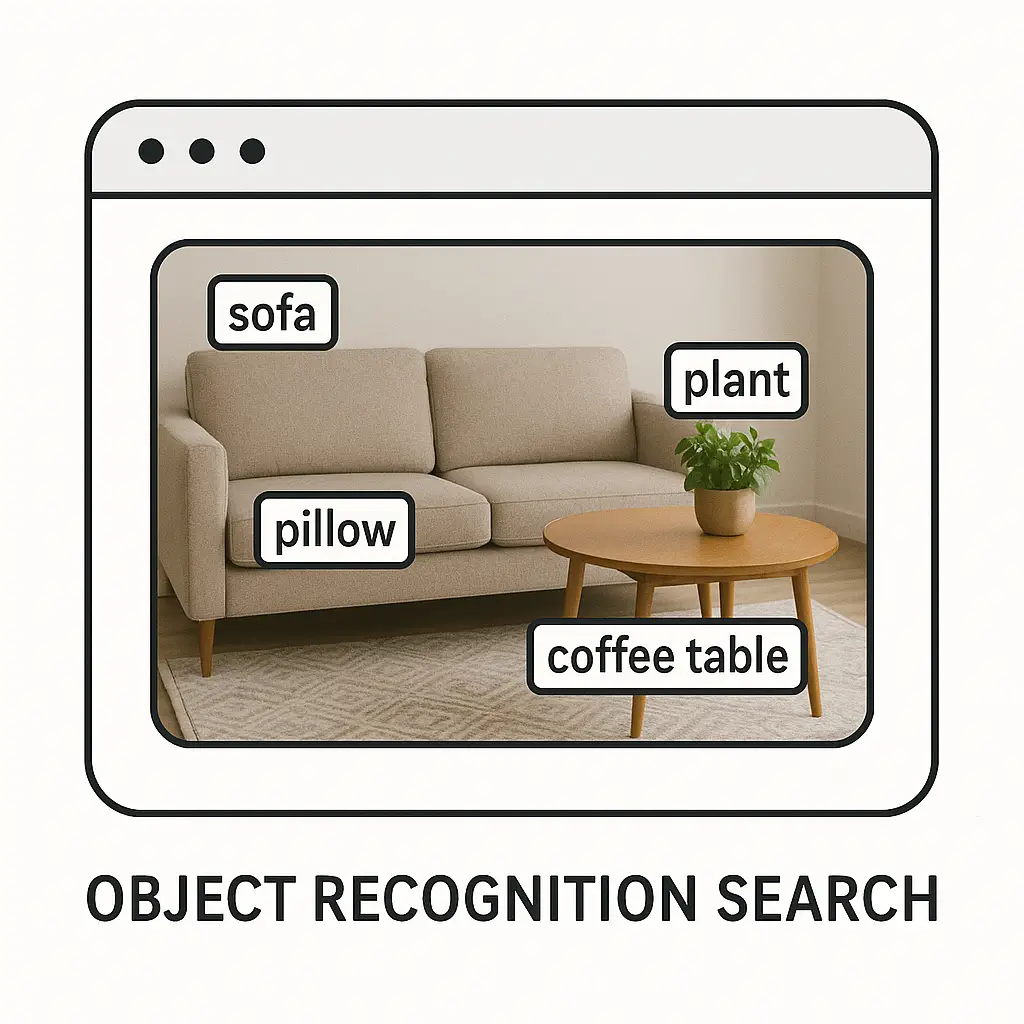
Object recognition search is a way for computers to understand what is inside an image and match that understanding with helpful information. It lets people use pictures instead of words to find things, which can be useful when they do not know the right term or when they simply want faster results. This type of search looks at shapes, colors, patterns, and small details to figure out what an object might be. It then connects that object to a result, such as a product, a location, or a piece of information. Many tools today, such as Google Lens and some simple open tools like OpenCV, use this kind of idea to help users get answers from just an image. As this becomes more common, it is opening new ways for people to learn and find things in a very easy and natural manner.
1. How Object Recognition Search Works
When object recognition search works in the background, it follows a set of steps that let machines understand pictures almost the way people do. The system takes an image, breaks it into simple pieces, and studies lines, corners, and colors. After that, it compares these pieces with patterns it has already learned. This helps the system decide what the object might be even if the picture is a little unclear or taken from a different angle. Some tools use large sets of images to learn common shapes, while others use lighter methods that run on small devices. A tool like Google Lens, for example, uses learned patterns to identify everyday objects in a picture and match them to information. These steps work quietly in the background, making the experience feel easy and smooth for the user.
1.1 Image Capture and Input
The first step begins when someone takes a picture or uploads one into a search tool. The system reads the raw image and prepares it for further steps. In this stage, nothing smart happens yet; the picture is only being collected and organized so the system can understand it better. Even a simple mobile app that uses a camera for search follows this step because it needs a clean version of the picture before moving ahead. The quality of the image also makes a difference because clearer pictures help the system guess the object more accurately. Tools like Google Lens rely on this clean capture to perform well. Once the image is ready, the process moves forward smoothly and begins to break the picture into more understandable pieces that the system can learn from.
1.2 Feature Detection
Feature detection is the step where the system looks closely at the picture and tries to find small but meaningful pieces in it. These might be edges, repeated shapes, bright spots, or areas where colors change. The system treats these small parts like clues that help it figure out the bigger picture. Even a simple open tool like OpenCV can detect these features by looking for changes in the picture pixel by pixel. When the system finds enough features, it builds a rough map of the object, almost like a puzzle made of smaller parts. This map helps the system understand what makes this object different from other objects.
1.3 Pattern Matching
Pattern matching starts after the system collects enough features. In this stage, the system compares those features with patterns it already knows. These patterns come from many images the system has seen before during training or setup. If the features in the new image match features from known images, the system begins to build an idea of what the object might be. This matching step does not need perfect images; it only needs enough strong features to line up. When the system finds a close match, it prepares a list of possible results. This is how simple tools can quickly recognize objects even in unclear or busy backgrounds.
1.4 Prediction and Classification
After matching patterns, the system makes a prediction about what the object might be. It classifies the object into categories such as fruits, clothes, tools, or animals. These categories help the system narrow down the correct answer. The prediction becomes stronger if many of the matched patterns fit one category very closely. For example, when the system sees round shapes, bright colors, and smooth skin patterns, it may classify the object as a fruit. The simple flow of prediction and classification works behind the scenes to make the search feel quick. Once the object is labeled, the system prepares results that match the label.
1.5 Result Delivery
After the classification is complete, the system shows results to the user. These results might include similar images, nearby stores, product names, or simple descriptions. This final step feels natural because the user only sees clear and helpful information. The complex steps before this moment stay hidden. Even tools built for beginners follow this same structure because it keeps the experience simple. The final results help users understand what the object is, where they can find it, or how it is normally used.
2. Why Object Recognition Search Matters
Object recognition search matters because it gives people an easier way to find information without needing the right words. Many times, people see something but do not know what it is called. With object recognition search, they can use a picture instead of guessing names. This simple idea helps people learn faster and reduces confusion. It also helps in daily tasks, like looking up plants, finding similar furniture, or identifying rare tools. Workers in shops, students in school, and families at home all use it because it feels very natural. The technology behind it keeps improving, but the main goal stays the same: making search easier for everyone.
2.1 Better Access to Information
One of the main reasons object recognition matters is that it makes information easier to reach. Instead of typing long names or guessing terms, people can take a picture and get clear results. This helps in many situations, such as reading labels, understanding unknown objects, or searching faster. Even simple apps use this idea to guide users gently toward the right information. The process removes many barriers and gives people confidence when they search for something new. It supports learning and makes digital tools feel more friendly.
2.2 Support for Learning
Object recognition search supports learning by giving simple explanations for objects. Students can use it to understand things they see in class or outside. When they take a picture, they get answers that help them learn in a calm and steady way. This method works well for visual learners because they can connect what they see with the information they read. Even small tools used in science and art classes rely on basic object recognition ideas. This approach turns fast curiosity into long-term understanding without making the user feel lost.
2.3 Help in Everyday Tasks
Object recognition search helps in daily tasks by offering quick answers. For example, people use it to identify kitchen items, find matching clothes, or check plant types. These tasks become easier because the tool does the hard work in the background. A simple photo gives people the freedom to explore without pressure. Apps that help with shopping also use this method to match items with similar products. This makes daily life feel smoother and saves time in small moments.
2.4 Guidance for Beginners
Beginners who are new to certain fields find object recognition very helpful. It gently guides users who may not know technical names or professional terms. A person learning about tools, fabrics, or parts of a machine can simply take a picture and get answers that make sense. This reduces the feeling of being overwhelmed. Even beginners in cooking or gardening use such search tools to identify things they come across. It encourages learning without stress and supports slow, steady progress.
2.5 Easy Interaction with Technology
Object recognition search offers easy interaction with technology because users do not need to adjust to complicated systems. They can use natural actions like taking a photo. The system then responds with clear information. This smooth interaction helps people trust technology more because the experience feels simple and predictable. It also helps children and older adults who may struggle with typing or spelling. The tool adapts to the user, not the other way around, which makes it widely accessible.
3. Types of Object Recognition Search
There are several types of object recognition search, and each one focuses on a different way of understanding images. Some types look for simple shapes while others look for many details. Some systems recognize a whole object at once, while others study small parts and then combine them. These types help different tools serve different needs. For example, a shopping app may need detailed recognition, while a simple learning tool may need only basic recognition. Understanding these types helps people see how flexible the method can be. Each type uses the same goal: giving clear answers from an image.
3.1 Basic Shape Recognition
Basic shape recognition looks at simple forms in pictures. It focuses on circles, squares, triangles, and other basic shapes. This type is useful when the object does not have many small details. Some simple educational apps use this type to help young children learn shapes and match them with objects. The system looks for meaningful edges in the picture and decides which shape fits best. While this method is simple, it still helps many tools work smoothly.
3.2 Detailed Feature Recognition
Detailed feature recognition goes beyond basic shapes and looks for small patterns. It studies textures, edges, and tiny marks that make each object different. For example, it can tell the difference between one fruit and another by looking at surface details. This type is helpful in search tools used for plants, clothing items, or hand tools. It helps users get more accurate results because the system works with rich information.
3.3 Color and Pattern Recognition
Some search tools rely on color patterns to understand objects. Color plays an important role when identifying items like clothing, art pieces, or fruits. A pattern made of repeating colors can help the system match the image with known examples. This type also helps people find similar items when they want to match colors for design or decoration. It is easy for beginners to use because colors are simple to understand and often easy to capture in photos.
3.4 Part-Based Recognition
Part-based recognition focuses on smaller parts of an object instead of the whole. The system breaks the picture into sections such as handles, wheels, faces, or leaves. After studying the parts, it puts them together to identify the object. This method works well for tools, machines, or complex natural shapes. It gives the system flexibility because even if part of the object is hidden, the tool can still guess based on the visible parts.
3.5 Context-Based Recognition
Context-based recognition looks at the surroundings of an object. Sometimes the background helps the system guess the object when the main subject is unclear. For example, a plant near soil or a cup on a table provides context clues. This type is useful when images are not very clear or when objects look similar. The system uses its understanding of scenes to support its final decision. Even simple tools use a small form of this idea to refine results.
4. Everyday Uses of Object Recognition Search
Object recognition search appears in many places in daily life, often without people noticing. It helps with tasks at home, in shops, in school, and outdoors. Many people use it to identify items in their kitchen or garden. Others use it to find product names when they see something interesting in a store. It is also one of the simple image search techniques because it studies the picture itself to understand what object is present. The method fits naturally into daily routines because it relies on images, which people already use often. Simple and friendly tools carry out this work in the background and let users focus on the task in front of them. It becomes part of everyday life by staying quiet and helpful.
4.1 Shopping and Price Checks
When people see an item they like, they may want to know its price or find similar options. Object recognition search helps by matching the item with online results without the user needing to type anything. The system studies the picture and finds items that have the same shape or look. This makes shopping easier and helps people compare options calmly. Some tools in shopping apps let users scan items and see a list of similar products. This simple process saves time and removes the stress of searching manually.
4.2 Identifying Plants and Animals
Many people use object recognition search to learn the names of plants and animals. When they take a picture, the system compares the image with known species and provides names and descriptions. This helps people enjoy nature while also learning about it. A simple stroll in a park becomes more interesting because each plant can be understood with a quick scan. This gentle approach to learning fits well for students and hobbyists. It allows users to explore at their own pace without needing complex tools.
4.3 Helping with Home Projects
Object recognition search also helps with small home projects. People use it to identify screws, tools, or materials they already have. When the system gives the right name, users can find guides or buy replacements easily. This helps beginners who may not know technical terms. A picture of a broken part can lead to simple instructions or matching products online. This makes home tasks feel more manageable and less confusing.
4.4 Exploring Art and Cultural Items
Some museums and apps allow visitors to take pictures of art pieces and receive information about them. The system recognizes colors, lines, and painter styles. This brings deeper understanding to the viewer without interrupting the experience. It helps people enjoy art in a calm and meaningful way because they can learn while still observing the piece. Even simple educational tools use object recognition to explain artwork to younger users in simple words.
4.5 Finding Similar Items for Design
People who work on home design or decoration often use object recognition search to find similar items. They may take a picture of a chair or lamp they like, and the system shows items with similar shapes or colors. This helps them make choices without needing complex design knowledge. It also supports small creative tasks at home. The tool does the searching while the user focuses on their ideas, which makes the whole experience smoother.
5. Challenges in Object Recognition Search
Object recognition search, while helpful, comes with challenges that affect how well it works. Sometimes the system struggles with unclear images or unusual objects. It may also become confused when objects overlap or when the background is busy. Users may notice that results are not always perfect. These challenges are normal because pictures in real life vary a lot. Developers and researchers work to improve these areas so that tools can perform better. As improvements continue, the system becomes more reliable for everyone. Still, the key idea is that the user should feel supported, even when results are not exact.
5.1 Confusing Backgrounds
A busy background can make it harder for the system to recognize an object. When many shapes and colors appear behind the main subject, the tool may pick the wrong features. This leads to unclear results. People often face this when they take pictures in public places or crowded spaces. To help with this, users try to focus on the main object, but even then, the system may have trouble. The issue comes from the way the tool studies small parts of the image, and if those parts mix with background details, they become less useful.
5.2 Low Light and Blurry Images
Low light or blur in a picture makes it difficult for the system to detect features. The tool depends on strong edges and clear color changes, which are hard to see in dark or shaky images. Many people experience this problem when taking quick photos. Even simple motion can blur important details. This challenge is not unique to advanced tools; even basic apps using OpenCV struggle with the same issue. Lighting plays a key role in how well the system can understand the picture.
5.3 Rare or Unusual Objects
Recognition tools work best when the object appears often in training images. Rare items or homemade objects can confuse the system. Since it has not learned their features, it tries to match them with known objects, leading to incorrect results. People may face this with hand-crafted items, custom-made tools, or uncommon plants. The challenge highlights the limits of pattern learning. Still, the system continues to improve as more images become available.
5.4 Similar-Looking Objects
Some objects look very similar even though they serve different purposes. The system may confuse them because their shapes and colors overlap. A small change in angle or lighting can make them look identical to the tool. Users may see mixed results when trying to identify similar fruits, screws, or fabrics. This challenge happens because the system focuses on visible features and cannot judge the object’s purpose.
5.5 Changing Conditions
Weather, temperature, shadows, and reflections can change how an object appears in a picture. These changes affect how the system reads features. A plant may look different in bright sunlight compared to shade. Metal objects may reflect surroundings, confusing the search tool. These small shifts make recognition harder. People often do not notice these changes, but the system sees them strongly because it studies the image pixel by pixel.
6. The Future of Object Recognition Search
The future of object recognition search is moving toward simpler interactions, faster responses, and more accurate results. As tools improve, people will use images even more to understand objects around them. Children, adults, and older users will all benefit from easier learning. The improvements will not make the system feel more complicated; instead, they will make it feel smoother and more natural. The goal is to let people focus on what they want to learn while the tool handles the work quietly. Over time, object recognition may blend into everyday tools so smoothly that people use it without realizing it.
6.1 Better Accuracy
Future systems will learn from larger sets of images, helping them recognize objects more accurately. As the system sees more examples, it becomes better at understanding unusual shapes or small details. This helps users trust results more and reduces confusion during searches. The focus will be on making the experience stable and reliable. Even in difficult lighting or busy backgrounds, the system will get better at finding the right features. These small improvements add up to a smoother experience for everyone.
6.2 Faster Search Time
Improved methods will allow tools to recognize objects more quickly. This helps users get results instantly without waiting. Faster responses feel natural, especially when people use mobile apps. Even simple tools that run on small devices will gain speed as new methods become available. The goal is to make the process feel almost immediate. This leads to comfortable use in busy moments such as shopping, traveling, or learning outdoors.
6.3 Better Understanding of Complex Scenes
Future tools will understand scenes that contain many objects. Instead of focusing on one main item, they will study the whole picture and pick out multiple things. This helps users understand environments, not just single objects. It can support learning in nature walks, home projects, and hobby activities. Instead of being confused by busy scenes, the system will use them to provide richer results. This brings more value to everyday tasks.
6.4 More Helpful Everyday Tools
Object recognition will appear in more everyday tools, making them easier for people to use. Simple apps that help with schoolwork, cooking, or small repairs may use object recognition quietly in the background. Users benefit without needing to learn new systems. The tools will guide users gently and simply. This helps people feel comfortable using technology that fits naturally into their routine.
6.5 Enhanced Support for Visual Learning
Visual learners will gain more support because object recognition links pictures directly to clear explanations. Future systems will offer simple and friendly descriptions for people who prefer visual understanding over text. The feature will help young children, students, and adults who learn better with images. As tools improve, learning becomes more inclusive and calm. This steady growth will support many kinds of learners.








