
Understand What Reverse Image Search Is
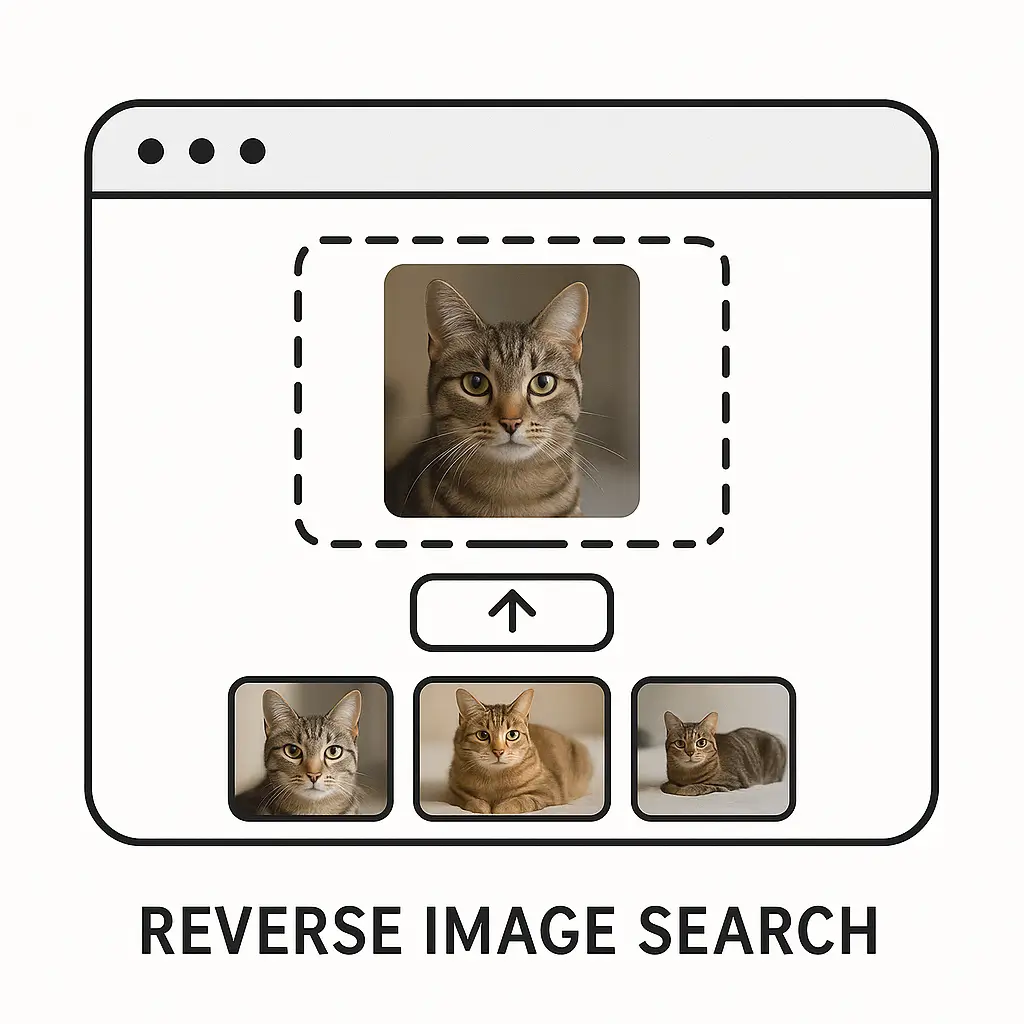
Reverse image search is a simple online method that helps people find information by starting with an image instead of words. It works by comparing the picture you upload or paste with many other pictures stored on the internet. When it finds close matches, it shows you where those pictures appear and what they might mean. The idea behind reverse image search is to help people learn more about images they already have, understand their origin, or discover similar visuals. It uses basic image search techniques that study shapes, colors, and patterns in a calm and steady way so the system can spot related pictures. It is useful for many everyday tasks, and it does not require any special skills to use. Anyone can try it using common tools such as Google Images or TinEye.
1. How Reverse Image Search Works
Reverse image search works by taking the picture you give it and breaking it into many small bits of visual information, such as colors, shapes, and patterns. The system looks for pictures online that share these same details. It does not think like a human but matches parts of the image to find close or exact look-alikes. When there is a match, it shows you links where those images appear, and you can explore each one at your own pace. This simple process makes it easy for people to understand more about any picture. It helps you learn where a picture might have come from, what it may show, and who might have shared it before.
1.1 Pixel and Pattern Matching
Reverse image search tools begin by looking closely at the pixels in your picture. Pixels are tiny dots of color that make up every image, and each pixel has its own color and brightness. The tool scans these dots, groups them by patterns, and builds a kind of map. When you upload a picture, this map is compared to huge libraries of maps from other pictures on the internet. Matches do not have to be perfect; even close shapes or colors can lead to results. For example, if you upload a picture of a sunset, the tool might find similar orange and red skies. This steady pattern matching lets the tool return images that look alike or connect to your picture in some way.
1.2 Shape Recognition and Object Highlights
After examining pixels, tools look for bigger pieces like shapes. They identify edges, curves, and simple objects in your image. These shapes help the tool group pictures that share the same objects even if the colors or size are slightly different. This is helpful when your picture is unclear or has mixed background details. For instance, if your picture has a cup, the tool looks for other pictures containing a cup shape. This kind of matching helps people understand what objects are inside their image, even when they did not notice them at first. It also widens the search results, making the process more helpful.
1.3 Color Mapping and Tone Comparison
Color mapping helps the tool understand the mood and style of an image. The tool checks which colors are most common and which colors stand out. It then looks for other pictures with the same mix. Even if the pictures look different at first glance, similar color tones can link them. For example, a picture with many blue and white tones may match photos of the sky, water, or snow. This method makes the results broad but still meaningful. Some tools like TinEye use clearer comparisons and show image versions from oldest to newest, helping people see how the picture changed over time.
1.4 Database Searches and Web Crawlers
Reverse image tools depend on large databases filled with pictures collected from across the internet. They use crawlers, which are simple programs that visit many websites and save image details. When you upload your picture, the system looks through these stored images and checks for similarities. The size of the database impacts the accuracy of matches. Bigger databases like Google Images bring more results because they have more pictures to compare. This wide search helps users find many versions of the same picture, as well as places where it may have been posted.
1.5 Visual Similarity and Content Comparison
When the tool finishes checking basic parts like pixels and shapes, it studies the big picture. It checks the overall layout, style, and groups of objects. This helps the tool find pictures that are not exact matches but still share a similar look. For example, if your picture is of a crowded street, it may show you other street images with similar structure. This final step gives users broader ideas about related images. It makes reverse image search a flexible tool that teaches more than just exact matches.
2. Uses of Reverse Image Search
People use reverse image search for many simple and helpful reasons. It works quietly in the background and gives results that can help with learning, checking, exploring, or identifying. Many people use it to understand where a picture comes from, while others use it to discover similar items or objects. It can even help when people come across photos they do not recognize. Because reverse image search works with just one picture, it is easy for anyone to try. It saves time and gives quick clarity. It has become a useful everyday tool for people of all ages.
2.1 Finding the Source of a Picture
One common use of reverse image search is finding the original source of a picture. When you upload an image, the tool checks where it first appeared online or where it has been shared the most. This helps people learn more about the story behind a picture. For example, if someone finds a drawing or cute pet picture, they might want to know who created it. Using reverse image search, they can see the website or artist linked to it. This simple task helps people give proper credit and understand how a picture traveled around the internet.
2.2 Identifying Unknown Objects or Places
Another helpful use is learning what an object or place in a photo might be. Sometimes a person sees a picture of a plant, a building, or a landmark and wants to know more. When they upload the image, the tool looks for pictures of similar things. If the match is close, the result may include the name of the object or place. For example, someone with a picture of a mountain might find results showing similar mountains and their names. This method works well for people who enjoy learning new things by observing pictures.
2.3 Checking the Authenticity of Images
Some people use reverse image search to check whether a picture is genuine or edited. When you upload a picture, the tool shows you where else the image appears. If it shows many versions, altered copies, or mismatched information, you can understand the picture better. For example, if a person shares a picture they claim is new, reverse image search may reveal it was posted years ago. This simple checking step helps people understand images more clearly and avoid confusion.
2.4 Finding Similar Products and Items
Reverse image search is helpful for finding items that look like something you already have a picture of. Many people use it when they want to find similar clothes, shoes, or objects. By uploading a picture of an item, the tool searches for matching products across different pages. Some results may show similar colors or designs, helping users choose what they like. Tools such as Google Lens work well for this type of search, making it easy to compare items without needing long descriptions.
2.5 Tracking Image Use Across the Internet
Some people want to know where their picture is being used online. They might have artwork, a portrait, or a photo they created. Reverse image search helps them see if anyone else has shared it. By checking multiple websites, they can understand how widely the picture has spread. This is useful for artists, photographers, and anyone who wants to keep track of their content. It gives them peace of mind and helps them take action if needed.
3. Why People Use Reverse Image Search
People use reverse image search because it removes guesswork. Instead of typing long descriptions, they simply upload a picture. This simple method makes it easier to find information that would be hard to discover otherwise. The tool helps in everyday tasks with no extra steps or complex thinking. It also saves time and reduces confusion when dealing with unclear images. Because it offers accurate and fast results, many people rely on it for daily needs, learning, and simple problem-solving. It is a gentle and straightforward way to understand pictures better.
3.1 Quick Answers Without Typing
Reverse image search is useful for people who do not know how to describe what they see in a photo. Instead of typing long words, they just upload the picture. The tool understands the patterns and brings useful outcomes. This saves effort and time because the tool does the hard work. This feature helps children, adults, and even people learning new languages. It cuts down the challenge of finding the right words and gives them clear answers through simple results.
3.2 Helps People Understand Unknown Images
Many people have old photos or images sent by friends that they do not fully understand. Reverse image search helps them learn more without needing any special knowledge. They upload the image and wait for results that show similar pictures or websites that include the same image. This gives context and clarity. It might show a name, place, or object that helps them understand what the picture is about. It guides them step by step through simple visuals.
3.3 Saves Time When Browsing the Internet
Using reverse image search saves time because it quickly matches your picture with many others. Instead of browsing endlessly or guessing keywords, you let the tool work for you. This is especially helpful when you want to compare items or find exact information. With tools like Google Images doing fast comparison work, people can finish their searches sooner and with less frustration. It turns a long search into a small, easy step.
3.4 Helps Check Image History
Some images online have unclear or mixed stories behind them. Reverse image search helps people check where an image has been used before. This helps them understand if the picture is new, old, edited, or shared by others. It also helps when people want to know if a picture belongs to someone else. This gentle checking method builds understanding and prevents confusion.
3.5 Works with Simple Tools
One reason people enjoy using reverse image search is that it works with simple and free tools. Google Images, TinEye, and even some phone apps offer reverse search options. These tools do not require sign-ups or complicated steps. A person only needs to upload a picture or paste a link. Because of this ease, anyone can explore pictures freely and learn without hesitation.
4. Common Examples of Reverse Image Search in Daily Life
Reverse image search fits naturally into everyday tasks without feeling complex or heavy. People use it when they want to learn something small, trace an old picture, or identify something they came across by chance. The process feels simple and helpful because the tool does the matching quietly and brings clear results. Many families, students, and workers use it without even thinking twice because it blends into their daily routines so smoothly. It feels like a small hand guiding them whenever they need image-related help.
4.1 Recognizing a Plant or Animal
When someone sees a plant or animal they do not recognize, they often take a picture and upload it to a reverse image tool. The tool then shows similar pictures and pages that talk about those plants or animals. This helps the person learn names and simple facts without needing thick books or long searches. It feels natural because they are simply learning from what they already saw, and the tool helps them connect that picture with clear information. This small step encourages curiosity and makes learning feel calm and clear.
4.2 Matching Clothes or Accessories
People often look for clothes or accessories they saw in a picture. Instead of trying to guess the style or name, they upload the image and wait for matches. The tool may show similar shirts, bags, shoes, or simple items that resemble the picture. This helps people find affordable options or compare different designs at their own pace. It works especially well for things like patterns or colors that are hard to describe in words. The process feels smooth because you let the tool look for you, and you explore the results slowly and comfortably.
4.3 Understanding a Painting or Artwork
Many people see paintings online and wonder who made them. Reverse image search helps them understand the artist or origin by checking where the picture appears online. When the tool brings results, the person can read about the art without needing any special skill. This makes art feel more reachable and not something only experts can explore. It gives people a sense of knowing more about the world in a simple and steady way.
4.4 Finding Recipes from Food Pictures
Some people upload food photos to find similar dishes or recipes. The tool checks for pictures of food that look close to the one uploaded and shows matching pages. This helps people try new meals or learn how certain dishes are made. Even if they do not know the name, the tool guides them gently by showing food with similar shapes and colors. It is a very easy and natural way to explore food ideas without stress.
4.5 Learning About Unknown Places
When someone sees a picture of a place they do not recognize, they can upload it to learn more. The tool checks for pictures with the same buildings, mountains, or streets, and shows pages that mention the location. This helps people understand where the place might be and what it is known for. It is a simple and pleasant way to learn about new locations through images that already interest them.
5. Helpful Tools for Reverse Image Search
Several tools make reverse image search simple for everyone. They do not require training or long steps. Each tool comes with its own gentle way of helping users find information. These tools take care of the heavy analysis so people can focus only on the results. They help children, students, workers, and families learn more from images they already have. A few tools also offer extra features that let people explore similar pictures or discover more details with little effort. This makes reverse image search feel easy and friendly.
5.1 Google Images
Google Images is one of the most common tools for reverse image search. It lets users upload a picture or paste a link, and then it searches millions of images online. The results often include websites where the picture appears, similar pictures, and pages that might talk about the image. People enjoy using it because it is simple and works quickly even with basic pictures. Google Images also brings broad results that help people explore related topics with no stress or confusion.
5.2 TinEye
TinEye is another helpful tool for reverse image search, known for showing older or earlier versions of a picture. When someone uploads a photo, TinEye scans its database and displays where the picture appears online. It also shows if the picture has been resized or changed. This helps people understand how the image moved across the internet. TinEye works smoothly and keeps the process clear, making it easy for people who want to track pictures or learn their history.
5.3 Google Lens
Google Lens helps people search using both pictures and their phone camera. When they point the camera at an object, Google Lens shows matching items or similar pictures online. This is useful for things like clothes, books, plants, or simple items around the house. Many people use it while shopping or exploring new places because it brings instant results. It helps make daily tasks easier by guiding people with clear matching images.
5.4 Yandex Image Search
Yandex Image Search is another tool that helps people find matching pictures. It works well with faces, places, and objects, often bringing strong matches. People like using it when they need more results than usual. The tool compares images gently and brings wide options for users to explore. It is simple to use and helps people learn more about pictures they already have.
5.5 Small Browser Extensions
Some browser extensions help people run reverse image searches directly from any online picture. When a person sees an image they want to learn more about, they right-click and choose the reverse search option. The extension then finds similar pictures across different search engines. This saves time and helps people explore images quickly. These extensions are easy to install and do not require users to switch pages or copy links.
6. Limitations of Reverse Image Search
While reverse image search is helpful, it has limitations that people should understand. The tool relies on images already available online, so if a picture has never been shared, it may not find a match. It also works differently depending on the clarity of the picture. Blurry or cropped images may produce fewer results. Even then, reverse image search remains useful for many simple tasks. These limitations do not stop people from gaining helpful insights. They simply remind us that the tool works best when it has good information to compare.
6.1 Limited Matches for Rare Images
Some pictures are not widely shared, so the tool may struggle to find matches. When a person uploads a private photo or a picture from a small event, the tool may show no results. This happens because the image does not exist in the public databases the tool checks. Although this can feel limiting, it is a natural part of how the search works.
6.2 Difficulty with Blurry or Dark Photos
If a picture is dark, blurry, or taken at an odd angle, the tool may not detect enough patterns. The results may be broad or less accurate. The tool depends on clear shapes and colors to compare images. When these details are missing, it has less to work with. Even so, some tools like Google Lens try their best to bring gentle guesses that can still help users understand the picture.
6.3 Challenges with Cropped or Edited Pictures
Edited pictures or images with filters may not match the original versions online. If someone crops a picture tightly, the tool only sees a small piece and may struggle to find similar images. This is natural because the tool studies what it is given. Tools like TinEye can sometimes detect altered images, but accuracy still varies depending on how much the picture has changed.
6.4 Limited Results for New Images
Very new images may not show results because the tool has not yet stored them in its database. Crawlers need time to gather and organize images from the web. If a picture was shared recently, it may not appear in search results. Over time, as the picture becomes more common, the tool improves its ability to match it.
6.5 Not Always Perfect with People’s Faces
Reverse image search can sometimes bring unclear results when matching faces. The tool looks at features and patterns, but lighting and angles can affect accuracy. It is not a perfect method for identifying people, and results may differ across tools. This limitation reminds users to treat face-related searches gently and understand that the results are only comparisons, not final answers.








