
Understand What Visual Similarity Search Is
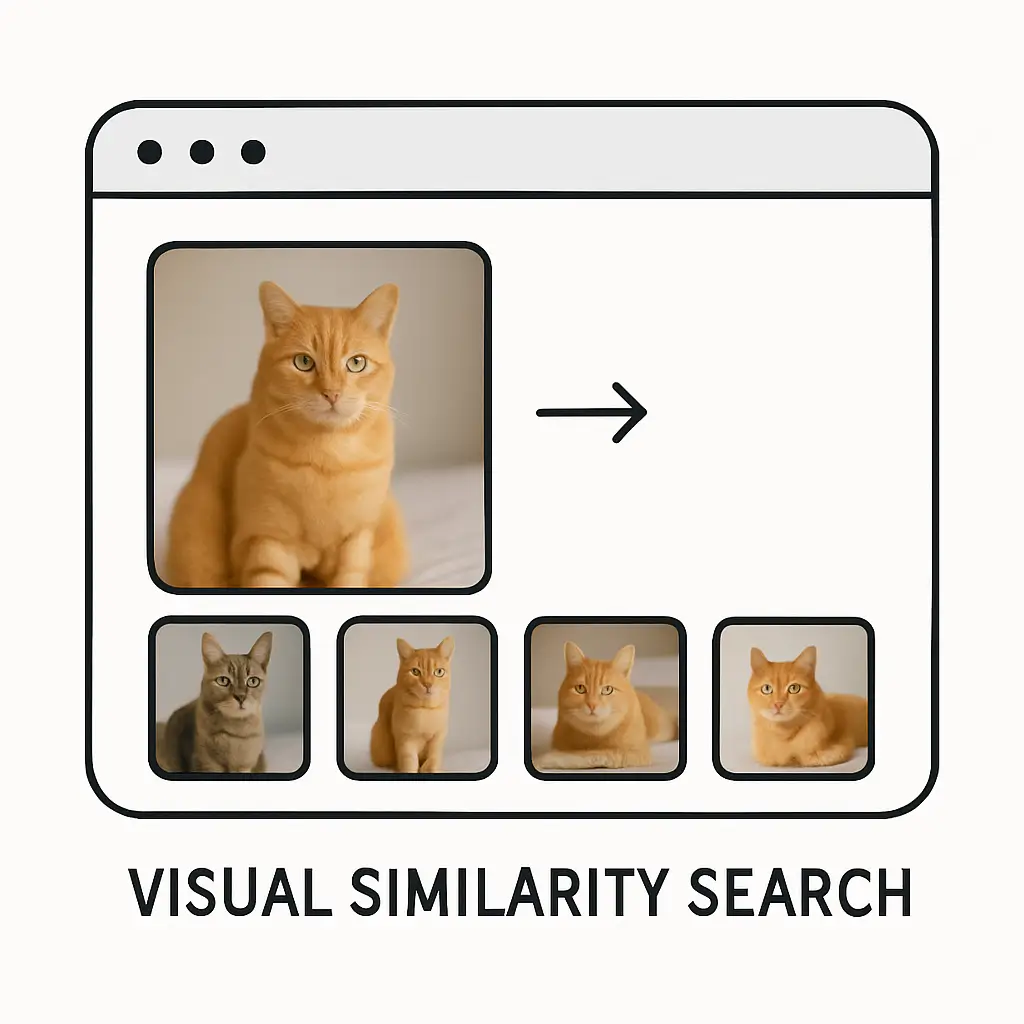
Visual similarity search is a simple idea at its core. It helps a system look at an image and find other images that look close to it in shape, color, style, or overall appearance. Instead of typing words to find something, the system understands the picture itself and then shows results that match it. People use it when they want to find products, designs, places, or objects that resemble something they already have a photo of. Many platforms use advanced models, but the main goal stays very clear: help users reach what they want through visual understanding rather than written descriptions.
Today this method is used everywhere from online shopping to design research, and it makes browsing feel much easier because it removes the need to describe things in words. With simple clicks, a person can explore items that share the same look. The whole idea grew from the need to make search more natural, and it fits well for anyone who finds it hard to explain what they see. Visual similarity search also supports creative work by helping people discover patterns, styles, and ideas based on pictures rather than long text.
1. How Visual Similarity Search Works
The idea behind how this type of search works may look complex when seen from a technical angle, but the overall flow feels quite simple when explained in plain words. A system looks at an image and breaks it down into tiny details that describe its look. These details help the system compare one picture with another and find close matches. The goal is not to check every single pixel one by one but to understand patterns and features that describe the image clearly. When someone uploads or chooses a photo, the system runs this process in the background and presents the closest results. This follows some of the same steady steps found in basic image search techniques, but here the focus is on the picture itself rather than text.
This process often uses tools that turn images into something called image embeddings. These embeddings act like small pieces of information that represent the picture. A tool like OpenAI’s CLIP or Google’s Vision API helps in this part, and they are widely used because they can understand a picture in a simple and helpful way. When the system stores these embeddings, it can match them later without needing to scan whole images again, making the process faster and smoother than it might seem. That is why visual similarity search feels instant on many platforms.
1.1 Feature Extraction in Simple Words
Feature extraction is like teaching a system to notice shapes, colors, edges, or patterns inside a picture. Instead of the picture being a flat surface, the system sees many pieces that make the image unique. For example, if the picture is of a shoe, it may notice the curve of the sole or the texture of the fabric. These little parts help the system understand what makes the item look the way it does. Once these features are pulled out, the computer stores them so it can compare them later.
This step removes the need for long descriptions because the details inside the image speak for themselves. A person might find it hard to explain how a design looks, but the system can notice all the small shapes without being told. This makes the whole search feel simple even though a lot is happening underneath. Tools like CLIP often help here because they understand both pictures and words, but the system mostly relies on what it sees in the image.
1.2 Turning Images Into Embeddings
Embedding is a word that means turning an image into a list of values that describe it. Even though the word sounds big, the idea is very easy to understand. Just imagine writing a short summary of what you see in the picture, but instead of using words, the system uses numbers. These numbers act as the identity of the picture, and when two pictures have close identities, they are seen as similar. The system compares these number lists to find matches.
These embeddings help keep the search fast. Instead of comparing whole pictures, the system only compares these little summaries. Tools like FAISS or Pinecone often help store and search through these summaries. They allow the system to find close matches quickly even if there are millions of images stored. This step forms the heart of visual similarity search because almost every action depends on how well the picture is summarized.
1.3 Comparing Embeddings for Matches
When a user adds a query image, the system extracts its features, turns them into an embedding, and compares that embedding with all stored embeddings. This comparison checks how close or far the embeddings are from each other. If two embeddings sit close in space, they are considered visually similar. This simple comparison allows the system to quickly choose which pictures should appear in the results.
The comparison uses simple distance formulas that measure closeness. It might sound like a math task, but the idea remains very natural. The more similar the shapes and colors in two images are, the closer their embeddings stand. This makes visual search feel quite natural because the system is basically doing what a person does when checking which objects look alike.
1.4 Storing and Retrieving Embeddings
Storing embeddings in special databases is very important because it keeps search quick and organized. These databases hold the small summaries of images rather than full images themselves. When someone wants to find similar items, the system does not need to load big files. It only loads these compact summaries and checks their closeness. This keeps the experience fast even if many people search at the same time.
A tool like FAISS, built by Facebook AI, is often used for this purpose. It keeps embeddings in a neat structure so they can be compared quickly. Storing them this way also helps when new images are added in large numbers. The system only needs to compute and add their embeddings, and then they become a part of the search space.
1.5 Showing Results to the User
After the system finds the closest embeddings, it brings the matching pictures forward. The user sees a list or grid of images that share the same look. The results might be sorted by closeness so that the first few ones match the most. This makes the whole experience feel smooth and natural. The user simply uploads a picture and the system responds with similar items without asking many details.
This last step might look simple, but it ties the whole flow together. The user does not need to know about embeddings or feature extraction. They only see results that make sense visually. Platforms usually present clean images with small labels or extra information that help the user choose what they want.
2. Key Features of Visual Similarity Search
Visual similarity search brings together several features that make searching by image feel easy and natural. These features guide the system to understand visual content in a way that makes sense for both technical and non-technical users. The features focus on recognizing patterns, handling large collections, giving users smooth experiences, and supporting different types of images. They make the entire process feel consistent across various platforms.
These features also allow the system to learn from images and adapt over time. As more pictures are added, the search engine becomes better at noticing small details. This makes it more reliable when someone wants to find items that resemble something they already have. These features also help people who do not feel confident writing long text descriptions because the system uses pictures as the main form of communication.
2.1 Understanding Shapes and Patterns
One of the most important features is the ability to see shapes and patterns in images. A system can look at two drawings or photos and notice how the edges or curves match. It may see patterns like stripes, dots, or textures that a user might forget to mention. This skill helps users find items based on the overall look rather than specific names or labels.
This understanding of shapes is helpful when people want to find items like clothes, furniture, or drawings. Even if the colors are different, the system focuses on the structure and brings results that feel visually close. This makes browsing pleasant because users feel understood without giving long explanations. The system just picks up the patterns that matter most.
2.2 Recognizing Colors and Tone
Color is another big part of visual similarity. The system studies the shades inside the picture and looks for other photos that share the same colors. It does not look for exact matches but searches for similar tones that blend in the same way. This helps when people want clothes, designs, or objects that match a certain color scheme.
Color recognition helps designers or shoppers who want balance in their choices. They can upload something they like and instantly see options that match the same tone. Tools like Google Vision often help with color detection, and they make the search feel very natural because color is one of the first things people notice in any picture.
2.3 Supporting Many Image Types
Visual similarity search does not depend on one type of image. It can handle photos, sketches, icons, screenshots, or even simple drawings. This makes it flexible in many fields. The system only needs clear features to study, and it can turn almost any picture into an embedding. This wide support helps many people use it even if they only have rough drafts or old images.
This flexibility helps in both professional and personal settings. A designer may upload a sketch, and a shopper may upload a photo of shoes. Both will get results even if their pictures look very different in style or quality. The system treats them all the same way, focusing on features instead of image type.
2.4 Fast Large-Scale Matching
The system can handle very large collections of images because it compares embeddings rather than full photos. This makes the search fast no matter how big the database grows. Even if millions of items are stored, the system picks matches in a short time. This speed makes visual search usable on shopping apps, design platforms, and creative tools.
Fast performance also helps when people want to explore many options quickly. They can scroll through hundreds of results without waiting. This adds comfort because browsing becomes smooth and steady. The system also updates itself easily when new items come in, making the search feel fresh all the time.
2.5 Easy User Interaction
The user experience stays simple. People only upload or pick an image, and the system does the rest. They do not need to type keywords or remember product names. This makes the search feel natural for children, adults, and anyone who finds typing tiring. The interaction stays very visual and friendly.
This feature also supports accessibility. Some people may struggle with spelling or describing objects, and this search method helps them find what they need through pictures alone. It turns visual understanding into a tool that supports everyday tasks and keeps searching from feeling heavy or complex.
3. Common Uses of Visual Similarity Search
Visual similarity search appears in many areas of life where pictures guide decisions. It helps shoppers find products, helps designers explore styles, supports research, and even aids in identifying objects. The uses continue to grow as more platforms trust this method to improve user experience. The strength of this approach is that it replaces long explanations with simple image input.
People enjoy this method because it removes guesswork. Instead of describing something in words, they can show what they want. This makes everyday tasks like shopping or planning much easier. The uses below show how common and helpful this method has become.
3.1 Shopping for Similar Products
Many online stores use visual search so customers can find clothes, shoes, furniture, or accessories that look like an item they already have. A user uploads a photo, and the system shows items with similar designs. This helps people match their style or replace old items without hunting through long menus. It feels quick and friendly.
This process becomes helpful when someone sees an item in real life or in a video but does not know what it is called. They can take a simple picture and upload it. The search engine takes care of the rest and brings options that fit the look. This makes shopping more enjoyable because it shifts from typing to simply using images.
3.2 Discovering Ideas for Design
Designers often explore visual examples to get new ideas. Visual similarity search helps them find patterns, color schemes, or shapes that match what they have in mind. Instead of searching with words, they can upload a small sketch or an old photo. The system responds with a wide range of similar items that can spark creativity.
This method is useful in fields like fashion, interior design, and art. When designers need inspiration, they rely on examples that feel visually close to their own concepts. The search system becomes a quiet helper that brings out ideas without forcing the designer to describe every detail.
3.3 Finding Objects in Large Collections
Museums, libraries, and research groups use visual search to organize and explore large collections of images. A system can help find paintings that share the same style or photographs that resemble each other. This saves time because researchers do not need to read long labels. They can rely on what they see.
This helps when collections are very old or very large. Many pieces may not have full descriptions, but the system treats every image with the same attention. It sees the visual patterns and groups them without needing extra text. This keeps research smooth and practical.
3.4 Helping With Everyday Problem-Solving
People often use visual search in simple daily tasks such as identifying plants, animals, or objects. They take a picture, upload it, and the system finds close matches or similar examples. Even though the results may vary, the general idea helps people explore and understand things around them.
These uses make life easier because words are not always enough. A person may not know the name of a plant or tool, but the system recognizes visual features and offers matches. This brings clarity to tasks that might otherwise feel confusing.
3.5 Improving Content Organization
Platforms with large amounts of images use visual similarity search to organize their content. When new pictures are added, the system groups or arranges them based on visual closeness. This keeps the platform clean and easy to navigate. It also helps users discover more related content without asking for it.
Creators benefit because their work becomes easy to find. Even if they do not add long descriptions, the visual search engine understands their images and places them where they belong. This gives structure to spaces that would otherwise feel messy.
4. Benefits of Using Visual Similarity Search
Visual similarity search brings several clear advantages for users and businesses. It supports natural browsing, removes the need for complex descriptions, and makes searching much more comfortable. These benefits reach across different situations and help people get what they want with fewer steps. They also make platforms feel smooth and pleasant to use.
The benefits below focus on how this method improves daily experiences. Each one explains how visual searching brings ease into spaces where text-based searching once felt slow or limiting. Keeping the tone simple helps show why these benefits matter in a very natural and clear way.
4.1 Reduces the Need for Descriptions
One of the biggest benefits is that people do not have to write long descriptions. Many users struggle to name a design, pattern, or style. With visual search, they only need a picture. The system studies it and finds similar options. This makes searching feel light because the user does not have to think about the right words.
This is helpful when describing something very detailed, like a pattern on fabric or a shape on a piece of jewelry. Words may not capture the look, but the picture does. This benefit takes pressure off the user and lets the system do all the work in a simple and friendly way.
4.2 Makes Browsing Feel Natural
Visual search feels like browsing with your eyes, not with your keyboard. People naturally understand images faster than text. This makes the whole experience feel smooth. When users see a row of similar images, they can decide quickly which one fits what they want.
This benefit also helps children, older adults, and anyone who finds typed searching tiring. The process does not depend on spelling or knowing specific names. Everything revolves around what the user sees, which brings comfort and ease to the whole search experience.
4.3 Helps Discover Things Users Didn’t Know How to Ask For
Sometimes users want something but do not know how to describe it. Visual search solves this by showing results that match the look even if the user does not know the correct words. A picture works as the perfect guide. The user may discover items they never thought to search for.
This kind of discovery feels natural because the system follows visual clues instead of waiting for exact text input. It brings out options that feel new but still related to what the user has in mind. This makes the process feel more open and less limited.
4.4 Supports Quick Decision-Making
When users see many visually similar options, they can make decisions faster. They do not have to read long product descriptions or browse many pages. The results come in neat groups based on looks, making it easy to compare items side by side.
This benefit helps in shopping, design, and planning tasks. For example, when buying furniture, seeing similar shapes helps the user choose what fits their room. It cuts down search time and keeps the experience steady and calm.
4.5 Works Even With Rough or Unclear Images
Visual similarity search does not always need perfect photos. Even rough pictures or screenshots can work. The system still tries to find major shapes and patterns. This allows users to take quick photos without worrying about lighting or angle.
This benefit is very helpful for people who rely on phone cameras. They can quickly capture something they saw in a store or outdoors. The system still brings back useful matches, showing how forgiving and friendly visual search can be.
5. Challenges in Visual Similarity Search
Even though visual similarity search is helpful, it also has challenges. These challenges come from the way images vary in quality, shape, and background. A system must understand these differences to bring the right results. Keeping things simple, these challenges explain why the search may not always feel perfect but continues to improve with better tools and design.
Each challenge is explained in a very natural way so users understand how the system works behind the scenes. The goal is to show the limits without heavy terms, making everything easy to follow.
5.1 Variation in Lighting and Backgrounds
Images often change depending on where they are taken. Light, shadows, and backgrounds can affect how the picture looks. Sometimes the system may focus on parts of the background rather than the main object. This can lead to results that feel slightly off.
This challenge appears often in photos taken outside or in busy rooms. A simple cluttered background can confuse the system. Many platforms try to solve this by improving feature extraction tools, but the challenge still exists because real images come in many forms.
5.2 Differences in Angles and Positions
A picture taken from above may look very different from a picture taken from the side. Even though both show the same object, the system sees different shapes. This can make comparison harder. Users often upload images with many variations, and the system needs to balance these differences to find accurate matches.
This challenge happens a lot when people photograph objects quickly. The angle may hide important parts. The system does its best to work with the visible features, but it may miss small details. That is why using simple forward-facing images usually works best.
5.3 Handling Very Similar Objects
Some objects look almost the same, making it hard for the system to tell them apart. For example, two shirts with only a tiny pattern difference may confuse the system. It might group them together even if they are not exactly the same.
This challenge affects both shopping and design tasks. The system tries to notice tiny differences, but when items look nearly identical, it may bring mixed results. Still, this challenge is improving as tools become more sensitive to small visual changes.
5.4 Dealing With Large Collections
As collections grow bigger, the system must work harder to compare embeddings. Even with efficient tools, storing and searching through millions of items requires good planning. If not managed well, the system may slow down or bring results that are less accurate.
Tools like FAISS help in this area, but the challenge remains because the number of images on many platforms keeps increasing. The system must stay organized to keep searches fast and smooth for users.
5.5 Matching Drawings With Photos
Drawings may show only outlines, while photos show full details. Matching them can be tricky because the system must guess what the drawing represents. Even simple sketches can vary a lot between users. The system tries to match shapes, but some drawings may not give enough detail.
This challenge appears more in design tools and creative apps. While improvement continues, drawings still remain harder to match because they offer fewer visual clues. Even then, many systems try their best to support this type of search.
6. Future of Visual Similarity Search
The future of visual similarity search looks steady and full of growth. As tools become better at understanding images, the search experience will improve for everyone. The main idea will remain the same: help people find things using pictures. But the ways systems understand images will continue to advance, making results even more accurate and helpful.
This future focuses on simpler interactions, faster matching, and a deeper understanding of what makes images similar. These changes will support new fields like education, healthcare, and creative arts. The goal is to keep visual search friendly and easy for all users.
6.1 Better Understanding of Image Details
Future systems will notice more small details in images. They will understand texture, depth, and tiny differences that are hard to see. This will help them bring more accurate results and reduce confusion. Users will feel more confident that the system understands their pictures.
This deeper understanding will also help in complex tasks like studying artwork or finding rare objects. As tools improve, they will become more reliable partners for people who depend on visual guidance in their work or hobbies.
6.2 Smoother Search Experiences
Search experiences will become smoother and faster. Users may not even need to upload images every time. Some systems might recognize items inside photos automatically. The goal is to reduce steps and make everything feel natural.
This improvement will help people who want quick results without waiting. Even large collections will feel easy to move through. The experience will stay calm and steady for all users, keeping visual search helpful in everyday life.
6.3 Stronger Support for Different Image Types
Future tools will handle many more types of images, including rough sketches, blurred pictures, and very old photos. They will understand what the user meant even when the picture is not perfect. This makes visual search more open to everyone.
This change helps students, artists, and everyday users. They can rely on images without worrying about neatness or quality. The system will focus on intention and meaning rather than only clear lines.
6.4 Closer Integration With Daily Tools
Visual similarity search may become part of more daily tools. Phones, browsers, and apps may include simple image-based search buttons. People will be able to use it in planning meals, decorating homes, or choosing outfits.
This integration feels natural because people already use images all the time. The search will simply blend into their routine. It will help users in quiet, simple ways across different tasks.
6.5 More Helpful Results Over Time
As systems learn from user feedback, results will keep improving. When people choose certain images often, the system understands patterns. It adjusts future results to fit what users prefer. This makes the search feel more personal.
This growth keeps visual search relevant. It becomes better with more use and keeps supporting users in simple and meaningful ways.








